
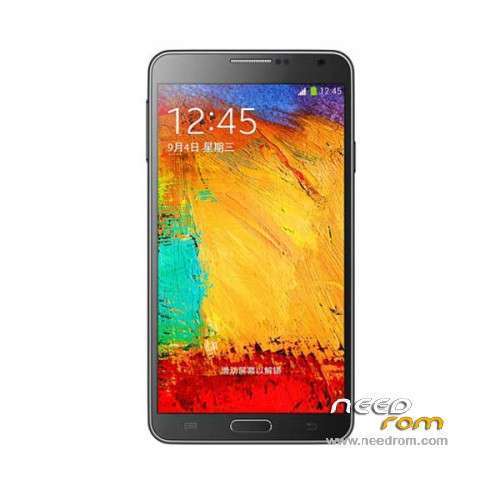
- Title: 1:1 Note3 SM-N900 MT6582
- Listed: March, 2014
- Last modified: 04/22/2014 8:29 pm
- Version: ROM Android 4.3
You must be logged for ROM download.
55961 total views, 4 today
14 Total favorites
 Member Info
DESCRIPTION
ROM Mobile 1:1 Note3 SM-N900 – ROM Android 4.3
ONLY MT6582
UPDATE Official ROM For 1:1 Note3 SM-N900 Version: JSS15J.N900UBUBMJ2_S102M_XLF_SM_N900_V04_03262014
—————————————————————————————————————————————————-
Official ROM For 1:1 Note3 SM-N900 Version: JSS15J.N900UBUBMJ2_S102M_XLF_SM_N900_V01_02222014
MT6582 + 1G Ram + 16G Rom
Rom is given for this config:
Hardware : MT6582
Model : SM-N900
Build number : JSS15J.N900UBUBMJ2
Build date UTC : 20140222-081424
Android v : 4.3
Baseband v: MOLY.WR8.W1315.MD.WG.MP.V15, 2014/02/18 02:04
Kernel v : 3.4.5 (zhanghongqiang@yaocong-desktop) (gcc version 4.6.x-google 20120106 (prerelease) (GCC) ) #1 SMP Sat Feb 22 16:12:13 CST 2014
Uboot build v : —– iaiaoiaei root shell
LCD Driver IC : 1-otm1288a_hd720_dsi
Gapps include - no Rooted
Language support: Multilang
Install ROM :
- Unpack FlashTools, and Click on Flash_tool.exe
- Select a the MT6582_Android_scatter_emmc.txt in ROM
- Wait file to be added into Flash Tool
- choose Option->USB Model,click USB Model
–> Choose Option->DA DownLoad All->Speed->High Speed, click High Speed
- Turn off your phone, remove the battery.
- "Press F9 (hit Download button)" OR " if upgrade ROM Firmware->Upgrade "
- and connect your phone into the computer via USB data cable.
- The process will start and a red progress bar will appear after color purple, yellow.
- And green circles display
- Finish !
- You can now safely disconnect your phone and turn it on.
※Please make a backup of your device before installing or updating ROM
does it work for MT6572 if not please give me link for it
I need help from all the experts out there!
Which MTK Version do i have?
^This is from the MTK Tool
^This is from the Factory Mode accessed by a combination on Volume Down and Power.
Factory Mode says MTK6582 while MTK Tool says MTK6572. Which one do i have? O.o
I do not know anymore what is a good processor of the Samsung SM-N900. There is many different information.
I use the factory mode and I find the MT6589
I use Antutu X Benchmark, CPU-Z, CPU Identifier, Quadrant, MTK Tool and I think the MT6582.
I use Shuame and I find Exynos 5420.
The information of the factory mode must be good information on the processor of the phone?
Use CPU Ram Device Identifier by Bartoloni from PlayStore and it should tell you the real Info on your device…
Not work Accessibily and Google Services. Solution?
it is good for sm-n9002 dual sim 1gb 16gb rom??
No
hello… enable/disable with push button…all function smart stay pause scroll not work…
multi window push enable/disable not work…
multi window push button enable with open and close flip cover work…
multi window push button disable with open and close flip cover work…
you have new rom without bug? thanks
google play services work?
i have lcd 1-otm1283a_hd_dsi see follow image
https://www.dropbox.com/s/jhrz.....0630_125603.jpg
this rom is ok??
thank you
Hello bought a MTK6582 HDC note 3.'m Looking to install the room. The problem is that I do all the procedure and when I connect the USB cable in PC nap just nothing happens. U could help me. I have a pc with windows Eight. I have to install any drive or do anything before on mobile?