
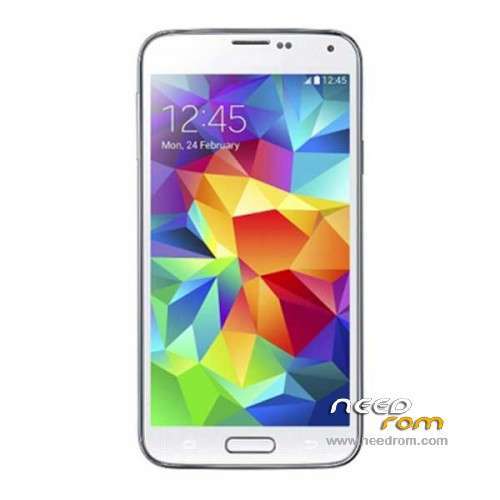
- Title: 1:1 S5 SM-G900 MT6592
- Listed: May, 2014
- Last modified: 05/21/2014 5:30 am
- Version: ROM Android 4.4.2
You must be logged for ROM download.
68957 total views, 1 today
22 Total favorites
 Member Info
DESCRIPTION
ROM Mobile 1:1 S5 SM-G900 MT6592 – ROM Android 4.4.2
ATTENTION This rom is for Big fake. Many FAKES grrrrrrr. I'm tired. Install this rom if your mobile is bricked
This rom is given for :
Processor: 2.0GHz Octa-core MTK MT6595 processor <——– MT6592
RAM:2GB <——- I don't know
ROM:32GB <——- I don't know
Display resolution: FHD screen, 1920*1080 pixel <————— I don't know
Connectivity Technology: GSM + WCDMA + LTE 4G <—————– NO
Dual sim <————— I don't know
Operating System: Android 4.4.2 <—————– True
And this mobile, is a pizza oven <————— Why not
—————————————————————————————————————————————————-
Official ROM 1:1 S5 SM-G900 MT6592 Version: SM-G900 – KOT49H.G900SKSU1ANCE
Gapps include - no Rooted
Language support: Multilang
Install ROM :
- Unpack FlashTools, and Click on Flash_tool.exe
- Select a the MT6592_Android_scatter_emmc.txt in ROM
- Wait file to be added into Flash Tool
- choose Option->USB Model,click USB Model
–> Choose Option->DA DownLoad All->Speed->High Speed, click High Speed
- Turn off your phone, remove the battery.
- "Press F9 (hit Download button)" OR " if upgrade ROM Firmware->Upgrade "
- and connect your phone into the computer via USB data cable.
- The process will start and a red progress bar will appear after color purple, yellow.
- And green circles display
- Finish !
- You can now safely disconnect your phone and turn it on.
※Please make a backup of your device before installing or updating ROM
have you managed to install CWM recovery on this phone??
no can not
I think I have this fake phone. I had flashed a wrong rom to it and now it won't work. I had tried to flash this rom, but it gave me error messages. can anyone help?
on the back
Model: SM-GT900F
FCC ID:A3LSM-GT900F
amigo lograstes repararlo, a mi tambien me sale el mismo error
hello to all
I bought a Chinese galaxy s5
quadcore sm-g900, after firmware update sm-g900s-v10
I have a doubt .. vroot mtk tools and the same information of the phone tells me it's a samsung sm-900, while another Chinese program for the root identifies it as gfiveg9
What do you recommend? how can I identify the model? because I would like to replace the current ROM where the manufacturer has installed Chinese app that I can not delete
I also wanted to know if this rom is unlocked for Europe
Thanks in advance
Thanks a lot SoCr@Te !!!!! you saved my bricked hdc S5!!!
It's a HDC galaxy S5 MT6592 (G900H)
It's the only rom that worked you are the best!!!
Need HDC Galaxy S5 MT6572 (G900H)
Hello, I need some help please!!!!
I bought a "Samsung Galaxy S5 SM-G900H" but it didnt worked right. There are some Options missing in this Samsung like I have no Tool Box, no widgets etc. Than someone looked at it and told me that it's not an original Samsung S5. He found out that it's a clone made in China, s5-sm-g900-mt6592. I have no idea what to do :-(
Can anybody please help me if there is a way to turn this Fake Samsung into a normal working one? What can i do?
Thanks for any advices from you!!!!
hi i need vold file from fake S5 Can anybody please help me
I tryed to flash this on sm-g900 but just get the same angeryping`s Results, somebody have another way to fix my softbriked s5