
- Title: 20140704 Kitkat
- Listed: July, 2014
- Last modified: 07/07/2014 2:45 pm
- Version: 20140704 v1a
You must be logged for ROM download.
47012 total views, N/A today
1 Total favorites

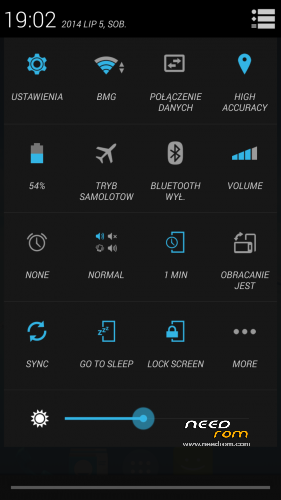
 Member Info
DESCRIPTION
UPDATE v1a:
-changed dalvik vm execution mode to jit - better performance – antutu score ~27k
Install patch via recovery without wipes.
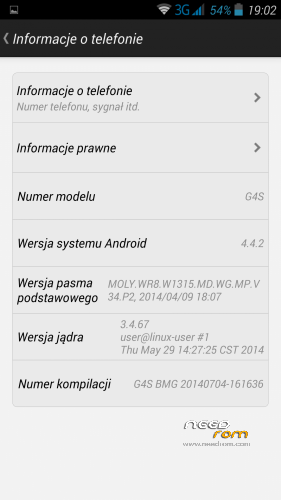
Based on latest, official kitkat firmware for g4s (20140704)
--deodexed and zipaligned
-deleted Chinese and unnecessary apk's
-aosp keyboard added
-Xposed and Gravitybox working (not included in rom) (EDIT: some settings don't work in gravitybox).
-Launcher from cyanogenmod 11 (kitkat)
-Calculator from cyanogenmod 11
-Busybox installed
-Root Explorer included
-size 250MB
After instalation turn on superuser in settings -> security.
Install via recovery (tested on TWRP 2.7.1.0 by SevenMaxs)
For people who have trouble with bootloop etc.: install 4.2.2 20140609 by flashtool, turn on superuser, install recovery and reboot to recovery via mobileuncle tools, wipe, and install zip.
Bugs: same as original 20140704 jiayu firmware (I don't notice any bugs except antutu crash after test)
※Please make a backup of your device before installing or updating ROM
Vladata: Do you have 2/16 or 1/4 version ? Because this rom is only for 2/16 (2GB ram & 16GB rom).
You can flash recovery by mobileuncle tools.You must turn superuser in settings before. Do recovery update and reboot. In recovery do Wipe and install zip.
my devide is 2/16 (2GB ram & 16GB rom)., i "update" to TWRP_2.7.1.0_by_SevenMaxs recovery via mobileuncle, superuser is ON, i enter recovery "swipe to wipe", install (did not check the 2 checkboxes in install menu) .zip. I noticed that on the top middle of the screen there is number ot operation to be done(1 from 10), when i choose install the zip only flash my boot .img file for 20-30 secunds and it says "Successful " but i think the rom isn't actually installed
Very nice ROM, thanks a lot to author! But:
1. About "-Xposed and Gravitybox working (not included in rom) (EDIT: some settings don't work in gravitybox)."
The most of my usual settings don't work (traffic monitor, lock screen mods…)
2. Italic font style everywhere…
Any solution how to swap internal sd to external sd? There’s no vold.fstab file on system/etc
Extract kernel, then you will find a file named fstab, fstab.nand and similar named file, i think this is what you search.
Can you tell me where can I find kernel?
please tell me how to remove the italic style?
This is default font in kitkat from jiayu. If you want "normal" font style install this patch via recovery:
https://mega.co.nz/#!gxUW3YoI!.....6rxBjcBGjIUv9ik
is Slovak language installed in this rom?
I do not see Slovak on the list, but there is a Czech one (Cestina)
This rom is very good, ART run perfectly. But i don’t link this font style!
Any news about malicious chinese apps with too many permission (i.e. trojans like in previous updates).
Thanks
looks like the rom works great only gps is not loading good
Zip signature verification failed with TWRP 2.7.1.0 by SevenMaxs and boot logo !! Please check it!
not true
this is official straight from the jiayu developers
dev named wade is posting the roms and this comes from him
it is also not a beta , first release of kitkat yes and you may or you may not expect some bugs