
- Title: 20140704 Kitkat
- Listed: July, 2014
- Last modified: 07/07/2014 2:45 pm
- Version: 20140704 v1a
You must be logged for ROM download.
47001 total views, 2 today
1 Total favorites


 Member Info
DESCRIPTION
UPDATE v1a:
-changed dalvik vm execution mode to jit - better performance – antutu score ~27k
Install patch via recovery without wipes.
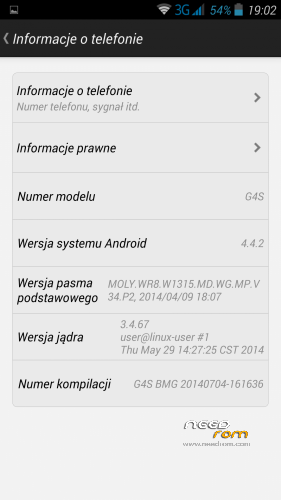
Based on latest, official kitkat firmware for g4s (20140704)
--deodexed and zipaligned
-deleted Chinese and unnecessary apk's
-aosp keyboard added
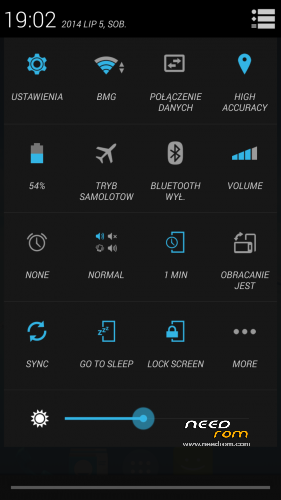
-Xposed and Gravitybox working (not included in rom) (EDIT: some settings don't work in gravitybox).
-Launcher from cyanogenmod 11 (kitkat)
-Calculator from cyanogenmod 11
-Busybox installed
-Root Explorer included
-size 250MB
After instalation turn on superuser in settings -> security.
Install via recovery (tested on TWRP 2.7.1.0 by SevenMaxs)
For people who have trouble with bootloop etc.: install 4.2.2 20140609 by flashtool, turn on superuser, install recovery and reboot to recovery via mobileuncle tools, wipe, and install zip.
Bugs: same as original 20140704 jiayu firmware (I don't notice any bugs except antutu crash after test)
※Please make a backup of your device before installing or updating ROM
Installed with TWRP. Wiped system, cache, dalvik cache.
I have the same problem with this rom, after installation I see only restarting Jiayu logo…
Did you resolved the problem?
Updated description and rom. Now antutu 27k (better than stock jiayu kitkat).
To clarify: I made this rom in 20 minutes. Rom has bugs just like jiayu original 20140704 firmware (no another bugs than stock).
If you wish I can port zopo zp998 kitkat to g4s.
"If you wish I can port zopo zp998 kitkat to g4s"
it would be great
yeah do this if you can
i believe zopos kitkat should be more stable
klc, install before 4.2.2 etc. doesn't work and I have again bootloop.
I can't change IMEI in this rom.When I clicked to "SEND AT COMMAND",I am taking an error like "This command is not allowd in UserBuild" please help me
Do a backup on your SD on 4.2.2 with Mobileuncle and then restore in the new ROM. Worked for me
I installed once again and still don’t have 3g settings. I can’t select desired APN.
Hi crisixxz - I have the same problem. Can't install 3g settings in APN. Useless.
mtk mobile uncle crashed also, statusbar settings and some others of gravitybox aint working as said.
Nice rom, thank you.
So far no problems, I have installed with full flash over official Kitkat. Gravity box works. Only think I dont like is that italic system font, if releasing a updated version, please consider removing.
Many thanks. Vit
Mic problem fixed with this rom? When i call some phone users they hear an annoying noise. Is this fixes in this rom?
lookout warned me, that com.android.contacts/settings/dialer would be adware.
anyone can explain that?