
- Title: ACER LIQUID
- Listed: January, 2013
- Last modified: 01/05/2013 1:47 pm
- Version: ROM Android 4.0.4
You must be logged for ROM download.
16957 total views, 2 today
1 Total favorites

 Member Info
DESCRIPTION
ROM mobile ACER LIQUID – ROM Android 4.0.4
ROM features:
A slightly older thepasto’s liquid chocolate kernel
– Should not make that much of a difference with the latest thepasto’s kernel
– May not have all the governors that are present in the latest kernel
Using JB adreno GPU libraries
– The UI is a little bit more responsive compared to ICS adreno libraries
– The memory usage seems to go a bit higher
LED notification fix
– Need to enable the Notification light and Use custom values setting in the Display settings menu
– The Missed call color should be any color other than white or black.
– The Voicemail color should be white
Camera library compiled from source (still depends on liboemcamera which is from Froyo)
– By default the default camera is used. You need to replace libcamera.so to use the compiled version. Instructions are below.
– The library in the ROM persists as /system/lib/libcamera.so.compiled
– Need to replace the /system/lib/libcamera.so with /system/lib/libcamera.so.compiled and restart the device in order to use this camera
– Features include
– Touch to focus
– zoom preview. Note that pictures taken with zoom do not match with the preview. So be aware that what you see in the preview is not what you will get in the picture. I gave up after spending several days with this issue
– With the ISO set to Auto there is a green tint in the thumbnail. The picture that is taken seems fine though. Switch to ISO 400 to work around this issue.
– The camera button works
Slight battery savings
– Some kernel driver level changes that turn off hardware when the power button is pressed
– With no phone usage battery should drain less than 1% for every hour
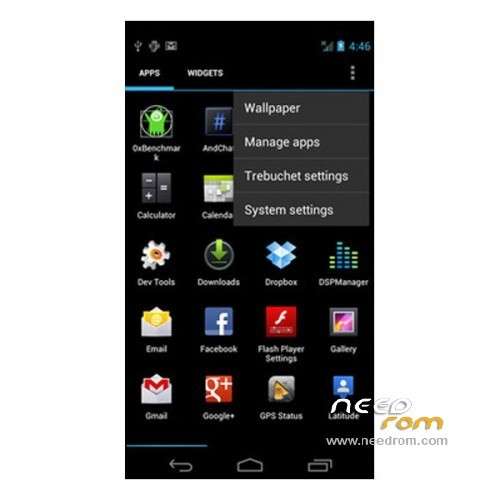
Trebuchet launcher
– That is developed and maintained by the cyanogenmod team
Known Issues
– Camera related that were mentioned in the above section
– You tell me if I introduced any new ones
Note that I may not have time to support you all. Let me know if you find any new issues. I will try to resolve them when I find time. Understand that development takes lot a time and effort and resources. So, please be kind and donate using the “Donate” button in my signature.
Install ROM :
•Open GooManager app:
•Choose “Browse compatible ROMs” from GooManager.
•Browse to “thepasto/CM9″ folder and select “cm-9-_________-salsa.zip”, Click on “Begin download”.
•Select “Download gapps package”.
•Now reboot to recovery and flash above download packages, or use “Flash Roms” option from GooManager.
NOTE1: File downloaded form GooManager app are located in /sdcard/goomanager forlder.
NOTE2: Installation process in recovery could take a bit. Just wait When installation is finished, select wipe dalvick-cache.
※Please make a backup of your device before installing or updating ROM
i cant load the given rom in my liquid s100………"unable to reltreve list"……….i use goo manager……..pls help