
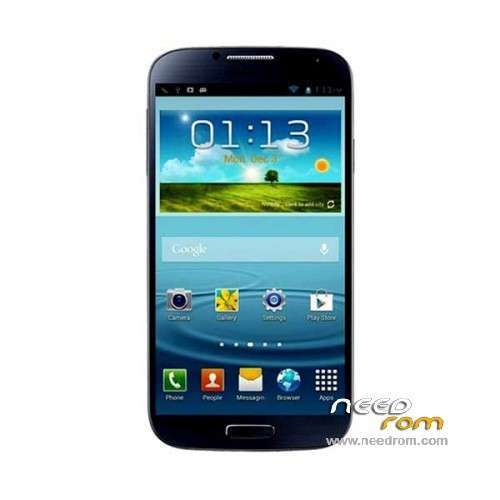
- Title: ALPS GT-I9008 Single sim
- Listed: April, 2014
- Last modified: 08/05/2014 3:43 am
- Version: ROM Android 4.2.2
You must be logged for ROM download.
42821 total views, 5 today
6 Total favorites
 Member Info
DESCRIPTION
ROM Mobile ALPS GT-I9008 MT6572 – ROM Android 4.2.2
ONLY MT6572 + Single sim
Update ALPS GT-I9208 version: ALPS.JB3.MP.V1 – 06132014
——————————————————————————————————————————————————————
Update ALPS GT-I9208 version: ALPS.JB3.MP.V1 – 05122014
——————————————————————————————————————————————————————
ROM for ALPS GT-I9008 version: ALPS.JB3.MP.V1 – 04252014
1 screen:. 4.95 "FWVGA (480 * 854) (compatible rm68171 & ili9806e/otm8018b)
2.CAM: PIP (5.0Mega +0.3 Mega)
3.TP: Dacheng 9158/6206 Fang
4.flash: Compatible H9TP32A4GDBCPR_KGM H9TP32A4GDMCPR_KDM KMN5W000ZM_B207 KE4CN2L2HA5A2A KMNJS000ZM_B205 NLN04D04G
5.MT6572M (AX)
Gapps include – No Rooted
Language support:
(Default EN) Indonesia, Malaysia, Geake, German, English, Spanish, Filipino, French, Italy, Hungary, the Netherlands, two kinds of Portugal,
Romania, Vietnam, Greece, Russian, Hebrew, Arabic, Thai, Korean, Traditional Chinese, Simplified Chinese
Install ROM :
- Unpack FlashTools, and Click on Flash_tool.exe
- Select a the MT6572_Android_scatter_emmc.txt in ROM
- Wait file to be added into Flash Tool
- choose Option->USB Model,click USB Model
–> Choose Option->DA DownLoad All->Speed->High Speed, click High Speed
- Turn off your phone, remove the battery.
- "Press F9 (hit Download button)" OR " if upgrade ROM Firmware->Upgrade "
- and connect your phone into the computer via USB data cable.
- The process will start and a red progress bar will appear after color purple, yellow.
- And green circles display
- Finish !
- You can now safely disconnect your phone and turn it on.
※Please make a backup of your device before installing or updating ROM
Man
the rom had been flashed
and when i have tried to open the phone ,, it worked but the display deosn't work
so i have opened my stock rom in the flash tool and replaced my system.md5 with your's
and it worked but no touch ,, so i found that unhelpfull ,,so i have flashed my stock rom again but the same problem ,, my touch is not working
so what you think ? , that's killed my touch kit ,, or i just need to flash something ?
please help me ( and sorry about my bad English
same problem with me..
have u were able to fix it ??
mühendislik kodu
*#*#889988#*#*
Samsung S5 animasyon kodu
Boot Logo Düzeltme Kodu
*#0066#
sensor test ve kalibrasyon kodu
*#0*#
engineering code
* # * # 889988 # * # *
Boot Logo animation Correction Code
* # 0066 #
sensor testing and calibration code
* # 0 * #
can u show me step by step ho to do it..? with picture maybe..
and how long is the process ? cuz don't seem to work with my phone
when connect the phone with computer the battery stil off right?
Thank you very much!
I´ve recovered my Wifi with this Rom.
Flash compatible JO039 031HUAMDE1
Second update issues. Can load up scatter. Incorrect scatter file format. :/
THANK YOU
why can not operate the camera?
s4 s5 ?
Proximity Sensor not working
This firmware is suitable for a copy of the Samsung Galaxy S5 SM-G9008 MTK7562 ?
МТК6572
Si lo es, tengo el mismo modelo