
- Title: ALPS GT-I9300
- Listed: May, 2013
- Last modified: 05/02/2013 3:11 am
- Version: ROM Android 4.0.4
You must be logged for ROM download.
34319 total views, 1 today
3 Total favorites
 Member Info
DESCRIPTION
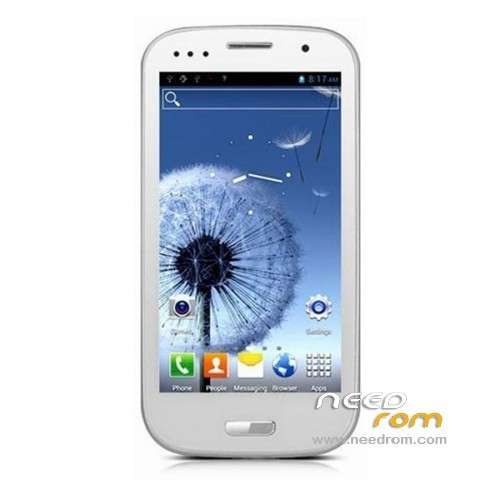
ROM ALPS GT-I9300 – ROM Android 4.0.4
For Mobile ALPS GT-I9300 MT6575 - 1GB RAM - QHD – Single Sim – 2GB ROM
Version: IMM76D.I9300ZSALED
Language support : Multi Lang
The build.prop:
# begin build properties
# autogenerated by buildinfo.sh
ro.build.id=IML74K
ro.build.display.id=IMM76D.I9300ZSALED by CHINAFON.RU
ro.build.version.incremental=eng.root.1345080905
ro.custom.build.version=1345080905
ro.build.version.sdk=15
ro.build.version.codename=REL
ro.build.version.release=4.0.4
ro.build.date=2012年 08月 16日 星期四 09:36:42 CST
ro.build.date.utc=1345081002
ro.build.type=user
ro.build.user=root
ro.build.host=wuyue-linux
ro.build.tags=test-keys
ro.product.model=GT-I9300
ro.product.brand=alps
ro.product.name=e1811_v75_ht_s3
ro.product.device=e1811_v75_ht_s3
ro.product.board=e1811_v75_ht_s3
ro.product.cpu.abi=armeabi-v7a
ro.product.cpu.abi2=armeabi
ro.product.manufacturer=alps
ro.product.locale.language=ru
ro.product.locale.region=RU
ro.wifi.channels=
ro.board.platform=
# ro.build.product is obsolete; use ro.product.device
ro.build.product=e1811_v75_ht_s3
# Do not try to parse ro.build.description or .fingerprint
ro.build.description=e1811_v75_ht_s3-user 4.0.4 IML74K eng.root.1345080905 test-keys
ro.build.fingerprint=alps/e1811_v75_ht_s3/e1811_v75_ht_s3:4.0.4/IML74K/1345080905:user/test-keys
ro.build.flavor=
persist.sys.timezone=Europe/Moscow
ro.build.characteristics=default
# end build properties
# begin mediatek build properties
ro.mediatek.version.release=ALPS.ICS.MP.V1.11
ro.mediatek.platform=MT6575
ro.mediatek.chip_ver=S01
ro.mediatek.version.branch=ALPS.ICS.MP
# end mediatek build properties
Install ROM :
To unpack Flash run Flash_tool.exe
Open SP_Flash_Tool v3.1222.00, click on the button Scatter-loading file
and select «MT6575_Android_scatter_emmc.txt» from the folder with the firmware;
Put a check mark on PRELOADER and DSP_BL;
Click the button Download and quickly connect your phone to the PC (battery at this time should be removed);
Wait until you see the green circle and disconnect the phone.
※Please make a backup of your device before installing or updating ROM
can not download, does not end the download is canceled one … can check the link?
you download how much ko/s
For those who have bricked their devices come to this link
http://androidunbricked.blogsp.....ot.in/
The MD5 file is missing