
- Title: ALPS NOTE3 GT-N9000 MT6582
- Listed: December, 2013
- Last modified: 03/07/2014 3:08 am
- Version: ROM Android 4.4 ( Not really )
You must be logged for ROM download.
60292 total views, 3 today
11 Total favorites
 Member Info
DESCRIPTION
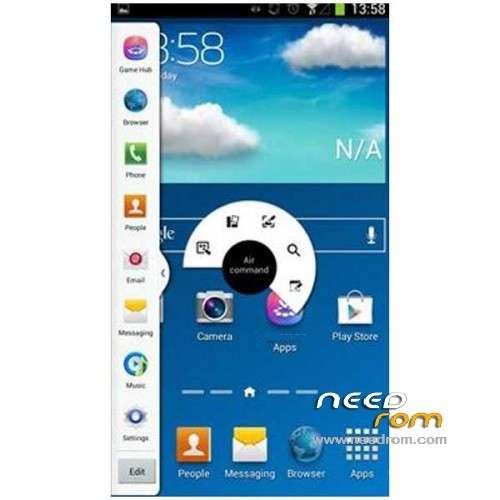
ROM ALPS NOTE3 GT-N9000 MT6582 – ROM Android 4.4 ( Not really but 4.2.2 )
Update ALPS NOTE3 GT-N9000 Version English : N900V109En20140123 ALPS.JB5.MP.V1.5_lcsh82_wet_jb5
————————————————————————————————————————————————–
Update ALPS NOTE3 GT-N9000 Version English : N900V107En20131221 ALPS.JB5.MP.V1.5_lcsh82_wet_jb5
————————————————————————————————————————————————–
ALPS NOTE3 GT-N9000 Version English : N900V106En20131216 ALPS.JB5.MP.V1.5_lcsh82_wet_jb5
quad core MTK6582 1.2GHz processor
5.7" 1280×720 HD – multi-point capacitive touch screen
Android 4.4 operating system to download apps
8.0MP front camera and 2.0MP rear camera
Supports Wi-Fi, G-sensor, Bluetooth, GPS and FM radio
1GB RAM & 4GB ROM, and supports an external TF card up to 64GB
Single sim
Gapps include – No Rooted
Language support: Multilang
Install ROM :
- Unpack FlashTools, and Click on Flash_tool.exe
- Select a the MT6582_Android_scatter_emmc.txt in ROM
- Wait file to be added into Flash Tool
- choose Option->USB Model,click USB Model
–> Choose Option->DA DownLoad All->Speed->High Speed, click High Speed
- Turn off your phone, remove the battery.
- "Press F9 (hit Download button)" OR " if upgrade ROM Firmware->Upgrade "
- and connect your phone into the computer via USB data cable.
- The process will start and a red progress bar will appear after color purple, yellow.
- And green circles display
- Finish !
- You can now safely disconnect your phone and turn it on.
※Please make a backup of your device before installing or updating ROM
it works all but the S-Penn.
Is any solution?
halo,i have a Samsung Note 3 N9006 clone …can use this Rom on my device?PLs Reply ,thx
Thanks very much for this ROM!
I have a problem with touchscreen on my Note 3, after update on this ROM. Touchscreen does not respond to pressing after Call
hallo…
is this rom can syn contact with google contact?
coz my own can't syn to google contact.
pict here http://i941.photobucket.com/al.....zps7a1246d4.png
or any solution plz
mtk6582 Rom version here http://i941.photobucket.com/al.....zps02edf4c3.png
thanks
here for GT-N9000 MTK6572
http://ggshare.blogspot.com/20.....00-mtk6572.html
Friends i tried on my bricked (can't power ON also) galaxy note 3 clone n9000 quad core (having all air gesture ,multiwindow, s pen support) but getting brom error (enable dram failed) help me plz.
update your usb driver with vcom – restart pc – load this rom to SP FLAS TOOL then download it…
connect your phone to pc – make sure the VCOM driver detected by pc mean your flash will go… see the red bar at SP FLASH TOOL, and the progress doing… wait until finish. the driver will disconect automaticly after all done….
DRAM FAILED, would be your device didn't match with this rom version, or usb driver disconnected from the pc… I also experince this problem where the usb driver apear and dissapear from device manager then it will aborting the flash progress… really complicated….
TRY , TRY, AND TRY BRO….
Thanks for the reply, is there any way to know the correct hardware info of galaxy note 3 clone, plz reply soon
Yes. you can use the software MTK Droid Root & Tools, look for it in google, but if you´re not capable to discover by yourself the model and reference of your phone, i dont reccomend you to try flashing your phone, if you put a wrong rom you can brick and lose your cellphone. So this is not for newbies, i have seen many people damaging their phones using wrong roms or doing bad with the process.
gracias
Could this ROM work for MT6572 version? anyone tried it?
Not sure to test it!