
- Title: AMOI N850 MIUI
- Listed: September, 2013
- Last modified: 01/15/2014 3:43 am
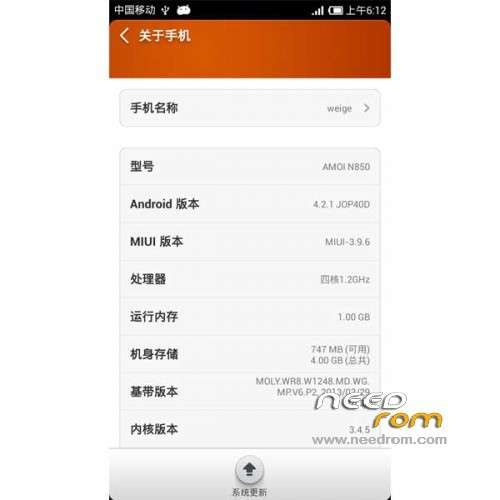
- Version: ROM Android 4.2.1 MIUI
You must be logged for ROM download.
17653 total views, 1 today



 Member Info
DESCRIPTION
ROM Phone AMOI N850 – ROM Android 4.2.1 MIUI
Update 4.1.10
—————————————————————————————————————————————-
3.12.27
Gapps include
Language support: EN/CN
ROM Install :
CWM
Step 1: Download the custom ROM copied to an external SD card root directory
Step 2: the shutdown state. While holding down:
– Power button + volume button up, to enter the recovery mode.
– Wipe Data / Factory Reset -> delete all user data
– Wipe Cache Partition -> Wipe cache
Step 3: Return to recovery main interface Install zip from sdcard -> choose zip from sdcard -> Select your ROM
Step 4: Brush complete, restart the phone Patience required – first boot takes a while
※Please make a backup of your device before installing or updating ROM
how can i install your recovery file ?
because with my recovery i have a "Status 7 error"
I think it is because of my recovery ?????
every installation have status:
– Install/sdcard …
installation aborted
everytime I try to install installation is aborted. But I can install others roms via the same recovery. Any solution?
Don't want sound too cynical, but the ROM install doesn't work like others mention.
Also got installation aborted from sd-card. Actually didn't find any working solution to get Gapps working at this telephone.
Anybody got this ROM working? Really hope so.
no gapps, no wallpapper and no status bar in my device