
- Title: Android 4.2.2.
- Listed: March, 2014
- Last modified: 07/04/2014 2:12 pm
- Version: v03 27 Multilingual
You must be logged for ROM download.
105067 total views, 15 today
22 Total favorites
 Member Info
DESCRIPTION
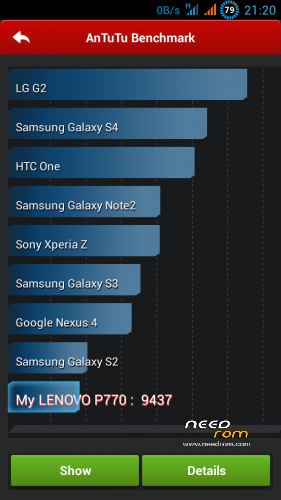
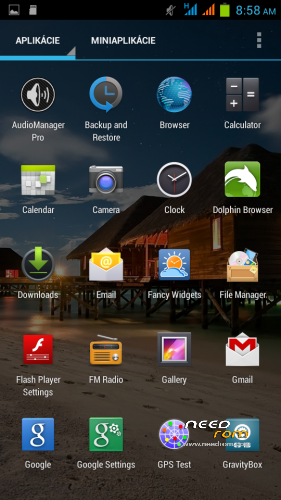
ROM Android 4.2.2, the original ROM comes from 4pda.ru forum by iwewni (based on final version of iwewni 4.2.2 – V.03_p770_4.2 ROM for Lenovo P770). GAPPS are included, LED working, ROOTed, integrated latest Xposed installer and Gravity Box. Max. Antutu rank: 9492
Languages: multilanguage (43 different languages, from version 3_24):
Afrikaans, Arabic, Bahasa Indonesia, Bulgarian, Catalan, Croatian, Chinese (simplified, traditional), Czech, Dansk, Dutch, English, Filipino, French, German, Greek, IsiZulu, Italian, Japanese, Kiswahili, Korean, Lithuanian, Latvian, Magyar, Norwegian, Polish, Portuguese, Romanian, Russian, Rumantsch, Serbian, Slovak, Slovene, Spanish, Swedish, Svenska, Turkish, Vietnamese, Ukrainian, Taiwan, …

My modifications:
- corrected many errors of the original ROM (e.g. fixed crashing AOSP keyboard )
- add multianguage support
- remove chinese/russian applications
- add useful applications
- add performance modifications
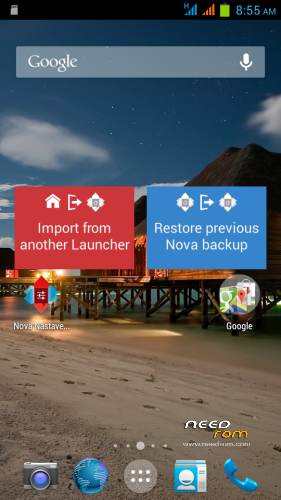
- change launcher (choose Nova or Apex)
- automated USB-OTG, be sure to run USB-OTG.apk, click on "Mount", USB key content opens in OI FileManager (the first run should be ticked "always")
- integrated Xposed and Gravity box
from v.26:
- you can choose Apex/Nova launcher (Nova is more smooth) and uninstall second
- changed boot/shutdown animation
- Lenovo Power - significantly extending battery life
Versions (see my homeage) - http://androidforum.cz/topic48024.html
TWRP/CWM is required for an installation.
TWRP 2500 here: http://yadi.sk/d/5e4SK60p5nrGU
CWM 5504 here: http://yadi.sk/d/awAUa-Ve2gMMK
If you haven't good CWM (there is no Install choice) and your ROM is ROOTed use this instalation procedure:
1. Download file "recovery.img" (it's TWRP 2.5.0.0) http://d-h.st/UTJ,save it to the root directory on SD card
2. Install Mobile Uncle apk from Google Play and run it (ROOT required)
3. Choose "Recovery update", you will see file list on SD card, first is "recovery.img"
4. Pop up two choices, click 2x to OK:
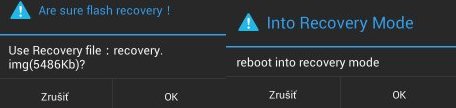
5. Now you are in TWRP 2500
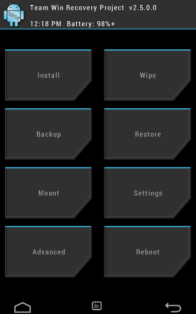
Installation:
0. Format SD card and place ZIP ROM on SD card
1. In phone Settings switch off control PIN code for both SIM cards
2. If you haven't it, install TWRP recovery (see above), go to TWRP
3. First Wipe (select all options except SD card), then install ZIP ROM
-in TWRP click on Install button and choose ZIP file ROM
-drag button "Swipe to Confirm Flash" to install it
-click on button "Clear cache/dalvik"
-clicik on button "Reboot System"
-click on button "Do not fix"
4. System will restart – patience required – first boot takes a while
5. Set language and setup phone
6. Initialize Xposed installer:
– run Xposed Installer
– click on "Framework choice", clik on "Install/Update" (accept ROOT access), then on "Reboot"(phone will restart)
– after restart run Xposed Installer again
– click on "Modules"
– mark the check box before "GravityBox [2.6.9]"
- leave Xposed Installer and restart phone
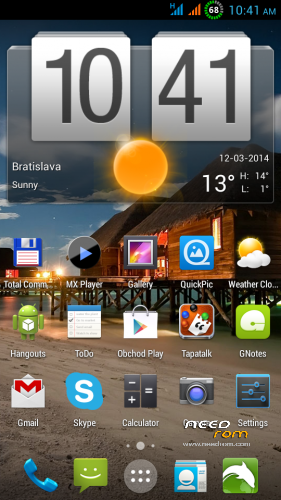
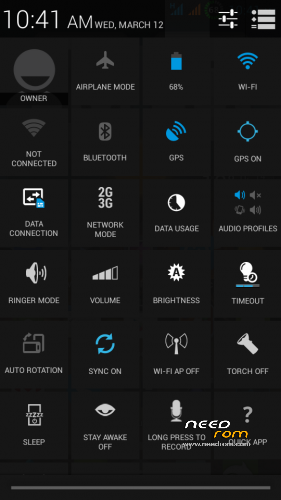
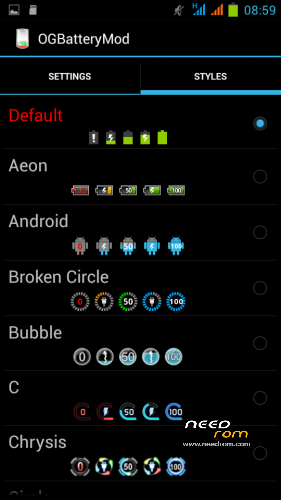
– find GravityBox icon and run it, you get to the menu with lots of very useful new settings, try it all, many are really excellent (e.g. you can switch display speed data in the notification bar, more icons in not. bar (as shows picture nr. 4, …)
7. Install the latest Google Play 4.6.16. http://uloz.to/xanztPTk/com-android-vending-4-6-16-apk
8. Turn-off display of ROOT pop-up dialogs: click to icon SuperSU, then Settings/Show notifications -> uncheck it
9. Set-up Lenovo Power apk
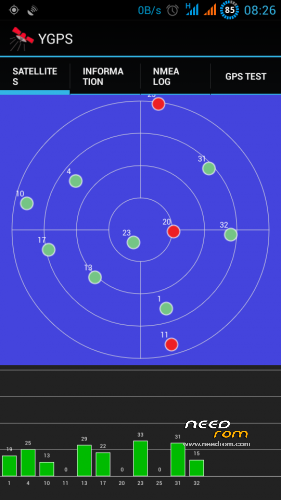
Speeding fix GPS satellites:
a) You have to internet in mobile (3G or Wifi)
b) Turn EPO – Settings / Options Developer / Engineer mode / Location / Location based service / EPO, switch off EPO function (if enabled)
c) Choice Location / YGPS / Information, click for the first on "Hot" button (wait a moment), then click "Full" (and wait a moment) and finally click to "AGPS restart" (if option YGPS is not an active, from TWRP install CWM and from itto install this ROM)
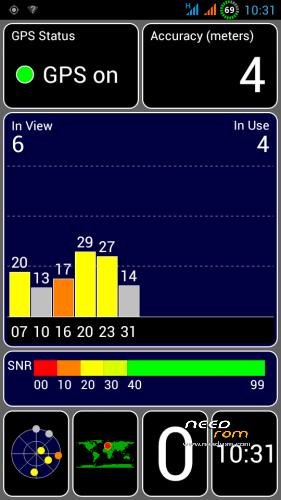
d) Restart the phone, run GPS test apk and try GPS fix
e) If it doеsn't work repeat this procedure again
Once this setting is successful, do not change the GPS settings. Do not use the GPS Status apk and especially not download over it AGPS data. If you do it internal AGPS might jam. To check the GPS fix, use GPS Test apk, Finds satellites much faster than GPS Status. Do not use GPS test apk to download ADPS data. AGPS data will record by the phone.
Increase the earpiece volume during a call (default maximum is rather weak):
a) start icon Settings / Options Developer / Engineer mode
b) pull your finger across the screen from right to left, you will be in the "Hardware Testing"
c) click on the "Audio", select "Normal mode"
d) under "Type" select "Sph" and set the following levels:
Level 0 -> 40
Level 1 -> 60
Level 2 -> 80
Level 3 -> 100
Level 4 -> 120
Level 5 -> 140
Level 6 -> 160
e) exit from Engineer mode
Increase agility visual system running:
1 Settings / Developer options / Drawing
2 Set "Windows animation scale, "Transformation animation scale", "Animator duration scale" to "0.5x"
ROM contains the function flashlight by camera LED:
1. press 2x Power (ie, telephone wake up / sleep)
2. then immediately press and hold key Volume- (LED lights)
3. still holding key Volume- and press key Power again, then release key Power then release Volume- and LEDs will illuminate steadily
4. Turn off the LED: again slowly press 2x key Power consecutively (phone wake up / sleep) and then press key Volume- )
Memory repartition:
Lenovo (as a most phones with Mediatek chipset) has normally very badly divided internal memory. This can be easily corrected by the repartition applications "anzhuo365.apk" http://d-h.st/ra0. Ideally reallocation of memory do immediately after installing ROMs, do not let them bother with the backup.
0. Make sure that you have installed TWRP recovery, link is above the download link ROM
1. Install apku "anzhuo365.apk" and run it
2. In the application, click the item "2.5 Гб внутр. Памяти, 80Мб SDСагd"
3. Then click on the "Загрузка в Rесоvегу", it throws you into TWRP recovery
4. In recovery click on the "Wipe" and check all items except the SD card.
5. When deleting complete reinstall ZIP ROMs Android 4.2.2
6. Restart your phone should boot up
7. Done

8. If after memory repartition the phone hangs on the Lenovo logo, start TWRP, first do factory reset (swipe button in Wipe menu), then wipe all (except SD card) and finally install ZIP ROM again.
9. Then phone will work normally.
Allocation of memory for each application possibilities "anzhuo365.apk":
1 Internal memory 770 MB, SD Card 1.5GB, system 769 MB, data 769 MB, cache 513 MB
2 Internal memory 1GB, SD Card 1.5GB, system 769 MB, data 1 GB, cache 256 MB
3 Internal memory 2GB, SD Card 0.6GB, system 769 MB, data 2GB, cache 256 MB
4 Internal memory 2.5GB, SD Card 80 MB, system 769 MB, data 2.5 GB, cache 256MB
5 Internal memory 2.7GB, SD Card 20MB, system 769 MB, data 2.7 B, cache 128 MB
How to use USB-OTG:
1. Run USB-OTG app
2. insert USB-OTG cable to phone and USB key to it
3. In USB-OTG app click on "Mount" option
4. A window appears with a question, check "Remember" and choose OI File manager
5. You'll see the contents of the USB key
How to set a custom mellodies:
Custom mellody for SMS notification
1. give e.g. MP3 file to folder "Notifications" on SD card.
2. Then set it in Settings/Audio profiles/General/Notifications
Custom mellody as Ringtone
1. give e.g. MP3 file to folder "Ringtones" on SD card
2. Then set it in in Settings/Audio profiles/General/Voice call ringtone
Custom mellody as Alarm clock
1. give e.g. MP3 file to folder "Alarms" on SD card
2. Then set it in icon Clock, choose Alarms, set alarm time and choose your melody
ROM contains the function keys to controll LED camera:
1. press 2x Power button (ie. phone wake/sleep)
2. then immediately press and hold the Volume-, LED will lights
3. Still holding the Volume- and press Power button again, then first release the Power button, then release Volume- button and LEDs will illuminate steadily
4. Then turn off the LED (see section 1. ie. again press 2x Power button consecutively (ie. phone wake/sleep) and then press Volume- button
Known small issues in this ROM:
- Bluetooth does not display the first 4 characters of the connected device
- If you restart phone connected to a charger, , it stays stuck on the Lenovo logo (remove/plug-in the battery)
If you have any problem with installation (or something in phone don't work normally), first install standard european ROM S110/113, then install MIUI ROM. Right order is: ROM S110 > CWM > TWRP > MIUI ROM.
Here are instructions to install ROM S110/113 - http://forum.xda-developers.com/showthread.php?t=2220275
※Please make a backup of your device before installing or updating ROM
Bluetooth Pairing on my phone is error, it can scan other devices but isn't sent or receive files (
(
This ROM has problems with Bluetooth pairing on some devices. Try my last ROM Android 4.1.1., there Bluetooth pairing works much better. https://www.needrom.com/mobile...../android-4-1-1/
why the agps doesn't work on my phone? can anyone share your setting by screen shot the engineer mode agps setting?
i just flash the china rom back and check the ygps mnl version.
your version is:mnl_ver_13012901alps05
the china version is mnl_ver_12082202alps05
maybe this version can help on your rom?
I don't know. For me AGPS works well. Try first install basic european ROM S110, then install this ROM. I think, then AGPS willl works.
"why the agps doesn't work on my phone? can anyone share your setting by screen shot the engineer mode agps setting?"
Just to be clear. Do you know AGPS needs mobile internet?
Hey great rom! Can it turn off the funtion that the function keys to control the LED camera?
No, it is not possible.
replace this file libmnlp with the version 25 in system/xbin/
for gps to work.
Yes, this will help, I will repair it in new version.
i already install the v26 ver and don't want to revert to v25 at this moment.
can you give me the libmnlp files for me to replace it in root explorer?
is libmnlp or libmnlp.bin?
I just install V26, but it have not repair the error that screen automatic turn on after I turn it off a little time , I use the Smartcover Pro to turn off screen by promixi. Could you tell me how to fix this error?
already tried to flash my phone from asia rom to world version.
And follow excactly in the topic. But the result still the same. I cannot use the YGPS to get AGPS data. But the Engineering mode allow me to store the satelite data in the phone for future reference.
Other than this problem. Everything is good. Battery consumption is GREAT!
Hope the notification led apk can be implement into this rom. Previously the china rom , wechat or google+ ,facebook will trigger the blinking of LED but your LED setting were not so advance.
One more thing, i think it might be the apps issue. Meta Trader 4 some times hang while i try to switch the time frame.
First install ROM S110, then install this ROM.
v03_27 - repaired AGPS only
what are the updates in this rom??
v03_27 - repaired AGPS only
Any news on Bluetooth fix. Is there stack update I can install separately. What do you recommend. Missing letters for paired devices and unable to connect after pairing.
LED indication does not work with whatsapp. help me!
whatsapp really cant activate the led indication on this rom.