
- Title: Android 6.0.1 (Resurrection Remix)
- Listed: May, 2016
- Last modified: 05/20/2016 10:38 pm
- Version: Android 6.0.1 (RR v5.6.8)
You must be logged for ROM download.
17908 total views, 3 today
2 Total favorites
 Member Info
DESCRIPTION
To install this, you need a phone to already upgraded to a kitkat-based rom (just and educated guess, there isnt any proof).
How to install my rom:
SAVE ALL IMPORTANT DATA FROM YOUR INTERNAL SD!!!!
First install ONLY my recovery and TEST IT! How? Root your phone, then install recovery_carliv.img with MobileUncleTools, or flash from SP Flash tools. If you already have another custom recovery, just install carliv_touch_recovery_3.zip
If its working for you, you can create a backup of your rom to your EXTERNAL SD CARD and restore it if anything goes wrong or if you arent satisfied.
After this is advised to apply my patch to extend the internal data partition to the entire phone memory (13Gb). The process will delete your internal sd and its contents, so before this save all important data from it. From now on you will definitely need an external SD card! Your welcome 
These are the steps:
- copy all my zips into an external SD card.
- Install and test my Carliv Touch Recovery.
- Create a backup from recovery to your external SD card.
- Install 13GB_data_partition_patch.zip.
- Reboot into recovery from Power menu. NO to fix su (not needed).
- Format cache, data, system partitions from MOUNT/STORAGE menu.
- Reboot into recovery from Power menu. NO to fix su (not needed).
- Choose Wipe menu ->Wipe Data- Factory reset.
- Install RR_5.6.8_g9000_v1.zip rom from /storage/sdcard1/whatever is your dir.
- Reboot, select NO to fix su always (not needed).
What's Working :
- Camera
- Video recording in stock/google camera (video recording working with 1080P !
- Audio in calls
- Bluetooth
- USSD
- Audio
- Mic
- RIL
- SMS (Receive and Send both working)
- WiFi
- Data
- RIL is now more stable
- Dual SIM
- Hotspot
- Screen Recording
- Both storages (ext SD and Internal) mounting in both Phone and PC
- Gapps included (just the minimal framework, Play Store and Calendar/Contacts sync)
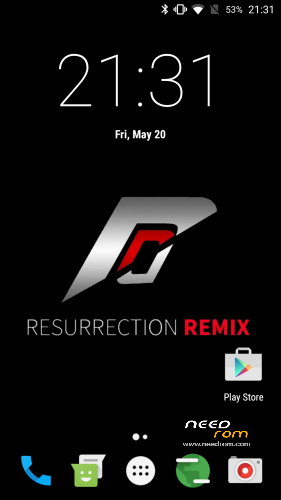
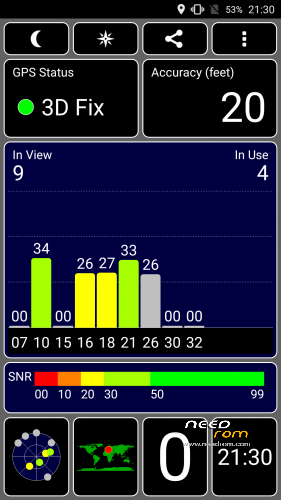
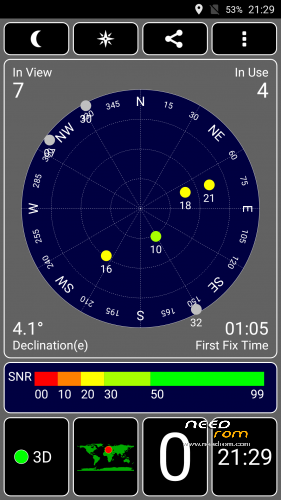
- GPS offline/online works (!)
- FM radio (!)
Bugs, errors, fixes, workarounds:
- no VPN
-
This devices have only 1GB ram, but swap enabled and to be honest i didnt noticed any slowdowns. Our phones was hacked to show 2GB ram, it is normal

- My camera was green until the first reboot.
- Camera will crash if you click to the creen to make pictures during video recording
- Youtube app cant play better res than 360p (lame solution: use any web browser and youtube.com instead). Better workaround: install the added older Youtube app, and disable auto-update in Play Store.
- Reboot app included, because sometimes reboot didnt working as expected (?).
Revert to the previous rom with Carliv Touch Recovery's backup :
1 Boot into recovery (power + vol up)
2 If you changed your data partition:
- install FACTORY_data_partition_patch.zip
- Format cache, data, system partitions from MOUNT/STORAGE menu.
- Reboot into recovery from Power menu.
3 Choose Wipe menu ->Wipe Data- Factory reset.
4 Restore your saved rom from BACKUP/RESTORE menu, Restore from /storage/sdcard1/….
5 Reboot, select NO to fix su always (not needed).
I just ported the rom to our device, gib-big kudos for the original rom's authors:
here:
http://www.mtkroms.com/2016/05/stable-ota-resurrection-remix-mm-mt6592.html
and here:
http://en.miui.com/thread-279077-1-1.html
※Please make a backup of your device before installing or updating ROM
I have install this Room, del the gps.conf file and put the new one with Portugal config.
Gps dont work for me
Revert to the previous rom with Carliv Touch Recovery's backup :
1 Boot into recovery (power + vol up)
2 If you changed your data partition:
- install FACTORY_data_partition_patch.zip
- Format cache, data, system partitions from MOUNT/STORAGE menu.
- Reboot into recovery from Power menu.
3 Choose Wipe menu ->Wipe Data- Factory reset.
4 Restore your saved rom from BACKUP/RESTORE menu, Restore from /storage/sdcard1/….
5 Reboot, select NO to fix su always (not needed).
Need Help
Great rom. Finally installed. But can't enter engeneer menu, to fix imei needed to put correct file MP0B_001 to where it belong, both cameras don't work. Don't care about the front one but would you please help with the rare? Model s5ke1mipi_raw. Tried lk.bin from rom 4.4.2, tried replasing *cam* files but nothing helped.
Problem with cameras solved.
Share the solution pls
Just follow this link http://www.mtkroms.com/2016/05.....-mm-mt6592.html
There are files which are needed to be replaced in current rom before installing zip. For my camera it was enough to replace only
In /system/lib/ :
- kernel (I also changed kernel header)
Flip cover doesn't work (as it did with 4.4.2). It was very comfortabile to use it to block the phone. Does someone know how to solve? Smart… doesn't work properly.
Also the battery charge lowers from 100 to 0 in 1 day of full using the phone. Who has the same problem?
About the cover magnetic case flip, it doens't work with this roms because thats a samsung implementation thing.
I have the same problem with the battery drain to fast.
I have 2 batterys and wen i try replace 1 by other the phone dont recognite the charger, it assumethe same val from the 1st one (in case 3%).
Didn't try to delete batterystats.bin after full charging? On 4.4.2 this method didn't work. Don't know whether try it here or not.
Dont work to me.
Well, at least the power doesn't off at 60% as it did on 4.4.2 (though just a few days passed since I installed this rom). As I detected after a variety of installations smthng in system does have effect on battery charge (one rom could show 20%, the next one – 90%).
hope some one port this one maybe have less problems
http://www.mtkroms.com/2016/07.....for-mt6592.html
Tried. Didn't boot.
Stuck after flash to red animated logo. any ideas?