
- Title: Android 6.0.1 (Resurrection Remix)
- Listed: May, 2016
- Last modified: 05/20/2016 10:38 pm
- Version: Android 6.0.1 (RR v5.6.8)
You must be logged for ROM download.
17910 total views, 5 today
2 Total favorites
 Member Info
DESCRIPTION
To install this, you need a phone to already upgraded to a kitkat-based rom (just and educated guess, there isnt any proof).
How to install my rom:
SAVE ALL IMPORTANT DATA FROM YOUR INTERNAL SD!!!!
First install ONLY my recovery and TEST IT! How? Root your phone, then install recovery_carliv.img with MobileUncleTools, or flash from SP Flash tools. If you already have another custom recovery, just install carliv_touch_recovery_3.zip
If its working for you, you can create a backup of your rom to your EXTERNAL SD CARD and restore it if anything goes wrong or if you arent satisfied.
After this is advised to apply my patch to extend the internal data partition to the entire phone memory (13Gb). The process will delete your internal sd and its contents, so before this save all important data from it. From now on you will definitely need an external SD card! Your welcome 
These are the steps:
- copy all my zips into an external SD card.
- Install and test my Carliv Touch Recovery.
- Create a backup from recovery to your external SD card.
- Install 13GB_data_partition_patch.zip.
- Reboot into recovery from Power menu. NO to fix su (not needed).
- Format cache, data, system partitions from MOUNT/STORAGE menu.
- Reboot into recovery from Power menu. NO to fix su (not needed).
- Choose Wipe menu ->Wipe Data- Factory reset.
- Install RR_5.6.8_g9000_v1.zip rom from /storage/sdcard1/whatever is your dir.
- Reboot, select NO to fix su always (not needed).
What's Working :
- Camera
- Video recording in stock/google camera (video recording working with 1080P !
- Audio in calls
- Bluetooth
- USSD
- Audio
- Mic
- RIL
- SMS (Receive and Send both working)
- WiFi
- Data
- RIL is now more stable
- Dual SIM
- Hotspot
- Screen Recording
- Both storages (ext SD and Internal) mounting in both Phone and PC
- Gapps included (just the minimal framework, Play Store and Calendar/Contacts sync)
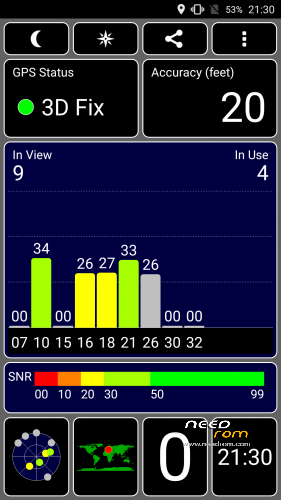
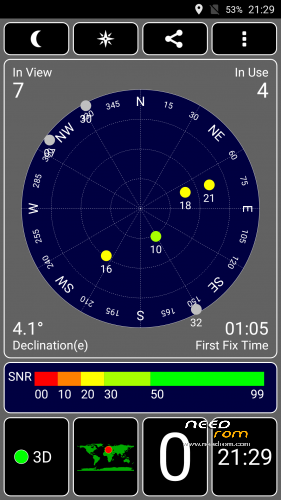
- GPS offline/online works (!)
- FM radio (!)
Bugs, errors, fixes, workarounds:
- no VPN
-
This devices have only 1GB ram, but swap enabled and to be honest i didnt noticed any slowdowns. Our phones was hacked to show 2GB ram, it is normal

- My camera was green until the first reboot.
- Camera will crash if you click to the creen to make pictures during video recording
- Youtube app cant play better res than 360p (lame solution: use any web browser and youtube.com instead). Better workaround: install the added older Youtube app, and disable auto-update in Play Store.
- Reboot app included, because sometimes reboot didnt working as expected (?).
Revert to the previous rom with Carliv Touch Recovery's backup :
1 Boot into recovery (power + vol up)
2 If you changed your data partition:
- install FACTORY_data_partition_patch.zip
- Format cache, data, system partitions from MOUNT/STORAGE menu.
- Reboot into recovery from Power menu.
3 Choose Wipe menu ->Wipe Data- Factory reset.
4 Restore your saved rom from BACKUP/RESTORE menu, Restore from /storage/sdcard1/….
5 Reboot, select NO to fix su always (not needed).
I just ported the rom to our device, gib-big kudos for the original rom's authors:
here:
http://www.mtkroms.com/2016/05/stable-ota-resurrection-remix-mm-mt6592.html
and here:
http://en.miui.com/thread-279077-1-1.html
※Please make a backup of your device before installing or updating ROM
Hi, super rom
Confirm Panosid
two problems spotted
a) low sound to the loudspeaker b) no works cover sensor and c) the phone does not ring on incoming calls
Ho to fix the third ?? ( I will try to replace audio library)
Hello everyone,
I just wanted to say that I installe dthe ROM three days ago and it was working great.
As for others here my IMEI was also lost and in addition all my SIM-card contacts has been deleted. Apart from that my battery drains in one day to 0% when the phone is used a lot (playing etc.).
And sometime after a few hours of heavy usage it starts becoming really slow (RAM full) and even opening the android settings will end in a timeout after 20-30 seconds crashing back to dektop.
The solution is to restart the phone daily. Took only 2 minutes and costs around 2% battery. afterwards everything is smooth.
So in total a great Android 6 for our "old" phone!
P.S.: I had with other roms on different phones (my old ZTE blade, my Vodafone H1 (with kyanite H1droid on it!), Alcatel One Touch M'Pop, etc.) much more problems. This rom here is rather stable and good working.
Which LCD driver does it have?
I need RX_52R_1051A. Does someone know where I could download it and how I could add it to this ROM?
установил через флештуп TWRP 3.1.0 для Star G9000 запустил рекавери и установил RR 5.6.8 g9000 v1.zip.все установилось и работает.перед этим сделал 13GB data partition patch (flashable zip) (202 dls) сборка не запустилась.лучше этот файл не запускайте.моя сборка перед этим была C китайского сйта ANDROID 4.4.2 https://cloud.mail.ru/….....GB_20140928.zip
https://cloud.mail.ru/public/2.....s1B/SpGAcVyXr
https://cloud.mail.ru/public/4.....8cd/sWTXDfD75
I am not able to download from mega website. Can you upload please.
Another question – will it be possible to port Android 7 or Android 8 to this phone?
Are there any phones with MTK6592 and similar hardware to port an Android 7 or 8 ROM?
After a three months of testing this ROM I found one big issue that is really annoying:
As I have written above in June 2017 I have to restart my mobile every day because it getting slower with each hour usage.
I found out, that for some reason this ROM is eating up my RAM and after a while, RAM ist down to just a few megs (depends in usage, can take 10 hours or 2-3). Android then tries to use a virtual RAM-disk on the SD-Card by moving files to a temporary swap-partition. The process is calles "kswapd0" and it takes >10% CPU load until the phone does an automatic restart (if not getting restartet through the user).
Does anyone know how to solve this RAM problem (that leads to the swapfile problem, that leads to the restart)?
Thanks in advance.
Just for everyones information – devs have successfully run Android 7 Nougat on MT6592 devices and here is an easy port-guide thatr can be used for all devices:
http://www.techubng.com/2017/0.....rom-on-mtk.html
You only need the stock rom from the G9000 and download from the website above alle needed files (ROM, GApps, …) and then the tool described in the guide "created" your Nougat ROM. Unbelievable!