
- Title: AOSP 4.4.2 for TCL S720-Unicom/WCDMA (Rooted)
- Listed: April, 2015
- Last modified: 04/13/2015 4:59 pm
- Version: AOSP 4.4.2 (SuperSU-Rooted,Google Play Installed)
You must be logged for ROM download.
21994 total views, 3 today
6 Total favorites
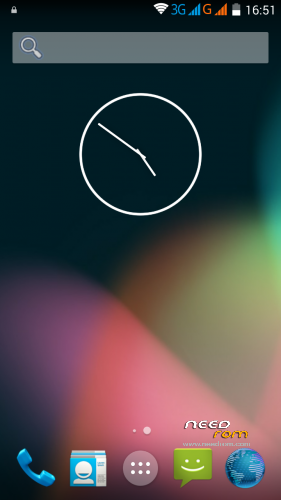
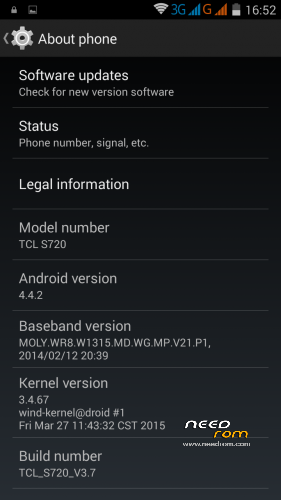
 Member Info
DESCRIPTION
I made "my" version for TCL S720-Unicom/WCDMA from the Official TCL S720T firmware 
(it is based on a TCL S720T ROM/Firmware from ShiGe579—KUDOS to ShiGe579)
It has preinstalled Googe Play and Gmail and it is pre-rooted via SuperSU
I also pre-installed vannila AOSP browser because the stock AOSP browser has so called
"Great Firewall of China" issues and googe search gives error 403
It has WCDMA modem preinstalled and it works on my device S720 without any issues
(rom baseband might work on TCL S-720T also,
but I'm not sure because I don't have that model,it has both models basebands though)
(english user language is pre-selected…it has only Enlish And Chinese Languages)
you can install/flash the ROM via twrp/cwm/phillz recovery
if you have TCL S720 Unicom WCDMA model you don't need to edit anything,
play store works,gmail works,build prop is pre-edited for TCL S720-Unicom/WCDMA so everything is just fine.
here are some additional links
link from phillz recovery—(you can install Phillz Recovery via mobile uncle tools or via sp flash tool)
https://drive.google.com/file/d/0BzP6FDyPPswnbFpzY2lvMVk2cTA/view?usp=sharing
——————————————————————————————————————————————-
before installing/flashing this ROM,please make a nandroid backup from your current rom via recovery backup.
I will not be responsible for bricked devices,
you're installing/flashing this ROM on your own risk
——————————————————————–
installation
——————————————————————-
1.Copy Rom.zip on internal memory or SD-Card
2.Enter custom recovery (cwm,twrp.phillz)
3.Make backup of your current Rom ,so if something goes wrong you can restore your working Rom
4.Make Full Wipe
(in CWM and Phillz wipe data,wipe cache,wipe dalvik cache…in TWRP press Wipe and slide to Wipe)
5.Install the Rom
(in Phillz or CWM recovery ,install from SD and sellect the "Name OF the ROM".zip,and install it…
in TWRP go to Install and sellect "Name OF the ROM".zip and slide to install
6.Reboot the device/Reboot to System
7.Enjoy the ROM
***FIRTS BOOT WILL TAKE SOME TIME,About 3-5 minutes***
(If you end up in a boot loop,enter recovery,reflqsh/reinstall the rom ,wipe dalvik cache and reboot to system)
—————————————————————————————————————————————————-
If I'm breaking some of the site (forum) rules for posting links etc
please delete my post and links.
If I'm not breaking any rules on this site (forum) ,
then, you can re-upload or share this rom
Thanks guys
and Good Luck
※Please make a backup of your device before installing or updating ROM
Hi to everyone,
I've just flashed this rom but the OTG seems doesn't work. Is it right? Or it depends on my device?
Thanks.
As far as I know OTG isn't working on this ROM.
gps isn't working have anyone that problem?
Gps works, and OTG can work but You have to download an apk from the market.
Is there anybody who knows the way to install other languages?
Very good rom, running stable, and the recovery works better too…. great PLUS is that with this rom the GPS is finally working, on other complete and multilingual versions the GPS just did not work…. Only English and Chinese can be partly solved with using Morelocale2… Great work!
I put the TWRP en my tcl s720, and made all the wipes, but at the install of the zip , gave me error, try 2 or 3 times, then decide to shutdown my cel, and try to reboot, but its freeze in the logo. Dont respond to push volume+ power. What i can do? please help me. Excuse my english.
i have to use flashtools to put the official rom again. This time i download from the other source the AOSP, then instal with twrp and , voila! Runs very smooth, a lot of space, but dont work the link2sd to find the partition. Neither the foldermounts work. Thanks for the beautiful AOSP!
dont work the link2sd, but i change for the app Apps2sd, and works full!
once i've made gps works but after factory reset problem came back, gps don't work using faster gps end mt epo download brings no solution of problem. have anyone idea how fix this problem, phone see satelites but don't connect