
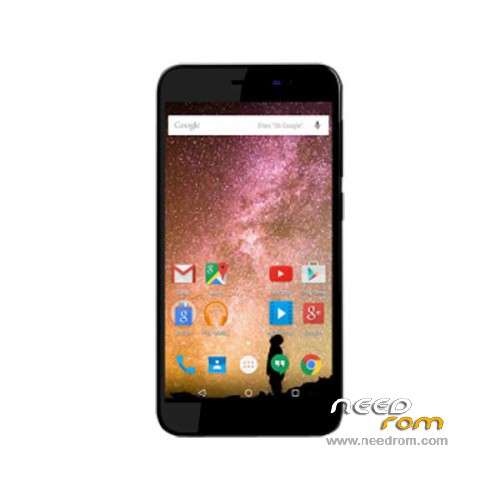
- Title: Archos 50 Power
- Listed: April, 2016
- Last modified: 04/11/2016 5:06 pm
- Version: ROM Android 5.1
You must be logged for ROM download.
12943 total views, 2 today
9 Total favorites
 Member Info
DESCRIPTION
ROM Mobile Archos 50 Power – ROM Android 5.1
ONLY MT6735M
Official ROM Archos 50 Power Version: 5.1.006.P0.160324.K2L_U01 – MTKAC50PO/ac50po:5.1/LMY47D
Gapps include – No Rooted
Language support: Multilang
Install ROM:
- Unpack FlashTools, and Click on Flash_tool.exe
- Select "scatter-Loading" and search MT6735M_Android_scatter.txt in ROM
- Wait file to be added into Flash Tool
- Select "Download Only" or if upgrade "Firmware upgrade"
- Turn off your phone, remove the battery (if the battery is removable) and replace it after some seconds (and don't turn on the phone).
- Press “Download” button to start
- and connect your phone into the computer via USB data cable.
- The process will start and a red progress bar will appear after color purple, yellow.
- And green circles display
- Finish !
- You can now safely disconnect your phone and turn it on.
※Please make a backup of your device before installing or updating ROM
Nice work brother
Thanks a lot for this ROM image, I was able to recover from a soft-brick due to a bad rooting (kingoroot).
Just to add some information about the flashing process, after the firmware upgrade completed, my phone did reboot in factory mode, I had to run this command in adb to boot the ROM fully:
adb shell fctest system rebootThe phone then reboots in pre-rooted mode (
adb remount ; adb shell= root shell with /system mounted rw) so I could install SuperSU manually, and then exit pre-rooted mode like so:adb remountadb shell audioelectric startadb shell audioelectric setDM
adb reboot rebootThank you very much, your post is very helpful !
Nice hoping this fixes my download updates check as this was never avabile to begin with and kept saying download failed are you connected to internet when it is connected via wifi.
This has now bricked my phone followed all steps in proceeder and now am left with logo and then shows up and down text and nothing else please help.
Just follow the steps on my previous post in this page (the one with adb commands) and you'll be up and running in no time.
@Mwyann I have done that and phone is up and running howver I now have inviled imei inviled for both sims
How to i enter adb commands?
Thanks,
Andy
hi any tips on how to run adb commands thx is it via cmd? im getting device not found stuck on up and down
hi Guys,
has anyone a TWRP for this device?Or a port or something like this CWM?
Thanks
Matt