
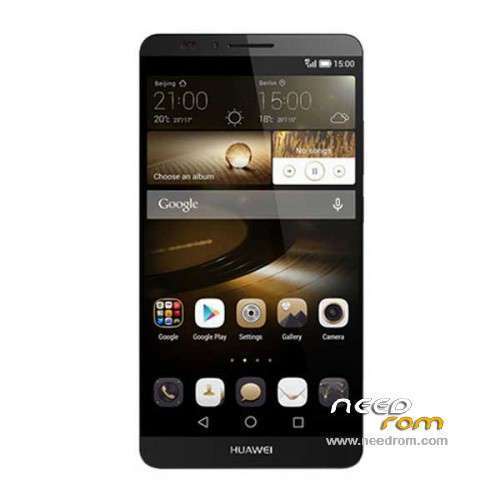
- Title: Ascend Mate 7 MT7-TL10
- Listed: September, 2014
- Last modified: 10/08/2015 6:23 pm
- Version: ROM Android 5.1
You must be logged for ROM download.
50042 total views, 1 today
19 Total favorites
 Member Info
DESCRIPTION
ROM Phone HUAWEI Ascend Mate 7 MT7-TL10 – ROM Android 5.1
ONLY Huawei HiSilicon KIRIN925
Update Official ROM HUAWEI Ascend Mate 7 MT7-TL10 Version: MT7-V100R001C00B351 – MT7-TL10 "Mobile Unicom", High version EMUI3.1 – Android 5.1
Screenshot function optimization knuckle stability
Optimization together into the latest Google security patches, ensuring the security of your phone
————————————————————————————————————————————————————————————————–
Official ROM HUAWEI Ascend Mate 7 MT7-TL10 Version: MT7-V100R001C00B133 – MT7-TL10 "Mobile Unicom", High version – Android 4.4.2
(Optimized) After updating preset uninstalled to uninstall applications, once successfully
(Optimization) player mode under holster not displayed by default music widget
(Optimization) together into the latest Google security patches to ensure the safety of mobile phones
Google service&login include – No Rooted
Language support: MultiLang
ROM install :
Step one: Prepare an SD card, it is recommended to use Sandisk, Kingstone, or Kingmax, size is recommended that more than 1G.
Step Two: Formatting SD card (optional).
The step three: copy a large package path UPDATA.APP to the SD card dload UPDATA.APP.
Step four: Check the root directory of the SD card you dload UPDATA.APP.
Step 5: SD card into the phone is switched on in the main screen, press the Menu key, the system updates -> SD card upgrade -> confirm -> upgrade, backup data, select the backup data; upgrade.
Step Six: The upgrade process progress bar shows after the finish of the pending progress bar, the phone automatically restart.
or
Step one: Prepare an SD card, it is recommended to use Sandisk, Kingstone, or Kingmax, size is recommended that more than 1G.
Step Two: Formatting SD card (optional).
The step three: copy a large package path UPDATA.APP to the SD card dload UPDATA.APP.
Step four: Check the root directory of the SD card you dload UPDATA.APP.
Step Four: cell phone turned off, insert the SD card, while pressing the volume up button + volume down key switch button, the phone automatically enters the upgrade mode, and then begin the upgrade in Figure
Step Five: After the progress bar to go full fixed, the phone will automatically restart If you do not manually remove the battery.
※Please make a backup of your device before installing or updating ROM
contains the Czech language?
Yes!
Be aware; as I flashed these, that you loose the ability to pick which SIM is 4G, the top one is the only that can be 4G with this ROM.
Also you loose GAPPS and gain alot of additional Chinese characters in the layout of contacts, some other apps etc.
Good ROM, not for me, just be aware this is the Chinese ROM for Chinese markets not internation or English etc.
@ SoCr@Te
If you can get hold of an English or International version I would forever be in your debt
in this case
how to back from B121 To b119
thanks
i dont recomment to upgrade your factory version,i believe my factory version is very stable and satisfactory enough
Better wait for the official Lollipop at Feb 2015
my build number is MT7-TL10V100R001C00120SP04. This need use which one to update? Cause i already root my huawei mate 7. It cant use the OTG update.
Is it possible to help
I have a phone Huawei dead-Tl10 Gold Ivory
My copy is B123
I tried to update with 125
Each time update fails
Can you help me
I thinks you should douwnload again.
“Please! Deactivate Adblock For this Site!
This website is living on advertisement.
You need to disable Adblock for Downloaded"
how to adblock???
please tell me.
thx.
is this international room or what ?
Hi. Its not work my device.
how can upgrade to B132 from B123?