
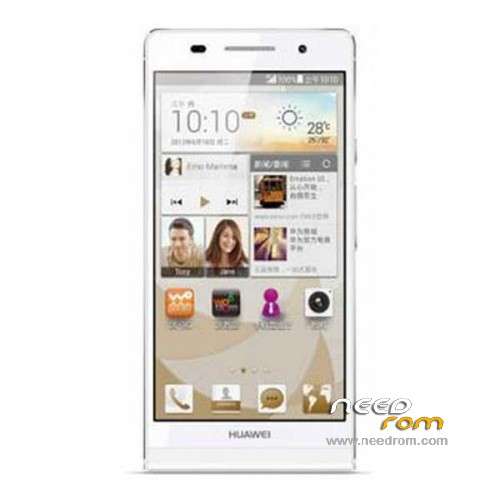
- Title: Ascend P7
- Listed: May, 2014
- Last modified: 07/09/2015 5:36 pm
- Version: ROM Android 4.4.2
You must be logged for ROM download.
82123 total views, 3 today
18 Total favorites
 Member Info
DESCRIPTION
ROM Mobile HUAWEI Ascend P7 – ROM Android 4.4.2
Update Official ROM HUAWEI P7 version:
ROM 2 : P7-L07 V100R001C17B617 – Mobile
ROM 3 : P7-L09 V100R001C17B617 – Telecom
ROM 4 : P7-L05 V100R001C17B617 – Mobile channels
Changelog
Optimization together the latest security patches Google
The phone kept a very low probability to solve the issue of resuming
———————————————————————————————————————————————————-
Update Official ROM HUAWEI P7 version:
ROM 1 : P7-L00 V100R001C17B617 – Unicom
Changelog
Optimization together the latest security patches Google
Unicom version optimized 4G 4G LTE signal icon appears as
The phone kept a very low probability to solve the issue of resuming
———————————————————————————————————————————————————-
Official ROM HUAWEI P7 version:
ROM 1 : P7-L00 V100R001C17B615 – Unicom
ROM 2 : P7-L07 V100R001C17B615 – Mobile
ROM 3 : P7-L09 V100R001C17B615 – Telecom
ROM 4 : P7-L05 V100R001C17B615 – Mobile channels
Gapps not include – No Rooted
Language support: Multi Lang
ROM install :
Step one: Prepare an SD card, it is recommended to use Sandisk, Kingstone, or Kingmax, size is recommended that more than 1G.
Step Two: Formatting SD card (optional).
The step three: copy a large package path UPDATA.APP to the SD card dload UPDATA.APP.
Step four: Check the root directory of the SD card you dload UPDATA.APP.
Step 5: SD card into the phone is switched on in the main screen, press the Menu key, the system updates -> SD card upgrade -> confirm -> upgrade, backup data, select the backup data; upgrade.
Step Six: The upgrade process progress bar shows after the finish of the pending progress bar, the phone automatically restart.
or
Step one: Prepare an SD card, it is recommended to use Sandisk, Kingstone, or Kingmax, size is recommended that more than 1G.
Step Two: Formatting SD card (optional).
The step three: copy a large package path UPDATA.APP to the SD card dload UPDATA.APP.
Step four: Check the root directory of the SD card you dload UPDATA.APP.
Step Four: cell phone turned off, insert the SD card, while pressing the volume up button + volume down key switch button, the phone automatically enters the upgrade mode, and then begin the upgrade in Figure
Step Five: After the progress bar to go full fixed, the phone will automatically restart If you do not manually remove the battery.
※Please make a backup of your device before installing or updating ROM
Is this really for ascend P7 or for P6……
P7
Do you know anything about 4.4.2 official release for 3C ?
?
which of these is an english (europe) version?
I'm from Czech Republic and I have a P7-L10 …..
Hi Guys
I have a P7-L00 which I got from a recent business trip to China. Does anyone know if the European ROM has the full Google Apps framework for lumtiples Google accounts and will the European ROM work on my model?
Hi
I have the same problem. please let me know if you find anything..
thanks
Hi guy,
I am in the same situation as you. Did you have any information about that?
Thanks
same situation
PER FAVORE POTETE POSTARE UNA ROM ORIGINALE PER LA VERSIONE DUAL SIM PER L'EUROPA?
grazie
I want firmware for this phone Huawei p7-L00
Google holds applications and no applications by Chinese
Hi Guy!
I have also p7-L00 from China.
Is there any news about the request?
Thanks
I want firmware for this phone Huawei p7-L00
وبسایت موب وان mobone.ir
Hello,
I bought the P7-L00 from China. Is there any way to get the European ROM to make all the services running properly (Google, …)
Thanks!
I am from South America, I have P7-L12 VERSION, Can I use any rom with my cell phone?