
- Title: Axioo Picopad Gea
- Listed: June, 2013
- Last modified: 06/26/2013 12:11 am
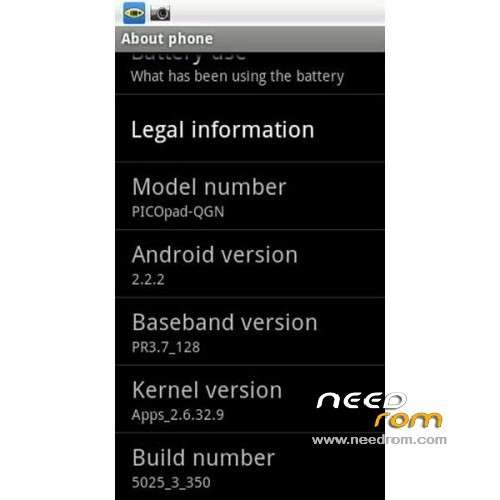
- Version: ROM Android 2.2.2
You must be logged for ROM download.
23273 total views, 2 today
139 Total favorites
 Member Info
DESCRIPTION
ROM Axioo Picopad Gea – ROM Android 2.2.2
Official ROM Axioo Picopad Gea Version: FM6-3350-0-5025-A01
It’s compatible with ITE Touchscreen (Panjit Touchscreen)
No Gapps – No Rooted
Language support: English, Indonesian, Vietnamese and Chinese
Thx to alvan For this Rom on XDA
Install ROM :
1. Install SUT, open the SUTLR_v1.8.2 (included in rar file)
2. Connect your Axioo Picopad/ tablet to Pc
To make sure the new ROM system stability…please do:
i. wipe dalvik cache; wipe battery stats (in advance CWM Mode)
ii. Do format:
Format/boot
Format/cache
Format/data
Format/sdcard (data in SD Card will lost…make backup first)
Format/system
Format/sd-ext (data in SD Card will lost…make backup first) – if needed.
iii. wipe cache partition
iv. wipe data/factory reset…..then restart to go to FTM Mode (so your device can be detected by your PC) (read below).
before installing the New ROM (in the ClockWorkMod Recovery mode).
3. Extract "FM6-3350-0-5025-A01 – Axioo Picopad Stock Rom" Rar file***
4. Follow the SUT instructions (the progress bar looks looping, it's ok…).
Seems the phone not connected… no worries…it's normal
a.just entering FTM mode by pressing power button and up or down volume button (not both) in the same time (hold it), the pull the reset button while you still do the previous instruction.
b. Or just entering CWMod mode…by pressing power button + up & down volume button in the same time (hold it), and pull reset button while you still do the previous instruction, your pad will be detected.
5. Keep patience…till finished and your device entering the bootscreen.
6. Finish
※Please make a backup of your device before installing or updating ROM
i cannot entering ftm mode…..please help