
- Title: b9500 lcd 960×540 rooted , cwm (gt-i9500) air gesture
- Listed: September, 2013
- Last modified: 09/25/2013 4:39 pm
- Version: 4.2.2 rooted cwm
You must be logged for ROM download.
34470 total views, 2 today
2 Total favorites



 Member Info
DESCRIPTION
Hardware : MT6589 (UNIVERSAL5410 is Fake!)
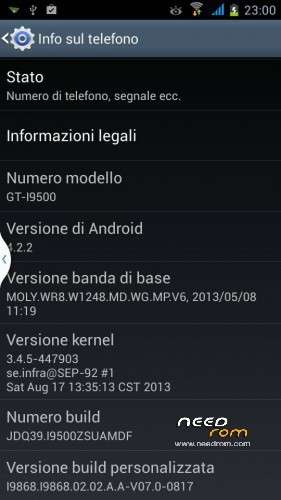
Model : GT-I9500 (star b9500)
Build number : JDQ39.I9500ZSUAMDF
Build date UTC : 20130817-054105
Android v : 4.2.2
Baseband v: MOLY.WR8.W1248.MD.WG.MP.V6, 2013/05/08 11:19
Kernel v : 3.4.5-447903
(se.infra@SEP-92) (gcc version 4.6.x-google 20120106 (prerelease) (GCC) ) #1 SMP
Sat Aug 17 13:35:13 CST 2013
Uboot build v :LCD Driver IC : 1-otm9605a_qhd_dsi_vdo
download with flash tool v3.1316.0.150
for cwm – press and hold volume up and power ,choose recovery and if dont show press home button or go to recovery with MTKdroidTools (press reboot and choose into recovery).
for instalation :
extract from rar and open flash tools , choose scatter from folder and hit download , power off the phone take out the battery and plug in your phone to the usb put in the battery and whait to finish the process
for sam…. logo install root explorer from internet (aleandroid) -setting - security- allow installation of app from unknown sources , open root explorer go to system/media/ and delete bootanimation.zip and shutanimation.zip and rename bootanimation_second.zip to bootanimation.zip and shutanimation_second.zip to shutanimation.zip after go to images and delete boot_logo_qhd and rename boot_logo_2nd to boot_logo_qhd , reboot .
thanks to Louie : for upside down display :
Louie - "open ROOT EXPLORER then go to system/build.prop then copy and paste to SDCARD.
Edit BUILD.PROP by using wordpad on your pc and replace the ro.hwrotation=180 to ro.hwrotation=0 then save.
copy it back to your SDCARD and go to ROOT EXPLORER and change replace the build.prop to the one you edited.. then re-boot… "remember to change the permission same as the original".. thanks."
※Please make a backup of your device before installing or updating ROM
simply brilliant ……….. thanks
Louie , good work
I wasn't present .thanks alot I hope this rom help you gays.
Hi friends, could you confirm that this modell has only 512 MB DDR RAM ? Thank you !
no 1gb ram
yes have just 512MB
rom a wonderful … keep it up waiting for kitkat 4.4
Hi mac974,
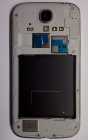
funny. More modells around the market. I got one with 512MB RAM only, 16 GB Flash and very poor camera with autofocus not working. So be careful when buying
.
I'm sorry for you
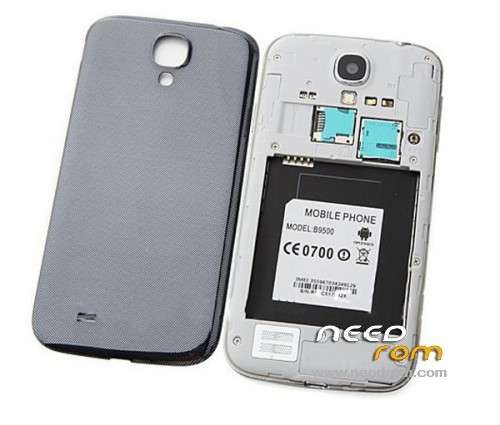
Hello! The phone in this photo,What model is it?
I have one like this to repair from a boy and We don't know anything about this phone.
Please, Can you tell the model and where can I download a flash tool rom to the phone?
Thank You.
Please I need brand and model to search for a firmware of mobile photo that you posted up.
Firmware is good but the Phone is Crap. Some are with 512MB some are with 1GB. I have good WiFi but bad GPS AND very bad cell signal (no signal at all in buildings).
Also the speaker has a very low volume. Overall this phone is crap and a waste of money
the model that I have works fine … for all models to return the logo to Sam startup so simple to type in the phone *#*#10086#*#*
I tried 3 versions of rom, the phone turns on when the Android logo, turns off after 20 seconds, I have to do?
try a wipe cache reset and forgive the rom
can u uploud 2 more files like "cache & userdata" thanks.
Sorry I don’t have anymore the phone and the user I have It’s to big to upload here , you need this file to make update?
Thx for the ROM. Screen upside down are fixed, but the touch are still inverted. do u have a solution for this?
I have got the same problem. Screen is (edited ro.hwrotation) ok, but touchpad is upside down… Did you get any solution?