
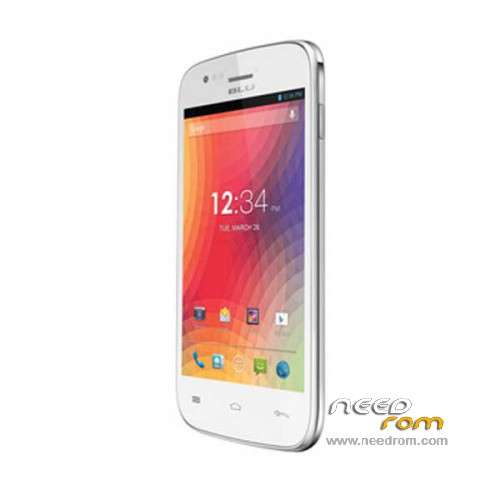
- Title: BLU ADVANCE 4.0 A270a
- Listed: March, 2015
- Last modified: 03/03/2015 2:39 am
- Version: ROM Android 4.2.2
You must be logged for ROM download.
147032 total views, 4 today
196 Total favorites
 Member Info
DESCRIPTION
ROM Mobile BLU ADVANCE 4.0 A270a – ROM Android 4.2.2
ONLY MT6572
Official ROM BLU ADVANCE 4.0 A270a Version: BLU_A270a_V10_GENERIC02 - S6041A_MP_4.2_BLU_US_17_20
Gapps include – No Rooted
Language support: Multilang
Install ROM :
- Unpack FlashTools, and Click on Flash_tool.exe
- Select a the MT6572_Android_scatter.txt in ROM
- Wait file to be added into Flash Tool
- choose Option->USB Model,click USB Model
–> Choose Option->DA DownLoad All->Speed->High Speed, click High Speed
- Turn off your phone, remove the battery and replace it after some seconds (and don't turn on the phone).
- "Press F9 (hit Download button)" OR " if upgrade ROM Firmware->Upgrade "
- and connect your phone into the computer via USB data cable.
- The process will start and a red progress bar will appear after color purple, yellow.
- And green circles display
- Finish !
- You can now safely disconnect your phone and turn it on.
※Please make a backup of your device before installing or updating ROM
what is the password protected archive
what is the passwor4d to decompress
cual es la contraseña para descomprimir
les cuento llego un BLU a270a con error del soft decidi flash pero algo salio mal y no termino la descaga, ahora no enciende y no se deja flashear sale error (5069) alguien puede ayudar …ya intente reparar nand flash y sigue igual alguien experto en soft
Thanks, Mercy, Arigato, Gracias! Works 100%
Español-> hola yo use esto drivers y me funciona todo en windows 7 64bits y 32bits se conecto bien aqui mi aporte saludos.
Ingles-> Hi I use this and it works all drivers windows 7 64bit and 32bit connect well here is my contribution greetings.
BLU ADVANCE 4.0 A270a Driver-> http://adf.ly/1PF4bD
podrias subir la rom a mediafire o mega porfavor?
Hola
funciona perfectamente, recomendado!! 28 octubre 2015!
Hola amigos, les comento que la instale y todo a la perfeccion, excepto porque me quedaron los IMEI INVALID
Los solucione asi. Instale en el celular la APP kingoroot.apk y rootie
luego instale mkt Droid Tools v2.5.3 como la imagen
pero volvi a hacer ROOT desde este programa, por que me salio problema con algo de ROOT SHELL
Luego si oprimi boton SUSTITUIT IMEI meti los imeis originales del equipo y listo, reinicie y aparecieron bien los IMEIS,