
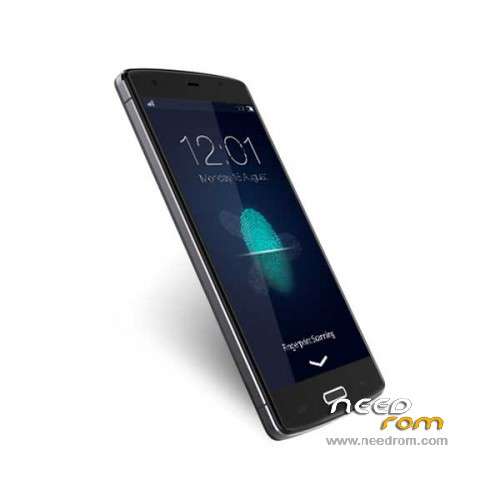
- Title: Bluboo X6
- Listed: January, 2015
- Last modified: 07/28/2015 5:40 pm
- Version: ROM Android 4.4.4
You must be logged for ROM download.
23157 total views, 3 today
2 Total favorites
 Member Info
DESCRIPTION
ROM Phone Bluboo X6 - ROM Android 4.4.4
ONLY MT6732
ROM 2 – Official Bluboo X6 Version : NZL.1478TF.C63C.X6.A2.150725.LWT_KK.QHD.WB18_FB3828.TW.MV88 – KTU84P
install Flash
ATTENTION This ROM is not compatible wuth ROM 1
—————————————————————————————————————————————————————————————————-
ROM 1 – Update ROM Official Bluboo X6 Version : 1478TF.C63A_BLUBOO.A2.150512.LWT_KK.QHD.WB128_FB13720.EN.MV88 - V1_CSFB – KTU84P
install Flash or Fota
—————————————————————————————————————————————————————————————————-
ROM 1 – Update ROM Official Bluboo X6 Version : 1478TF.C63A_BLUBOO.A2.150429.LWT_KK.QHD.WB128_FB13720.EN.MV88 - V1_CSFB – KTU84P
install Flash
—————————————————————————————————————————————————————————————————-
ROM 1 – Update ROM Official Bluboo X6 Version : 1478TF.C63A_BLUBOO.A2.150417.LWT_KK.QHD.WB128_FB13720.EN.MV88 - V1_CSFB – KTU84P
install Flash
—————————————————————————————————————————————————————————————————-
ROM 1 – Update ROM Official Bluboo X6 Version : 1478TF.C63A_BLUBOO.A2.150409.LWT_KK.QHD.WB128_FB13720.EN.MV88 - V1_CSFB – KTU84P
Flash or OTA
—————————————————————————————————————————————————————————————————-
ROM 1 – Official Bluboo X6 Version : 1478TF.C63A_BLUBOO.A1.150117.LWT_KK.QHD.WB128_FB13720.EN.MV88 – V1_CSFB – KTU84P
Gapps include – No Rooted
Language support: Multilang
Install ROM :
- Unpack FlashTools, and Click on Flash_tool.exe
- Select a the MT6752_Android_scatter.txt in ROM
- Wait file to be added into Flash Tool
- choose Option->USB Model,click USB Model
–> Choose Option->DA DownLoad All->Speed->High Speed, click High Speed
- Turn off your phone, remove the battery.
- "Press F9 (hit Download button)" OR " if upgrade ROM Firmware->Upgrade "
- and connect your phone into the computer via USB data cable.
- The process will start and a red progress bar will appear after color purple, yellow.
- And green circles display
- Finish !
- You can now safely disconnect your phone and turn it on.
※Please make a backup of your device before installing or updating ROM
As far as I know, this model comes with the processor 6732 ;)
yep my mistake
What drivers use for it? Flash tool
when loading scatter say error 8417. I’m waiting for root and cwm. Do you have any idea?
ROOT checked!!:))) Take a guide…
http://www.gizbeat.com/6244/ro.....-mt6752-mt6795/
For the firmware download this file and add the firmware and specify a folder with a note (all files)
Download file
Question, when i look in antutu i see my device is a MT6752 not a MY6732 is that normal?
Thanks for aswer
Is there a twrp for x6? Thanks!
Can somebody tell me what change in the versions
when i load the scatter i get an error message
I have the same problem trying to load scatter, I've used all the roms and always the same message: SP FLASH TOOL ERROR: (8417). The load scatter file is invalid! [HINT]: Please check the scatter file an select again!.
Can somebody colaborate to solve this problem. Thanks.
Flashing was quite easy.
For those who have problems with scatter file, just remove the first line "BIRDTOOLMINVER[3.8]" and it works.
However, I managed to destroy my nvram somehow and all IMEI/MAC addresses are lost How can I restore it? MTKDroidTools does not allow to do it, buttons are greyed out. I have IMEI stickers, so I can restore them if I find a tool. Any ideas?
@piimaauto thank you friend, my phone was bricked and thanks to you I recovered it, but now I have the same problem with IMEI like you…