
- Title: Bluebo B9500
- Listed: June, 2013
- Last modified: 06/22/2013 6:11 pm
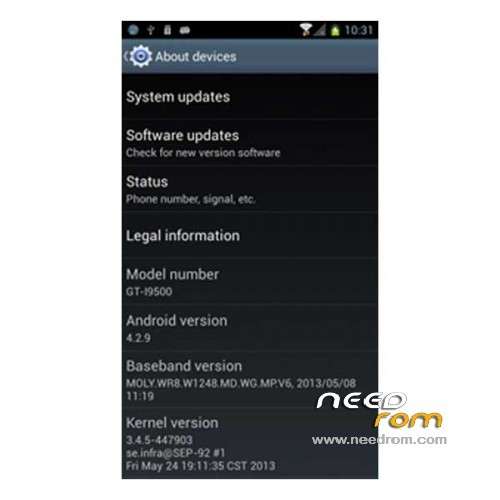
- Version: ROM Android 4.2.9
You must be logged for ROM download.
33542 total views, 2 today


 Member Info
DESCRIPTION
ROM Bluebo B9500 – ROM Android 4.2.9
Features ROM:
1 Add to S4 boot animation
2 Fixed Samsung IME FC
3 3.3.1 update security Bunny
4 FlipBoard 2.0.3 update
5 update Hangouts 1.0.2.695251
6 Updates Gmail 4.5-694836
7 update GO Backup 3.42
8 Play Store 4.1.10 update
9 update GPS Status 4.2.77
10 Update Hangouts 1.0.2.695251
11 update SuperSU 1.32
12 Updates YouTube 4.5.17
13 Gapps include
Language support: Multilang
Install ROM :
CWM
Step 1: Download the custom ROM copied to an external SD card root directory
Step 2: the shutdown state. While holding down:
– Power button + volume button up, to enter the recovery mode.
– Wipe Data / Factory Reset -> delete all user data
– Wipe Cache Partition -> Wipe cache
Step 3: Return to recovery main interface Install zip from sdcard -> choose zip from sdcard -> Select your ROM
Step 4: Brush complete, restart the phone Patience required – first boot takes a while
※Please make a backup of your device before installing or updating ROM
good try it
Hello I followed the guide and it says it failed to install the rom and why?
same here
is it possible to convert this rom to flash with flash tool?
To flash ROM, Use CWM intead of Android System Recovery
do you have cwm.zip for MTK6589 such as this phone?
This rom suitable for any MTK6589 or not?? TQ
have only chinese/eng keyboard
hey where can i get this original stock rom? i dont have recovery, bricked my phone
I have the same problem
how to flash cwm for this phone?
you can not flash anyone has succeeded?
When I finish downloading go wrong, try lowering with multiple browsers and always same error, I think the file is corrupted