
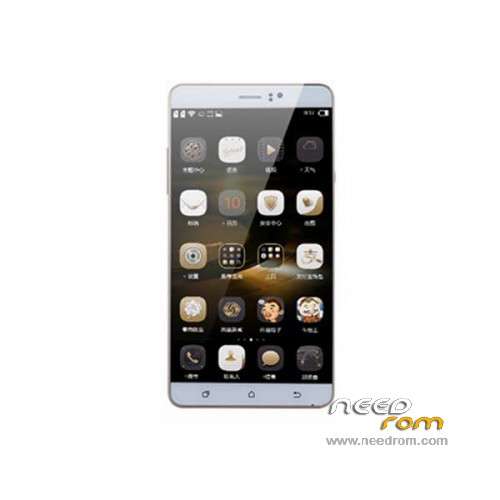
- Title: BYLYND P8000
- Listed: December, 2015
- Last modified: 01/29/2016 5:25 pm
- Version: ROM Android 5.1
You must be logged for ROM download.
23849 total views, 2 today
21 Total favorites
 Member Info
DESCRIPTION
ROM Mobile BYLYND P8000 – ROM Android 5.1
ONLY MT6580
Update Official ROM BYLYND P8000 Version: X5_80L_WE_3GW_B15_EMMC_64_8_QHD_XLD_M11AS_BYLYND 20160127.162258 – full_yuanda6580_we_l-user 5.1 LMY47I
————————————————————————————————————————————————————————————-
Update Official ROM BYLYND P8000 Version: X5_80L_WE_3GW_B15_EMMC_64_8_QHD_XLD_M11AS_BYLYND 20151215.103548 – full_yuanda6580_we_l-user 5.1 LMY47I
————————————————————————————————————————————————————————————-
Update Official ROM BYLYND P8000 Version: X5_80L_WE_3GW_B15_EMMC_64_8_QHD_XLD_M11AS_BYLYND 20151205.114578 – full_yuanda6580_we_l-user 5.1 LMY47I
————————————————————————————————————————————————————————————-
Official ROM BYLYND P8000 Version: X5_80L_WE_3GW_B15_EMMC_64_8_QHD_XLD_M11AS_BYLYND 20151130.113855 – full_yuanda6580_we_l-user 5.1 LMY47I
Gapps include - No Rooted
Language support : Multilang
Install ROM :
- Unpack FlashTools, and Click on Flash_tool.exe
- Select "scatter-Loading" and search MT6580_Android_scatter.txt in ROM
- Wait file to be added into Flash Tool
- Select "Download Only" or if upgrade "Firmware upgrade"
- Turn off your phone, remove the battery (if the battery is removable) and replace it after some seconds (and don't turn on the phone).
- Press “Download” button to start
- and connect your phone into the computer via USB data cable.
- The process will start and a red progress bar will appear after color purple, yellow.
- And green circles display
- Finish !
- You can now safely disconnect your phone and turn it on.
※Please make a backup of your device before installing or updating ROM
NEED MT6582
http://4pda.ru/forum/index.php.....howtopic=703606 ………………….locking
Need the update for BYLYND P8000 MTK6752
Need the update for BYLYND P8000 MTK6752
Pseudo BYLYND P8000 on MT6752 actually have BYLYND on MT6580.
Feel can sew. BYLYND P8000 on the MT6752 does not exist!
hello please that you're not planning to do ROM on MTK 6752 Bylynd I flash my Bylynd the MT 6580 and it works as I would have liked if there was a ROM of MT6750 will you have in the plan in the future to make MT6752
thank you very much
All same here, my Bylynd P8000 is on MT6582, partition management is not the same as MT6580.
I've tried many time to pull the recovery.img, tried first with MT6580 scatter, then with MT6582 scatter. MT6580 do not fit the P8000 partition, MT6582 does, even if flashtool simply erase the recovery.img in place of update it.
I want to try to pull the update, but i'm a bit scared. :/
I try flash BYLYND-P8000-17.zip, Its succsess boot. But this rom is not 64bit.
I try too BYLYND-P8000-29.zip. But its fail boot.
So I test exchange boot.img lk.bin in BYLYND-P8000-29.zip from BYLYND-P8000-17.zip, then boot success and 64bit system. But camera application is so bad.
And I can say that all uploaded roms are bad 3G or 4G. too bad connect.
Under BYLYND-P8000-17 versions are not support 4G and 64bit.
All tested on BYLYND P8000 MTK6752. Can use MT6580 scatter.
Someone has tested this rom on MTK6752?
hello so I figured out that I do not 4LTE flash my phone on 6582 and I lost 4LTE …. there is something like what hardreset restore the phone to its original state I mean something like povodny ROM that was in the phone …. I'm almost desperate … That's why I bought the phone that he had 4LTE there must be some solution
Hello you …. I just do not know understand why not update the 6752 Head of the phone has better performance 4G LTE ved almost everyone buys that brand I think it is better to phone …. but I myself do not know understand why I was doing the update 6580 so I lost a lot … and I update nensiel 6752 or http://baoheapi.baidu.com/shar.....category/type=0 Just the fact that nechapem
only so much I wanted to
Can anybody tell me what exactly happen when after scatter the rom,several file will be shown listed, and as instructed to activate download and then
connect the phone with a USB data cable although the download button show me that is activated butt it seem nothing happen.
Pls explain