
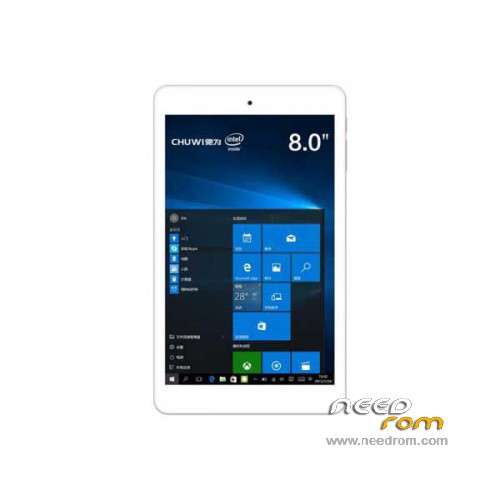
- Title: Chuwi Hi8 Pro Dual os
- Listed: April, 2016
- Last modified: 05/30/2016 3:01 pm
- Version: ROM Win 10 /And 5.1
You must be logged for ROM download.
29175 total views, 1 today
36 Total favorites
 Member Info
DESCRIPTION
ROM Tablet Chuwi Hi8 Pro Dual os – ROM Windows 10 / Android 5.1
ROM Official Chuwi Hi8 Pro Dual os version:
This version is given for European union ( Fix module Wifi )
ROM 3
Windows : C806.CHUWI.D.10.TH2.US&RU&ES&JP&KR&FR.0511
Android : P03_ILife_C806_Chuwi_Hi8_E_NG_W_DS_New_V1.0.6_A1
—————————————————————————————————————————————————————-
ROM Official Chuwi Hi8 Pro Dual os version: 03162016_Windows_10 – 03162016_Android
Two version:
ROM 1 – Android 5.1 ONLY
ROM 2 – Android 5.1/ Windows 10 Dual
Gapps include – No Rooted
Language support: Multilang
Install ROM :
ROM 1 :
install with PhoneFlashTool_5.3.4.1_win32.exe
Tuto : HI8 PRO Android tutorial .docx – U disk brush BIOS method .docx
ROM 2 :
install with PhoneFlashTool_5.3.4.1_win32.exe ( Android )
Tuto : HI8 PRO Android-Tuto.docx – HI8 PRO WIN10-Tuto.doc
※Please make a backup of your device before installing or updating ROM
Will this ROM flash to the Chuwi Hi8 (non-pro)? Slim chance I know!
Is the first file definitely android only, no Windows?
My Chuwi Hi8 Pro came with a newer Android version 03242016. This one seems to be the latest as there is no new OTA update available.
But I have a serieus battery drain issue with this newer 03242016. While in deep sleep it hangs (can't wake up with power button). Can finally reboot it with holding the power button for a while. After reboot I've lost 5-10% battery. Anybody else experiencing this ? Any tips? Is this older one having issues ?
*update: I've flashed this android version and it seems to be the same as my device shipped with. And…. after flashing I still have the battery drains and hangs. …. great rom Chuwi !
Other tip is "automate" from the playstore and create a flow that disables wifi when you turn off your screen. It's better for battery life but no background network traffic. These are my simple and more complex flows:

Hi Esjay, whenever I get a new android device I always install and run the GserviceFix app. I know it's worked on some of my devices, and given up to 20% extra duration. Du battery saver is also worthwhile app a management tool. I'm no expert, but these two apps have helped me in the past.
Hi modelman1968. Thanks for the tip but it sounds like you don't have experience with a Chuwi HI8 Pro – Dual Boot. Google Services is not draining the battery.
The android side of the device suffers from the "sleep of death"(SOD) issue.
This means boot into Android. Leave it alone for 2 minutes and you can't turn it on again. You have to reboot again to turn it on. (very anoying). You can make android more usefull with "SOD Killer" from the Google Play store. This app keeps a wakelock. It also means your battery won't last a day. (But at least you can use it for an evening on the couch.)
Yes I have the smae issue with my deivce. However just got a small tip on SOD Killer. I appreciate that.
Chuwi, What are you doing?
Great Site. On Chuwi site they fail to update their download links so i was happy to get the android firmware here again because i destroyed my system partition when i tried to get root rights.
Hello Guys,
do you know if it's working on Chuwi Hi8 Pro "single OS" ? Today I only have windows 10 and I want to install only Android, is it possible ?
Thanks all.
I'm using the single OS- Android. Just Flash it with the Flash Tool. It's Easy.
how tutorial to flash windows in HI8 Pro…?
update your BIOS
Error 7: Hardware sequencing failed. Make sure that you have access to target flash area!
Do not open
Hi! somebody can give the detailed instruction how to stitch only single android? how to mark memory and whether it is necessary to do it? Many Thanks in advance!
HI! anyone here knows if it is possible to instal a dual os in a Chuwi Hi8 Pro, that came with a single os