
- Title: CM 12.1 v4.5
- Listed: April, 2016
- Last modified: 07/21/2016 10:25 pm
- Version: 5.1.1
You must be logged for ROM download.
21216 total views, 5 today
8 Total favorites



 Member Info
DESCRIPTION
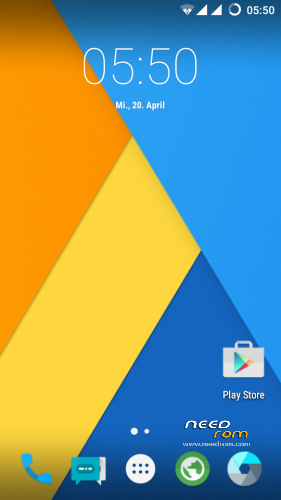
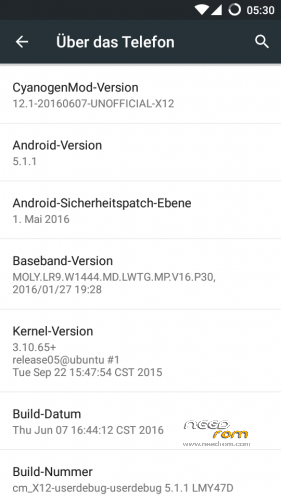
CYANOGENMOD 12.1
CUBOT X12 no Root
without Gapps
for Root —> Download rootx12.zip and Flash it via TWRP
for Gapps —> Download the last Gapps from OpenGapps.org
– Flash it with TWRP
– Reboot and sign in
– Reboot the Device again —-> Finish
BUGS:
- Videoplayback
-Sound over Bluetooth
-App2Sd
Changelog V4 .5 ( not Wipe—> only Update )
- added new Apps from CM 13
-Dialer
-Gallery
-Screencast
-Theme Engine
-Launcher
-Camera
-AudioFX
Changelog V4
- Fix App2Sd
(move for the apps , download any app from the Playstore)
- Changed DPI to 200 —> smoother scrolling
!! V4 is only a Update !!!
!!V3 is a FULL Rom!!
Changelog v3
- Fix Videoplayback (Browser, Youtube App)
- Camera now full working
- Bluetooth working
- Network 3G/ LTE working
- remove Gapps ( flash Open Gapps ) Sync working
- faster, smoother, stabler 
Its Real CM 12.1 ( Android 5.1.1) !!!
Its smooth, stable and very fast 
When you found any bugs, tell me pleace !
How to install:
- Download the cm12.1_vxx ZIP
- Boot your device in the TWRP Recovery
- Wipe all (only for fresh install)
- install the ZIP
Pleace Rate me
※Please make a backup of your device before installing or updating ROM
v3 runs stable and fast, gut arbeit )
)
I have had problems with sync, camera, microphone and these are sorted in v3. When I get home I will test my handsfree in car and if it works, then I can use this rom daily.
@scherzy I switched off the phone and put it on the way that you said (I attached a screenshot), but the rom need to be on sd card on the phone or I can pass that with the program? Thanks.
Choose recovery and press vol down…now your phone boots in twrp recovery…when you are in twrp, choose wipe and slide…when finish, choose install and select your Rom, swipe again and wait, when finish, reboot your device…
Sorry for the bad english
Thsnka for the reply, do I need to put the 'twrp and rom' on the sd card or I need to pass them to the phone through the program?
Can someone tell me how to update the phone, I mean the sequence, I got these files:
SP_Flash_Tool_v5.1524.00.000
CM12.1_v3
recovery_twrp_coincity_para_cubot_x12
rootx12
I don't know how to update if through a program or put the files on the sd card, and in what sequence, anyway you can even send me a PM in Italian as im Italian but I live in england….so will be helpful, ciao to all.
At first you need to flash recovery via SP_Flash_Tool, then put CM12.1 and rootx12 on sd card a flash it via recovery (twrp). If you are not sure how to use the program, you can search youtube for the video walkthrough.
Next Update V4 changelog: ( comes 10.07.16 )
Bugfix APP2SD (change settings in Boot.IMG)
only error I noticed so far is the radio signal strenght … nothing major as I live in a big city.
Thanks for replay
V4 comes in weekend with Bugfixes
Nice one this v3 looking forward for v4, and I want to thanks TempoCZ and in particular scherzy for his work and the help that he gave to me, on the new update may I ask on the signal icons wont say 3G or 4G can this be changed, because I don't know where internet is 3 o 4 G, thanks.
you are welcome … glad to help.
Please rate me
Go to settings and turn on the Datatransfer for sim
The icons are H H+ and LTE ….not 3G and 4G
Ok I do that now, I can't see the playstore!!
Go to opengapps.org and download the gapps for arm 5.1 and flash this ZIP with twrp. Then sign in, in your gapps and reboot the device
There are lots, which one is it? arm on the first row….then on the second and third row what I need to choose?
By the way I can't find where to put the icons H and H+ on, can you send a screenshot please.
This for the gapps
For data with sim…
Go to settings —> Sim cards—> enable Data connection
Select SIM 1 setting and go to preferred network
When you disable your wlan, now you can use sim data