
- Title: CM 12.1 v4.5
- Listed: April, 2016
- Last modified: 07/21/2016 10:25 pm
- Version: 5.1.1
You must be logged for ROM download.
21215 total views, 4 today
8 Total favorites



 Member Info
DESCRIPTION
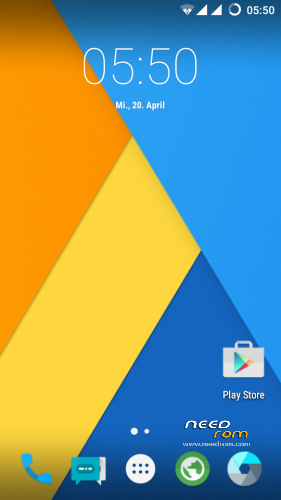
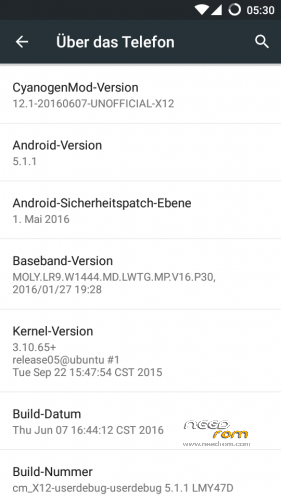
CYANOGENMOD 12.1
CUBOT X12 no Root
without Gapps
for Root —> Download rootx12.zip and Flash it via TWRP
for Gapps —> Download the last Gapps from OpenGapps.org
– Flash it with TWRP
– Reboot and sign in
– Reboot the Device again —-> Finish
BUGS:
- Videoplayback
-Sound over Bluetooth
-App2Sd
Changelog V4 .5 ( not Wipe—> only Update )
- added new Apps from CM 13
-Dialer
-Gallery
-Screencast
-Theme Engine
-Launcher
-Camera
-AudioFX
Changelog V4
- Fix App2Sd
(move for the apps , download any app from the Playstore)
- Changed DPI to 200 —> smoother scrolling
!! V4 is only a Update !!!
!!V3 is a FULL Rom!!
Changelog v3
- Fix Videoplayback (Browser, Youtube App)
- Camera now full working
- Bluetooth working
- Network 3G/ LTE working
- remove Gapps ( flash Open Gapps ) Sync working
- faster, smoother, stabler 
Its Real CM 12.1 ( Android 5.1.1) !!!
Its smooth, stable and very fast 
When you found any bugs, tell me pleace !
How to install:
- Download the cm12.1_vxx ZIP
- Boot your device in the TWRP Recovery
- Wipe all (only for fresh install)
- install the ZIP
Pleace Rate me
※Please make a backup of your device before installing or updating ROM
Thank you Scherzy!
i'd love to try your ROM but …without bugs! Any news about version 3 ?
Version 3 comes at weekend
Fixed videoplayback, google sync
please videoplayback fix T_T
Is fixed
wifi-hotspot doesn’t work
lte – switching between the 2 cards is buggy
Hi guys, Im new at everthing on the site and phonewise, I tried to put the phone on recovery mode but I got 3 options, recovery, which when I press for that wont do anything, fast boot and normal boot, now remainding you that I dont know a lot, can you advise how to install the new rom? is there any tutorial how to? Thanks.
Install at first the twrp recovery
Hey guys, it's a long time gone … sorry . but finally CyanogenMod 12.1 v3 ready I'll upload it to you on the weekend .
Bentornato!!
@scherzy thanks for the reply, but I dont really know how and where to start, I need to copy twrp on the sd card and then start the phone on recovery mode or there's a program that can help me to to this? Thanks.
https://www.needrom.com/downlo.....ad/twrp-root/
download this rar file and extract it….you need the mtk flash tools (http://spflashtool.com/) and MTK USB driver
start the spflashtool and select the scatter file from the extracted rar
choose the recovery.img under recovery and flash it
hello scherzy i dont install gapps error 64 help please
Download the gapps for arm…not x86 or arm64!!!
Mmhhh…i have open_gapps-arm-5.1-micro-20160605.zip and its working
Have you make a full wipe? Advanced —> cache, Systeme etc….
Hello scherzy you are the best thanks..i used arm64 that was the problem..
@scherzy thanks, I done everything that you said and all is ok, now…the phone need to be on or in recovery mode? And if yes how do you do put the phone in recovery mode? Thanks.
Shut down your device….when is off, press power and Volumen up together
Cheers for v3 … I will flash it in a bit.
Tell me your impression