
- Title: CM 12.1
- Listed: July, 2015
- Last modified: 04/14/2016 11:35 pm
- Version: Release V22
You must be logged for ROM download.
85051 total views, 5 today
46 Total favorites
 Member Info
DESCRIPTION
original discussion (in italian):http://www.androidiani.com/forum/zte-nubia-z7/472442-rom-z7max-android-5-1-1-cm-12-1-unofficial.html
in english: http://www.androidiani.com/forum/international-users-help/474427-rom-zte-z7max-android-5-1-1-cm-12-1-unofficial.html
Hi all, after a long time I came back with a new rom 
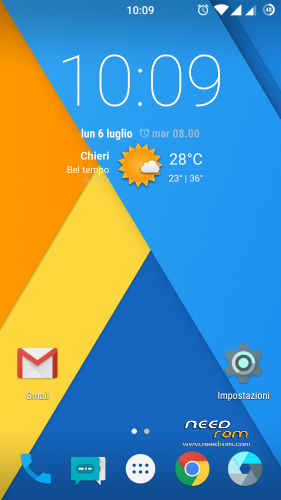
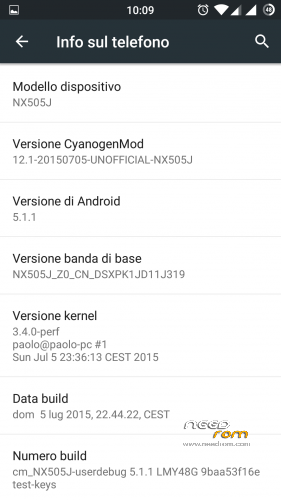
it is a (multilanguage) CM12.1 Lollipop 5.1.1 entirely compiled by me, still it as some problems but is already usable
ONLY FOR MERGED PARTITION
what's working:
camera
flash led/torch
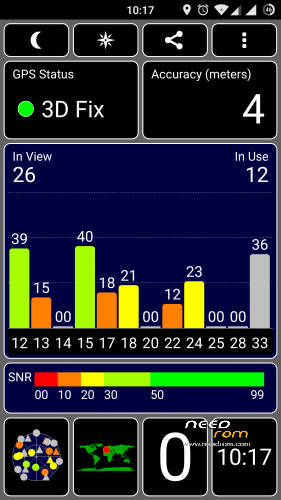
gps
wifi
dual sim
sensors
nfc (maybe)
Bluetooth
led notification/charger
FM Radio
Infrared
what's not working:
let me know
changelog:
13/04/2016 Release V22 (MD5: 4dece2c33c639e64ba0ae60be362bb2d)
- Security patch April 2016
- proprietary blobs updated from latest stock firmware 3.84
-
sync cyanogen source code (13/04/2016)
11/02/2016 Release V21 (MD5: 8879801ec683e3ca7a788c18e78a3835)
- Security patch February 2016
- proprietary blobs updated from latest stock firmware 3.77
-
sync cyanogen source code (11/02/2016)
23/01/2016 Release V20 (MD5: 73d1d880fd85320868ca031f7d35dd75)
- Security patch January 2016
- proprietary blobs updated from latest stock firmware 3.73
-
sync cyanogen source code (23/01/2016)
16/12/2015 Release V19 (MD5: 5afe185865b962b5500f0280b5ccb04e)
-
added support for the smart cover

to manage the cover I used an app created for the HTC dotcase (thanks to the author), adapting it to our device
the cover is disabled by default and for the moment there is no option to enable/disable it. if you want to enable just flash the file (without any wipe) CM_EnableCover.zip (if you have it enabled and want to disable just flash the file CM_DisableCover.zip) - kernel: added support for dotcase
- Security patch December 2015
- proprietary blobs updated from latest stock firmware 3.68
- sync cyanogen source code (16/12/2015)
16/11/2015 Release V18
-Including the latest Google security fixes of November
-updated proprietary file (blobs) from latest stock firmware 3.65
-sync cyanogen source code (16/11/2015)
26/10/2015 Release V17
-sync cyanogen source code (26/10/2015)
08/10/2015 Release V16
-source code updated to Build ID LMY48W (5.1.1_r24) (from LVY48F 5.1.1_r18)
-Including the latest Google security fixes of October 5
-updated proprietary file (blobs) from last stock firmware 3.61
-updated baseband ver 3.61 (it can be downloaded here, flash without wipe)
-sync cyanogen source code (08/10/2015)
26/09/2015 Release V15
-kernel: fix phone reboot when using usb or bluetooth mouse/keyboard
-updated proprietary file (blobs) from last stock firmware 3.60
-updated baseband ver 3.60 (it can be downloaded here, flash without wipe)
-some optimizations
-sync cyanogen source code (26/09/2015)
21/09/2015 Release V14
-Fix bug deleting photo in the gallery
-updated proprietary file (blobs) from last stock firmware 3.59
-updated baseband ver 3.59 (it can be downloaded here, flash without wipe)
-some optimizations
-sync cyanogen source code (21/09/2015)
18/09/2015 Release V13
-Fix V12 bootloop bug
-kernel: updated with the latest codeaurora patches
-fix for some selinux policy
-some optimizations
-sync cyanogen source code (18/09/2015)
15/09/2015 Release V12
-do not use, bootloop problem (link removed)
-updated app Nubia IRControl vers. 3.0.1.1011
-kernel: added some patch to wifi driver prima/pronto
-updated proprietary file (blobs) from last stock firmware 3.57
-updated baseband ver 3.57 (it can be downloaded here, flash without wipe)
-some optimizations
-sync cyanogen source code (15/09/2015)
06/09/2015 Release V11
-updated proprietary file (blobs) from last stock firmware 3.56
-updated baseband ver 3.56 (it can be downloaded here, flash without wipe)
-some optimizations
-sync cyanogen source code
29/08/2015 Release V10
-updated proprietary file (blobs) from last stock firmware 3.55
-updated baseband ver 3.55 (it can be downloaded here, flash without wipe)
-some optimizations
-sync cyanogen source code
25/08/2015 Release V9
-fix camera bug (from release V8)
-liblight: fix bug Home led always on when the navigation bar is active and charging phone
-Doubled the incall volume step (from 5 to 10)
-updated proprietary file (blobs) from last stock firmware 3.54
-updated baseband ver 3.54 (it can be downloaded here, flash without wipe)
-optimization and various modifications
-sync cyanogen source code
21/08/2015 Release V8
-bug: there is a little bug in setting preferred network type, after change all the options become gray and no longer be selected…simply go back and re-enter
-Added screenshot tile in quicksetting
-Doubled the volume step (from 7 to 14 for all volumes and 15 to 30 for the multimedia volume)
-liblight: fixed the random Home led lit up brighter than normal
-updated proprietary file (blobs) from last stock firmware 3.53
-updated baseband ver 3.53 (it can be downloaded here, flash without wipe)
-optimization and various modifications
-sync cyanogen source code
18/08/2015 Release V7
-Added option for take screenshot with 3 fingers swipe from up to down (settings->display)
-optimization and various modifications
-sync cyanogen source code
12/08/2015 Release V6
-Fix setting Preferred Network type (again)
-Added option for show/hide headset icon in Settings->Status Bar
-Added option for show/hide key navigation bar in Settings->Buttons (physical keys stay active)
-kernel: set to default intelliactive governor (instead of interactive)
-kernel: set to default westwood TCP congestion control (instead of cubic)
-optimization and various modifications
-sync cyanogen source code
07/08/2015 Release V5
-fix touch bug synaptics touchscreen
-fix recording call
-kernel: update to 3.4.108 version
-kernel: added several selinux patch
-kernel: added and updated zram support (from kernel 3.10, disabled by default…can be enable with trickster mod or similar app)
-kernel: added lz4 support
-kernel: added exfat filesystem support (for external sdcard and usb key)
-kernel: updated wifi driver
-optimization and various modifications
-sync cyanogen source code
02/08/2015 Release V4
-Added option for adjusting intensity vibration in Settings->Sounds
-Possible fix for LED Home button that occasionally lit up brighter than normal (to be tested better)
-kernel: few optimizations
-kernel: compiled with linaro toolchain 4.9 optimized for arm a15
-optimization and various modifications
-sync cyanogen source code
26/07/2015 Release V3
-Fix wrong MAC Address
-Added a option to show/hide the statusbar root icon (#) (in settings->Status Bar)
-Added a option to show/hide exclamation mark on signal strength icons when there is no Internet connection (settings->Status Bar, this change is not in real time…to force the icons upate just enable/disable wifi or enable/disable airplane mode or simply reboot your phone)
-optimization and various modifications
-sync cyanogen source code (finally has been added the option for enable/disable the data connection in settings->SIM cards)
22/07/2015 Release V2
-Fix setting Preferred Network type
-Added network speed indicator in statusbar (can be enabled in settings->Status Bar)
-Implemented 3 battery mode profiles (in settings->battery):
- balanced: governor interactive, freq min 300Mhz – max 2.45Ghz, GPU max 578Mhz (the default profile)
- power save: governor conservative, freq min 300Mhz – max 1.57Ghz, GPU max 389Mhz
- performance: governor performance, freq min and max 2.45Ghz, GPU 578Mhz
-some optimizations and changes
-sync cyanogen source code
19/07/2015 Release V1
-optimized source code (liblight) led keys (now it is almost perfect)
-kayhandler added to manage the double tap to wake (I hope in some way help to fix the SOD bug)
-added app IR stock Nubia translated into Italian, Russian, English and Chinese
-reinserted the option "prevent accidental wake-up" removed by mistake in the beta3
-fix saving settings LTE/3G/2G
-changes in various configurations and optimizations
-sync cyanogen source code
16/07/2015 beta 3
-fix led lights on menù and back button (sometimes one button still light on…I'm working on it)
-add native multiuser support
-disabled USB Mass storage connection (useless with emulated sd)
-fix USB charging option
-probable fix for mic in google search (need more tests, needed the new gapps that I have uploaded on mega tk_gapps-modular-nano-5.1.1-20150705-signed.zip)
-fix setting LTE/3G/2G (for the moment is only a partial fix, after a reboot the setting return back to default value)
-updated proprietary file (blobs) with last firmware stock 3.22
-sync cyanogen source
14/07/2015 beta 2
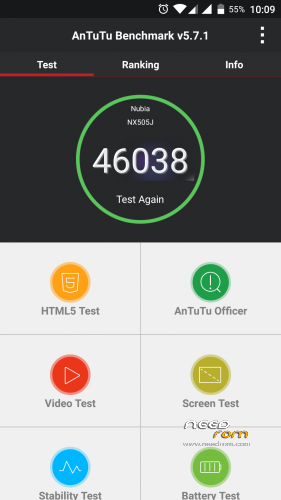
fix thermal engine: increased performance (antutu score 43000~)
status bar: fix show percentage next to the battery icon
sync cyanogen source code
11/07/2015 beta 1
added double tap to wake feature (can be enable in settings->display)
fix restart/shutdown crash
fixed an issue that sometimes the gps stopped working
enabled some compile flag for optimization
sync cyanogen source code
08/07/2015 alpha3
kernel: some tweaks
kernel: added some governor cpu
kernel: added some scheduler
kernel: added cpu voltage table
kernel: added LCD color calibration
(all kernel settings are configurable via Trickster Mod or similar app)
fix FM Radio
fix Infrared
06/07/2015 alpha2
first public release
ONLY FOR MERGED PARTITION
flash instruction:
first of all: backup all with twrp recovery
download rom and gapps
full wipe
flash rom and gapps
reboot
The first boot takes a bit 'of time
Root access can be enabled in developers options
※Please make a backup of your device before installing or updating ROM
I'm on v11 now with baseband_356, and appart a minor bluetooth glitch (loud beeping at headseat+music startup, probably due to dirty flashing) everything works fine.
Here's a request for paolothlw8: would it be too much to ask for replacing the default CM Recovery with TWRP v2.8.6.0? Currently, it doesn't seem to be able to read/write the SD card on the Z7 Max (see http://www.androidiani.com/for.....e-recovery.html and https://www.needrom.com/downlo.....ne-tool-v1-1-0/), but it is still the best way to manage ROM jumps and other misc flashing…
the ROM does not include the recovery
I use TWRP 2.8.7.0 (https://www.needrom.com/downlo.....ne-tool-v1-1-0/)
Thanks for answering, paolothlw8. I was under the impression that it carried a CyanogenMod recovery because, after several reflashes of your ROM, when booting to recovery in v9 (to proceed to upgrade to v11) I discovered I had a recovery with that title that I hadn't installed…
I always used the same recovery mentioned by you. Well, I guess it's time for a clean install, then…
uploading V13 with bootloop bug fixed
tested v13 from v10. good so far.
btw, is the swap left right button can be use on any version?
is the camera apk useable in this CM rom? which dpi to choose from?
ps : tq so much for ur effort for doing this CM rom
1) yes
2) yes, the stock nubia camera apk is a port for this rom
in CM rom you can change the dpi in settings->display so…if you use the cm12.1 with a standard dpi choose the 480 version, if you set 440 dpi choose the 440 version
Hi, gladhed v13 , Problem with infrared control APP, it crashes ..
I have no problem with IR app
try to delete data/cache from settings->app->all->infrared app
Hi Paolo thank you for your Work,
1. after installing v. 13 in an existing v. 11 everything works perfectly
2. installing v.13 AFTER a complete wipe( system, data, cache, dalvik) IR control crashes after creating a device in it.
Regards
ah ok
then I will try with a full wipe
Hello guys,
@vios88 how do you swap left right button ? Since i changed the LCD of my step brother, he got this inversion and i haven't found anything on google about that.
Thanks for the feedback.
go to the original forum. under paolothlw8 links of starage files have swapable zip files
Finally a great Nubia Z7 Max…, everything work as it should.., and finally android I was used to…
Fast, smooth, antutu drop 1000 points but there is no alternative to this ROM.., it is the Best…
Everything is so big (on default) so I set the resolution to 440dpi, on 400dpi is to small (like on Kitkat 4.4.2)
I flash last v13, and IR control is working just fine…, flashing was so fast I couldn't beleave that ended in a few seconds (full wipes, system also)…
I've could saved a lot of time if I flashed this after the first lollipop with the merged partitions…
It is multilanguage with Croatian but not everything translated.., not a big deal.., but without traces of chinese…, thank you paolothlw8 !!!
One (or 2) question.., how to turn on onehanded screen mod…, ….and I anable root acces through developer….. but how to see which apps have (or I was given) root acces (some root log or !??)…
I bought you a beer .., cheers, great job …, small donation but from my heart….
thanks
for the first question, you can't…the onehand feature is not included in the cyanogen rom
for the root question (see which app etc) go to settings->privacy->privacy guard->menu button->advanced->swipe the screen to left until the root access tab
Ok.., great.., good to know this…
One more question.., charger (come with phone) is too weak (3hrs charging to full), so I use one from LG G2, battery from almost empty to full need about 2hrs, but charger is almost cold and battery is about 90%.., this was also on KitKat, and first Lollipop, and same now…, so I think that battery is impossible to fill completely full.., I am waiting that battery show 100% but when I remove from charger voltage of the battery show about 4.25V.., chargers cannot fill the battery to 4.35V….
Is this normal or this is just in my case….!??
I had similar slow charging problem here is what I did (not sure what solved the problem)
1- clear battery stats (from the recovery mode, or search play store for apps that do so)
2- let the phone battery die down to 0% and it shuts down
3- charge the phone with the original charger while it’s off
This solved my issue. From what I read online the problem goes away after few charge /discharge cycles
Hope it helps
Thanks ramy_maia…
I will try this…
Great work again Paolo! The v13 is smooth as butter and good battery life too! Everything works fine. Thanks again!
Great improve to sound (volume, and quality) on any ROM and CM also.. – but not working on "CM stock" audio player, on any other working…
Dolby Atmos – R.6.5
Exists as an application and can be optionally switched on and off. Increases volume of system sounds also so on main screen of Dolby leave "Volume Leveler" switched OFF…