
- Title: CM11 V2 Lstyle W200S
- Listed: August, 2014
- Last modified: 08/18/2014 2:24 pm
- Version: Android 4.2.2
You must be logged for ROM download.
22817 total views, N/A today
3 Total favorites
 Member Info
DESCRIPTION
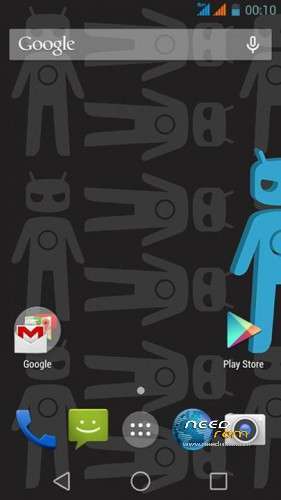
CM11_V2_Lstyle for W200S
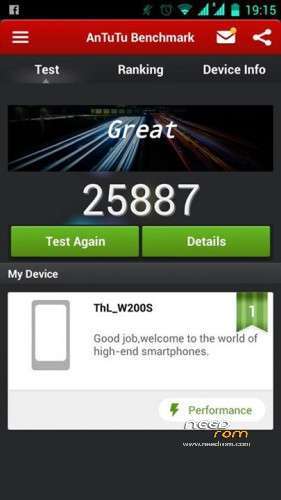
I don't test it a lot. but work on my W200S
Please be sure to make a backup of your phone before !
Then just Wipe Data/Cache/dalvik
And update from CWM
test by ThL Thailand Team
for W200S (MT6592) Only
ThL.W200S.156D.A1.JB9
Install ROM:
CWM
Step 1: Download the custom ROM copied to an external SD card root directory
Step 2: the shutdown state. While holding down:
– Power button + volume button up, to enter the recovery mode.
– Wipe Data / Factory Reset -> delete all user data
– Wipe Cache Partition -> Wipe cache
– Advanced -> Wipe Dalvik Cache
Step 3: Return to recovery main interface Install zip from sdcard -> choose zip from sdcard -> Select your ROM
Step 4: Brush complete, restart the phone Patience required – first boot takes a while.
※Please make a backup of your device before installing or updating ROM
link dont work…
Check your internet settings.
the link
http://pan.baidu.com/s/1c0zUnC.....W
is working fine
no… it is not work…. please upload yandexdisk…
Stuck on boot loop, what am i doing wrong?
I can’t install it installation failed with twrp 2.7
Trying update. So far very good battery life, very fluid and fast. All seems to work well.
Great work!
pan.baidu not work… all error… i can’t it dowload!!!! please upload yandexdisk…
Need I beg you!
please do upload it to another place. (yandex or G.Drive)
I can not download it here (pan.baidu)
file: https://mega.co.nz/#!blMykTQZ
key: 4jKvzMkVWOCI_Stk5WzTmrsA26omcN88nk9-dUgUJxg
thank you very much… really thanks friend….
i had bootloop, and change boot.img for other and work
Does xposed work with this rom?