
- Title: CM13 unofficial BETA for umi zero (05/16/2016)
- Listed: May, 2016
- Last modified: 05/16/2016 11:00 am
- Version: 6.0.1
You must be logged for ROM download.
15773 total views, 5 today
3 Total favorites

 Member Info
DESCRIPTION
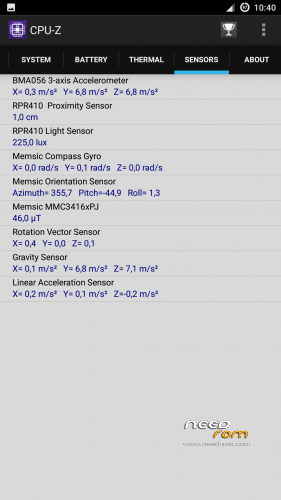
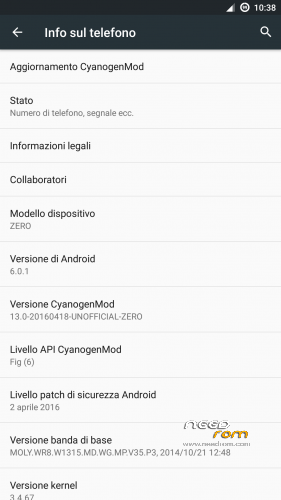
Cyanogenmod 13 ported from http://www.mtkroms.com/2016/04/stable-cyanogenmod-13-v2-for-mt6592.html. Right now every sensor (wifi, camera, gravity..) seems to work but there’s still something to fix. Vibration on softkeys does not work even if the screen vibrates (on keyboard) and they can vibrate on long press (I guess the device for which this rom was made to did not have such a feature). Rotation works only after reboot for a short period of time (don’t know when it stops), even if all gravity/acceleration sensors still fetch correct data (can check through CPU-Z). Some FC somewhere (after a phone call or while changing lockscreen type). Random screen flickering (going to recent apps and coming back stops it).
My device didn’t explode runnning this ROM, but that do not mean yours will do it as well, so BE CAREFUL using it (expecially while charging with stock charger, when it can reach very high temperatures if using the device). I am not responsible for any nuclear damage your mobile can make to you.
Gapps not included, download them from here A-GAPPS 6.0.1_10.04.2016_v5.0.zip. It should work also after booting the ROM but I recommended to flash it immediately after the ROM in order to start google setup on first boot (this would at least restore something from your account).
If you find some other problems or you know how to solve some of these bugs, please write here or pm me (in english).
※Please make a backup of your device before installing or updating ROM
@spawuzika, tried out with theme manager and also in that way I can change boot animation, what kind of bug are u taling about?
@roestslc, it may be the same problem that doesn't allow to change locscreen type, I wasn't able to find what force closes in that case but maybe in your case the app shares something into logcat, can u check this (from terminal emulator or through adb)? There may be something wrong with this kind of encryption, perhaps some logs can help finding the solution.
@hozumi70, on marshmallow u cannot move apps to sd card but u can use sd card as internal memory (really much better regarding performance), i never tried it but u should set this method while inserting your sd card (in notification it should ask u whether to use it as mass memory or internal memory) or under settings>storage>sdcard>"menu key">settings>format as internal memory. U will lose all your data in that memory, so save them somewhere else if u need them.
@Gabry25 yes, ewerything is correct is that have applications that could be installed 50_100MB and not a lot them will install. Only is this phone you can not move apps to SD.
I can confirm that the conversion of an SD card to internal memory isn't working (I tried with an old 2GB sd), it shows the process but while it ends the memory is shown as damaged and cannot be used (please, write here if u are experiencing something different). I don't know if this problem will be solved soon, right now on cm13 u should get by only with internal memory for apps (unless u use old solutions like link2sd, that may still work)
I hope that soon someone the last rifle from this CM 13.
Flickering picture, sd card and stuff.
Root permissions? I tried to install super su without success
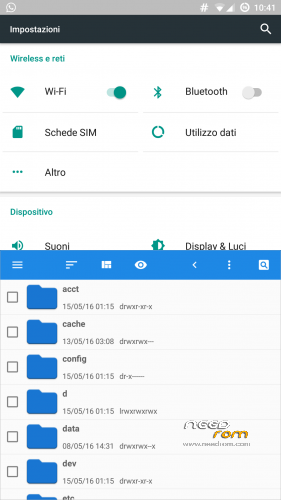
They are already present but u should enable them through developer options (tap many times on info>build number if u don't find them). After this u will be able to grant any app (or su-manager like supersu) for root permissions and supersu will install it's own binary as u want (even if from settings u can manage a bit the apps that are requesting root, so u may not need to install supersu).
Nicce Rom but i have the problem after a call
"Unfortunately the process com.android.phone has stopped"Somebody have noticed the same problem?
Yes, this is a bug of that rom, it happens when the counterpart hangs up.