
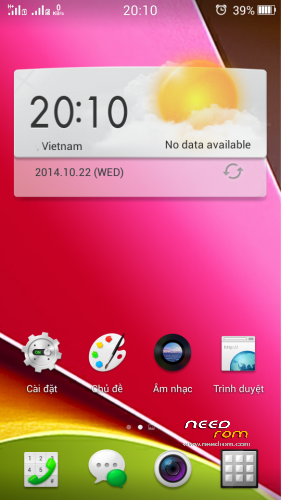
- Title: Color 1.2.2i + Dolby mobile
- Listed: October, 2014
- Last modified: 10/22/2014 4:37 pm
- Version: 4.2.2
You must be logged for ROM download.
16548 total views, 1 today
1 Total favorites
 Member Info
DESCRIPTION
-Rom up via Recovery CWM
-Root full
-Language support: Multi Lang ( Normally )
-Support C version
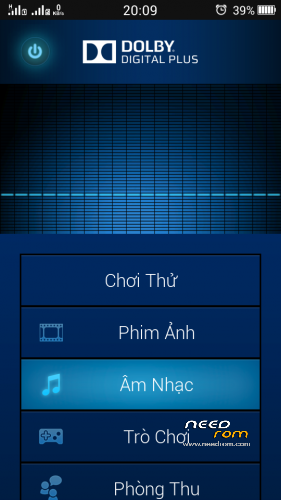
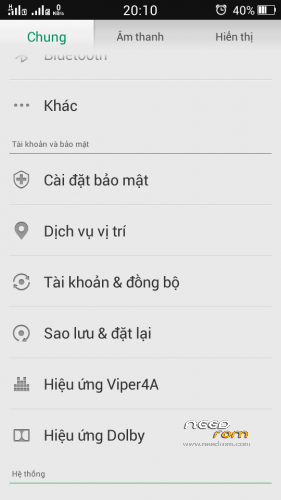
-Dolby + Viper 4a
-Theme Color 2.0 made by me
-Viper4a (Open Menu ->Load effect profile -> Viper solo by msnhj chiến)
-Path System UI mod up via recovery
THANK YOU . HAVE FUN
Install ROM :
CWM
Step 1: Download the custom ROM copied to an external SD card root directory
Step 2: the shutdown state. While holding down:
– Power button + volume button up, to enter the recovery mode.
– Wipe Data / Factory Reset -> delete all user data
– Wipe Cache Partition -> Wipe cache
– Advanced -> Wipe Dalvik Cache
Step 3: Return to recovery main interface Install zip from sdcard -> choose zip from sdcard -> Select your ROM
Step 4: Brush complete, restart the phone Patience required – first boot takes a while
※Please make a backup of your device before installing or updating ROM
Thank you for ROM.
Working on non “C” version.
Fast UI.
Keyboard is broken on first boot(reboot after first load fixes it).
Where can I get more themes?
Thank you
all ok ?
@Vtinoc
Theme/Online/Dowload
lol that was easy.
Will there every be any AOSP, AOKP, or Cynogenmod ports for this phone?
can anyone make Cynogenmod for this phone
Nice ROM, in the next update please add Polish language
Please, make a “c version” compatible
Nice ROM, after ending of MIUI 5 Support, I had started using this ROM. Quite fast and functional ROM. Only one bad thing it's a battery drain. But it's unreal to fix – this is 3G draining, so why know, how to partly fix this?
my phone has only chinese signs in recovery menue can somebody help? just tell the steps (3. point, then 1 point and so on)
@PorcoAlato This rom support C version.ok