
- Title: ColorOS 980/990
- Listed: February, 2014
- Last modified: 05/23/2014 11:54 pm
- Version: V3.0
You must be logged for ROM download.
75586 total views, 19 today
1 Total favorites
 Member Info
DESCRIPTION
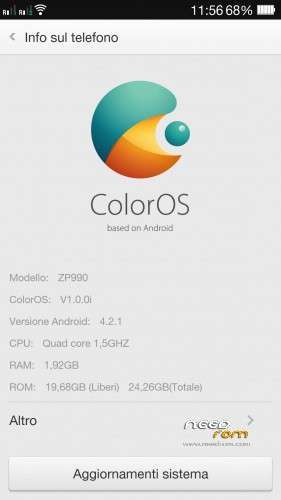
Oppo R819 ColorOS 1.0.0i (last version 20/01/2014) ported by me on ZP990 (and ZP980)
(official site http://www.oppoforums.com/threads/r819-stable-coloros-v1-0-0i-140120.8683/)
(official discussion of this rom (in italian) http://www.androidiani.com/forum/zopo-modding/383098-rom-zopo-980-c2-c3-990-c7-color-os.html)
This rom is compatible with ZOPO 990/C7 and 980/C2/C3 (I used aroma installer to allow you to choose which phone to install)
NEW VERSION 3.0
changelog:
-based on new R819 ColorOS 1.0.0i 515 released 23/05/2014
-reimplemented all fix and mod of version 2.0 and 2.1 in this new firmware base
-new app filemanager with fix for external sdcard access
-cameramod with barcode scan and poster
-mod multimedia volume with 30 step
-crt off effect now can be enabled in aroma during flash
-some google system apps updated
-swype keyboard licensed to Oppo and google keyboard stock
-double tap on home button to lock the screen, long press on menu button to open recent task
MOD:
adds 2 lockscreen from version 2.1 that are missing in this version, just download this zip from your PC (otherwise it does not work) and flash in recovery (no wipe needed)
ColorOS_LockScreen.zip
———————————————————————————————-
changelog Vers. 2.1:
-fix 3g connection if present only one sim in slot 2 (and maybe in slot 1)
-fix option to save on external sdcard in camera app
-blue led notifications
-enabled effect crt off
-autobrightness level tweaked
-mod center clock and network speed now are flashable in aroma (for activate center clock and network speed just enable both)
-added the original oppo "Note" app
-removed google music (install it from google play if u want)
fix in version 2.0 (I never put the 1.1 version on needrom):
- Fixed low signal strength on sim in 3G
- rom now is full deodexed
know bug:
- in camera can't select external sd for save photo/video
- dirac sound option not work
- maybe other…let me know 
Language: multilanguage
Install ROM :
flash in cwm/twrp recovery
perform a full wipe data factory/reset before flash (for upgrade from previous version just do wipe cache and dalvik cache)
※Please make a backup of your device before installing or updating ROM
Very good job Paolo! This rom are perfect!!!! Thanks you!!!
guys, if u want a try my compiled kernel just go to:
http://shared.com/f/dlk3quxk1z
and download the right version (COLOROS 990 or 980)
for 980 try first with 980a version, if in landscape the image is flipped try with 980b
just flash in recovery, no wipe needed
new compiled kernel version
beta5 with some fixes: https://shared.com/f/1nruurkqr.....k
beta6 with dobletap2wake (in development): https://shared.com/f/f091en68f.....6
Hi
Thanks for the kernel.
But one dumb question please what will the kernel do to already installed Rom
great rom. how can I move the clock from the middle to the right. during the installation I lawyers in the middle. now I want to change this.
thanks
Thank you Paolo
After having tried MIUI on zopo 980 1GB with return on office very often, I just intaller Color OS and there … it's too strong, super stable and very well thought out.
Everything works without slowing nickel, I adopt;)
FR:
Merci Paolo,
Aprés avoir essayé MIUI sur zopo 980 1GO avec des retour sur bureau trés fréquent, je viens d'intaller Color OS et là … c'est trop fort, super stable et trés bien pensé.
Tout fonctionne nickel sans aucun ralentissement, j'adopte
Hi Paolo, thank you for your nice rom. Everything is working on C2/A 1GB ram.
Please give a stock browse in this rom.
can you give me a link to translate this OS?
Hi,
after Miui v5 on my new Zopo 980/c2, it's a good job , stable and beautiful.
Thanks
Is there Polish language?