
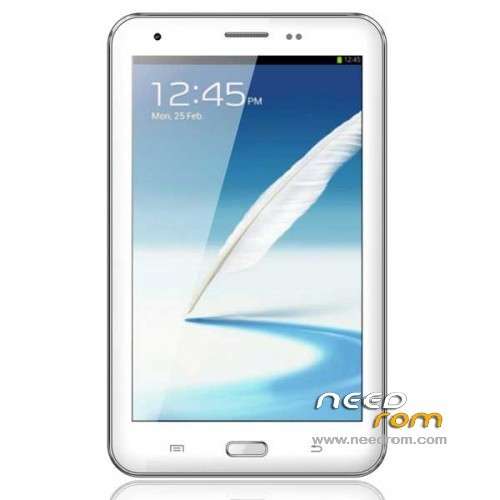
- Title: Coolgen E72 Note 8
- Listed: July, 2013
- Last modified: 07/19/2013 5:14 pm
- Version: ROM Android 4.2.1
You must be logged for ROM download.
16838 total views, 1 today
 Member Info
DESCRIPTION
ROM Coolgen E72 Note 8 – ROM Android 4.2.1
Official Coolgen E72 Version: Coolgen E72 Note8 20130531-132526
Gapps include – No rooted
Language support: Multi Lang
Install ROM :
ROM Install : with Flashtool (you download file FL-Coolgen-E72-Note8 )
Unpack FlashTools, and Click on Flash_tool.exe
Select a the MT6589_Android_scatter_emmc.txt in ROM
Turn off your phone, remove the battery.
Press F9 (or hit Download button) and connect your phone into the computer via USB data cable.
The process will start and a red progress bar will appear after color purple, yellow.
And green circles display
Finish !
You can now safely disconnect your phone and turn it on.
or
ROM Install : with update on sd card (you download file SD-Coolgen-E72-Note8 )
Card brush, set the software package two files into the T card root directory, as shown below:
(1) upgrade package: update.zip
(2) AAAAB3NzaC1kc3MAAACBANLc2NCufBz0lBUupztiXI7rUnhY3bOojTMmGD0SR68e8kK00EM5n0ghfpaDxayZD.zip Folder
- Enter the interface as shown below, click on the system upgrade interface shown in the figure appears, click on the down arrow to the right, appearing in interface begins upgrade
※Please make a backup of your device before installing or updating ROM
Hi,
Does this room apply for Coolgen E72 Note3+, which is Andoid 4.2 system. the original rom not working with Google play.
Thomas
Coolgen E72 Note3+ is also MTK 6589 chip
Hi,
Does this room apply also for new Coolgen E72 Note3+, which is Andoid 4.2.2 system and MTK 6592 chip?
Thanks