
- Title: CoolPad F1 8297W AOSP
- Listed: April, 2014
- Last modified: 07/06/2014 3:06 pm
- Version: ROM Android 4.2.2
You must be logged for ROM download.
41587 total views, 10 today
2 Total favorites

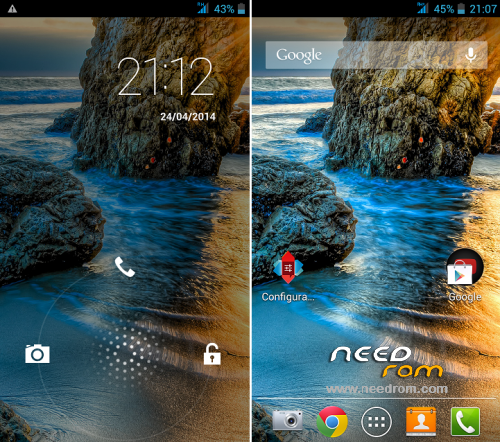
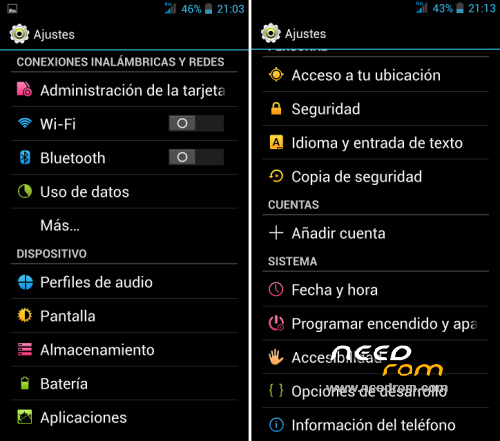
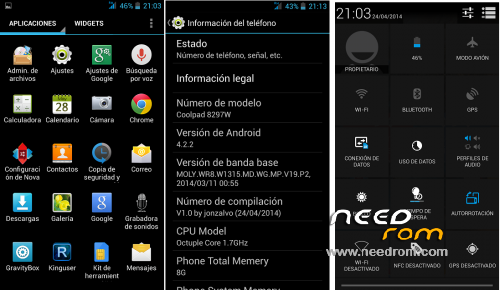
 Member Info
DESCRIPTION
I modified this rom: https://www.needrom.com/mobile/coolpad-f1-8297/
CHANGES V2.0 (06.30.2014)
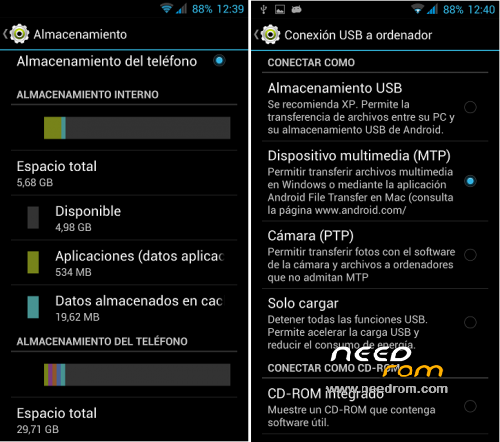
-Distribution memories original storage.
-Updated the kernel and libraries cameras 069, better image quality
- Direct input for connecting SD MTP for the PC
- Updated to version 3.2.0 Gravitybox(manually activate xposed)
CHANGES V1.0:
- Fixed the libraries of the cameras
- Fixed SD mounting
- Enable notification leds
- Remove Chinese app
- Remove Chinese keyboard and put the pure android keyboard
- Include APN and GPS Europe
- Installed the last Gravitybox with xposed included.
- Delete Apps silly to leave as light as possible.
- Accessibility Root
- Titanium Pro installed
- Nova Pro installed Laucnher
COMMENTS:
- If at first boot, the google play is left wondering, is because it is updating.
You can wait and then restart the terminal by removing the quick start (in settings / more / accessibility)
- With this rom, the phone memory becomes internal memory, you'll have almost 6gb to install apps, but then necessarily need a MicroSD storage.
WARNING: DO NOT FORMAT THE SD SINCE THE TERMINAL WITH THIS ROM. With no dealings original memory can bricking the mobile
- Has led notification function (red and green), checked with whastapp, calls and sms.
To activate it you will have to just go to settings / flash alert and activate the two options.
Gapps include
Rooted
Language support: Multilang
More Information: http://www.movilesdualsim.com/threads/rom-aosp-coolpad-f1-8297w.66659/
Install ROM :
CWM [ English)
Step 1: Download the custom ROM copied to an external SD card root directory
Step 2: the shutdown state. While holding down:
– Power button + volume button up, to enter the recovery mode.
– Wipe Data / Factory Reset -> delete all user data
– Wipe Cache Partition -> Wipe cache
Step 3: Return to recovery main interface Install zip from sdcard -> choose zip from sdcard -> Select your ROM
Step 4: Brush complete, – first boot takes a while
※Please make a backup of your device before installing or updating ROM
One more thing
I installed Quickboot apk, but it doesn’t get supersu access so it is not working
Can someone check if quickboot works ok on his phone (with the 30/6/2014 aosp v2.0 rom)
Good job
Well done
Could you please explain difference between this and your PURE-AOSP ROM?
Does this rom has USB OTG working?
It works but, the sound is really weak and the camera it is worst now!
Even the wify connection looks quite poor.
Some applications like fm radio didn't work at all.
It is possible to fix it with the original software?
Hi,
I just got the phone with 4.2.2
How do I find instructions to get the phone rooted? I rebooted to recovery and I tried upgrade from SDCard but after I choose the zip file, it says Upgrade Failed. I can't get CWM to run as it says it needs SU and that can't run as the phone is not rooted yet.
Am I missing anything? Or any step?
After installing the new rom the phone reboots all the time…
I see the boot screen and it restarts.
hi every one…
Why Official ROM 8297w unavailable?
Ya Ali.
Excellent rom!!!!!
Excellent!!!!! thanks a lot!!! all works fine