
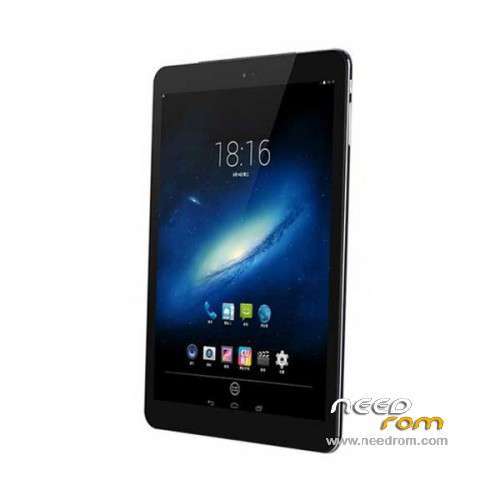
- Title: Cube Talk9x U65GT
- Listed: June, 2014
- Last modified: 04/07/2019 3:01 pm
- Version: ROM Android 4.4.2
You must be logged for ROM download.
41983 total views, 2 today
21 Total favorites
 Member Info
DESCRIPTION
ROM Cube Talk9x U65GT – ROM Android 4.4.2
Update Official ROM Cube Talk9x U65GT Version: 0502L012_EP79-U65GTB18MXXTDC_V2.0_20150908 – KOT49H
install flash
——————————————————————————————————————————————————————-
Update Official ROM Cube Talk9x U65GT Version: 0502L012_EP79-U65GTB18MXXTDC_V2.0_20141111 – KOT49H
Install OTA
1.copy ****.zip to root folder of the phone SD card (no need to unzip).
2.Turn off the phone, then keep pressing power button and volume+ button until the robot icon appear, then press power button again
3.Press the volume- to move up and down to choose“wipe data/factory reset”, then press volume+ button to confirm.
4.Choose “yes—delete all user data”, then press volume+ button to enter the page as below.
5.It will enter below page after finishing delete all user data.
6.Then choose“apply update from sdcard”
7.Find and select the ROM, press volume+ to enter the page as below.
8.Please make sure the power is sufficient during the upgrading. It will showed as below when the upgrading finished.
9.Choose “reboot system now”,then press volume+ button to reboot your phone.
——————————————————————————————————————————————————————-
Official ROM Cube Talk9x U65GT Version: 0502L012_EP79-U65GTB18MXXTDC_V1.3_20140527 – KOT49H
Gapps lite include – No Rooted
Language support : Multilang
Install ROM :
- Unpack FlashTools, and Click on Flash_tool.exe
- Select a the MT6592_Android_scatter_emmc.txt in ROM
- Wait file to be added into Flash Tool
- choose Option->USB Model,click USB Model
–> Choose Option->DA DownLoad All->Speed->High Speed, click High Speed
- Turn off your phone.
- "Press F9 (hit Download button)" OR " if upgrade ROM Firmware->Upgrade "
- and connect your phone into the computer via USB data cable.
- The process will start and a red progress bar will appear after color purple, yellow.
- And green circles display
- Finish !
- You can now safely disconnect your phone and turn it on.
※Please make a backup of your device before installing or updating ROM
cant slash
Version: 0502L012_EP79-U65GTB18MXXTDC_V2.0_20150908 – KOT49H
The MTK drivers don't work. Downloading drivers from other sources still can't find the device.
I've tried using Spflash with an older version 5.1628 as the other member said and it works!!