
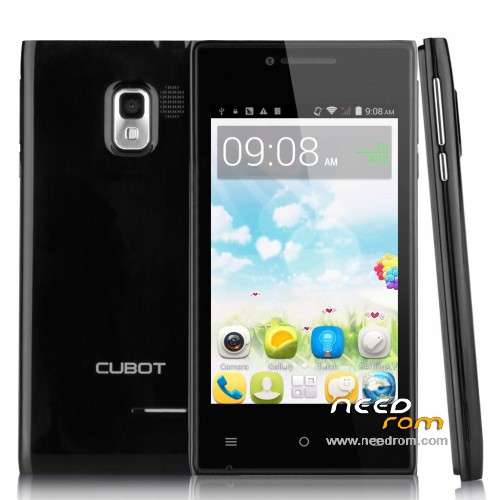
- Title: Cubot GT72+ Rooted ROM + TWRP Recovery
- Listed: May, 2015
- Last modified: 05/29/2015 2:32 am
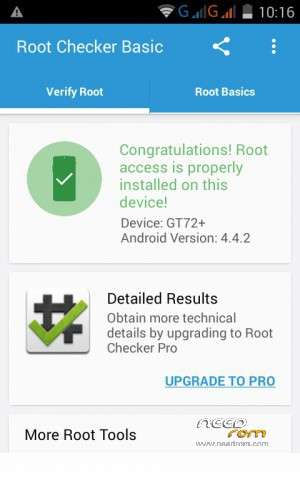
- Version: Android 4.4.2 ROOTED
You must be logged for ROM download.
18045 total views, 1 today
3 Total favorites
 Member Info
DESCRIPTION
First of all thank you user SoCr@Te for your stock ROM as it allowed me to recover my phone back. After bricking my phone trying to find a root solution his ROM got me back in action and was able to reach the goal and fully root my phone. His files where the base for this research. Thanks again, friend.
Please respect my work and give credit where its due. There was a lot of time of research and trial and error involved.
Thank you.
Details:
- ONLY FOR MTK6572 Platform
- Cubot GT72+ rooted ROM 4.4.2 (version CUBOT_4011_S135MWI_CQ01_V0.4.819 – hongyu72_cwet_71_kk)
- TWRP recovery installed (touch based)
- Google apps: Rooted
- Multi-Language
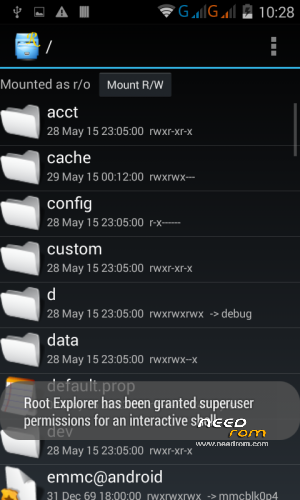
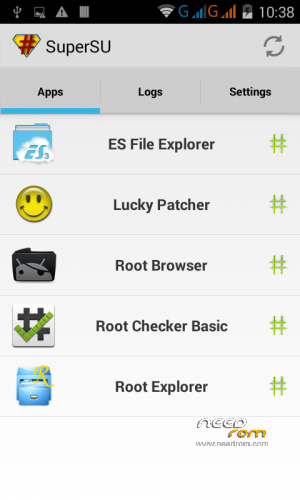
- SuperSU manager 1.86 + Root explorer installed
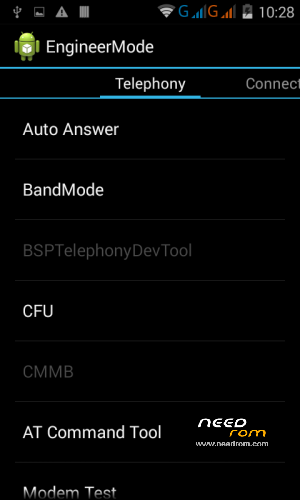
- NOTICE: If you Factory Reset after flashing ROM, language will be in Russian. You can easily change language in Settings. Both IMEI will be blank (Factory Reset will wipe NVRAM); you can use MTK Engineer Mode program to restore your own IMEIs.Use only your OWN IMEIs as it is highly illegal on most countries to do so. I take no responsability for misuse/abuse of the following information.
INSTALL INFORMATION:
* PLEASE MAKE SURE YOU'VE INSTALLED ALL THE PROPER DRIVERS BEFOREHAND *
- Unpack SP_Flash_Tools archive, and open the Flash_tool.exe program
- Select DOWNLOAD tab and press the Scatter Loading Button.
- Select the MT6572_Android_scatter.txt in ROM folder
- Wait for file to be added into Flash Tool. By default all partitions will be checked and mode will be Download Only.
- Go to Options-> Option->Choose Option->USB Model,click USB Model
-Go to Options-> Option->Choose Option->DA DownLoad All->Speed->High Speed, click High Speed and Battery as Auto-Detect
- Turn off your phone and remove battery (do not plug USB cable in the computer yet)
- If you wish to keep your current preloader, be sure to uncheck it from the check box, otherwise leave it as is.
- Press F9 (hit Download button) OR if upgrade ROM Firmware->Upgrade
- Connect your phone into the computer via USB data cable.
- The process will start and a red progress bar will appear after color purple, yellow colors.
- A circle with a check will appear on screen when all is done.
- You can now safely disconnect your phone and turn it on
- Phone is now rooted. Enjoy!!
* Please don't forget to rate my ROM.Thanks *
※Please make a backup of your device before installing or updating ROM
gracias me parece muy efectivo.
me funciono
Estamos a la orden. Me alegra que le haya funcionado bien.
Saludos cordiales.
de donde puedo descargar la rom
hi i have a problem to write my imei they say by click send at command( this command is not allowed in userbuild) what can i do please help
In MTK Engineer Mode you need to separate the plus (+) sign from the AT word and then input your IMEI inside the quotation marks. For example for IMEI 1:
If you input AT+EGMR=1,7"INSERT YOUR 15 DIGIT IMEI HERE" , and click SEND AT COMMAND you will encounter "this command is not allowed in userbuild" error.
Separate the plus sign from AT like this:
AT +EGMR=1,7"INSERT YOUR 15 DIGIT IMEI HERE" and then and click SEND AT COMMAND. Command will be sent and all you have to do is to restart your phone. That IMEI will be set.
Regards.
kbennett : thank you very much the space betwen the "AT" & "+EGMR" helped
Estoy a la espera de mi Cubot GT72+. Tan pronto llegue, lo flasheo con esta rom…
Good to know,buddy.Enjoy.
donde consigo los link
ya flashe pero no me soluciono mi problema
Buen dia:
Ya probo haciendo flash al telefono con Format All + Download en vez de solo Download? En este caso le borraria la info en sus particiones pero tal vez le podria ayudar con su telefono que no enciende. No puedo hacerle garantias en su caso, pero a mi funciono cuando brickee mi cel mientras estuve de travieso probando firmwares que no correspondian al telefono. No olvide quitar la bateria cuando utilize el Sp_flash_tool. Si logra conectarse el telefono con la aplicacion y le deja hacer el flash tal vez hay esperanza. Como le comento, no le garantizo pero nada pierde con probarlo. Y tiene suficiente carga su bateria para probar encenderlo despues?
Saludos.
Solo un agregado a la respuesta que le agregue:
Desmarque CACHE y USRDATA de la lista de Sp_flash_tool antes que haga flasheo al telefono.
Saludos
hola buen dia sabes tengo un problema con el cubot GT72+ se reinicia cada rato solo cuando coloco un juego o cuando estoy llaando o cuando lo tergo rato usandolo sabras la solucion plis
hola buen dia sabes tengo un problema con el cubot GT72+ se reinicia cada rato solo cuando coloco un juego o cuando estoy llaando o cuando lo tergo rato usandolo sabras la solucion plis
No especificamente, ya que no ha pasado ninguna de las incidencias que comenta, pero probo haciendo un reset de fabrica (respaldando lo importante antes) para ver si le funciona mejor. Cuando hizo flash inicialmente marco los elementos que se indicaron? Puede probar haciendo un flash con FORMAT ALL + Download, siempre recalcando que hay que hacer backup. Espero le sea de ayuda. Saludos,
Ojo tome nota de los elementos que hay que marcar y desmarcar cuando haga flash con FORMAT ALL + Download. En las respuestas encontrara los que indico.
si pero no me funciona se reinicia a cada rato solo
tengo un problema con mi cubot gt72+ se reinicia solo cada rato sin necesidad me pueden ayudar
Hay stock ROM de la pagina de GT72+ que puede probar flashear si le esta dando problemas. Haga el format con ese flash para recuperar el rom no modificado para ver si le si le funciona normal.
Saludos.
aun sigo con el problema una pregunta no abra otra ron que le sirba aparte de la oficial