
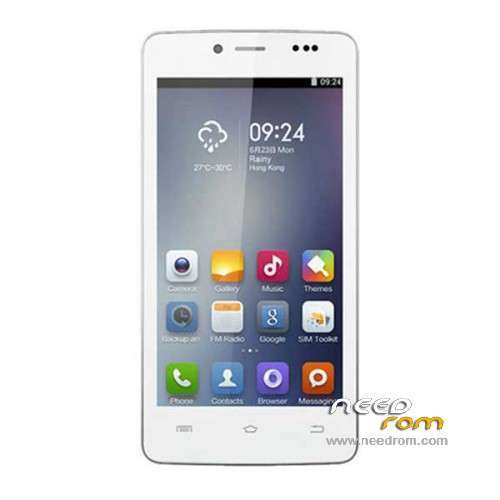
- Title: Cubot P10
- Listed: December, 2014
- Last modified: 03/03/2015 3:09 am
- Version: ROM Android 4.2.2
You must be logged for ROM download.
19464 total views, 3 today
6 Total favorites
 Member Info
DESCRIPTION
ROM Phone Cubot P10 – ROM Android 4.2.2
ONLY MT6572
Update Official ROM Cubot P10 Version: CUBOT-P10.QHD.8P64.150121.B1B5
1360F.M3491AW_1.A2.EN.QHD.8P64.COM.150121.B1B5
——————————————————————————————————————————————
Official ROM Cubot P10 Version: CUBOT-P10.QHD.8P64.140905.B1B5
1360F.M3491AW_1.A2.EN.QHD.8P64.COM.140905.B1B5
Gapps include – No Rooted
Language support: Multilang
Install ROM:
- Unpack FlashTools, and Click on Flash_tool.exe
- Select a the MT6572_Android_scatter.txt in ROM
- Wait file to be added into Flash Tool
- choose Option->USB Model,click USB Model
–> Choose Option->DA DownLoad All->Speed->High Speed, click High Speed
- Turn off your phone, remove the battery.
- "Press F9 (hit Download button)" OR " if upgrade ROM Firmware->Upgrade "
- and connect your phone into the computer via USB data cable.
- The process will start and a red progress bar will appear after color purple, yellow.
- And green circles display
- Finish !
- You can now safely disconnect your phone and turn it on.
※Please make a backup of your device before installing or updating ROM
please check scatter file !!!
is wrong file mt6572scatter !!!
please solve this problem
Just open the scatter and remove the first line completely. The first line must start with # (that long string you will see in the file). Use Notepad++ to avoid text format change.
hi, great works, thank you for answer!
Can someone please advise. I'm really not, and I did everything according to instructions but nowhere ROOT. Thanks for the answer
I all
Im having trouble installing the drivers any sugestions
thanks
Hi i've just installed stock rom and cwm recovery but i have a problem cwm couldn't mount anything or format anything and firmware just start and stuck at boot logo (cubot) plz help me to solve this problem