
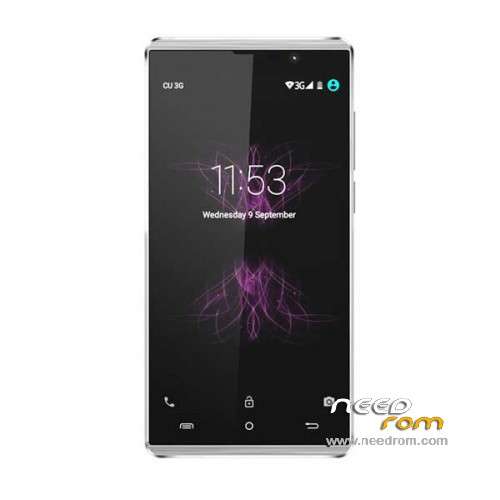
- Title: Cubot P11
- Listed: November, 2015
- Last modified: 11/10/2015 5:06 pm
- Version: ROM Android 5.1
You must be logged for ROM download.
15675 total views, 1 today
6 Total favorites
 Member Info
DESCRIPTION
ROM Phone Cubot P11 – ROM Android 5.1
ONLY MT6580
Official ROM Cubot P11 Version: CUBOT-P11 20151106 – mt6580_w325_e5041_chuanqi_cc_64gbitp8d3_lp1_wcdma_mul – full_w325-user 5.1 LMY47I
Gapps include – No Rooted
Language support: Multilang
Install ROM:
Install with SP MDT:
1). Turn off the smartphone. Cable is not connected to the computer.
2). Remove the battery and insert it again
3). Connect your phone to a computer cable. The operating system detects a new device
4). Disconnect the cable from the computer.
5). Run SPMultiPortFlashDownloadProject.exe
6). Choose File> Open File Agent download and specify the file MTK_AllInOneDA.bin (it is in the folder SP_MDT).
7). Click Scatter File and select the MT6580_Android_scatter.txt file (it's in the folder with the rom).
8). Click "Start all".
9). Connect your phone to a computer cable. The program should see and blink. If the phone is not detected, then unplug it from the computer,
remove and insert the battery (if the battery is removable) and reconnect it to the computer.
10). After (OK) click Stop and disable any phone.
11). Completed.
※Please make a backup of your device before installing or updating ROM
THE FLASH TOOL GIVES ME ALOT OF ERRORS ANY HELP ON GETTING RID OF THE ERRORS
Also getting errors
where is the download link?
oh just got it
The rom works normaly! I use this smflashtool from this link:
https://mega.nz/#!NQRWnCSZ!Ekp.....-GG9L-ngvwSSrCM
use and instal the drivers:
https://mega.nz/#!5FJliDyL!eQt.....MhiV1tP0fvDylGE
and download this upside rom.
0. install the drivers (chose the opeation system drive 7 or 8 )
1.turn of the phone
2. open the flashtool and chose the scater file txt(you find it in the downloaded rom dir)
3 click on the download button, and connect the phone to the cable
4, when write 100 and wonload ok, disconnect phone from the computer, and turn on.
Use the phone!
Hello.
I can ask you to reupload, the links are inactive.
Regards.
REMEMBER TO CONNECT THE PHONE WITHOUT BATTERY !
i did not take out the battery, only turn off. its works well…