
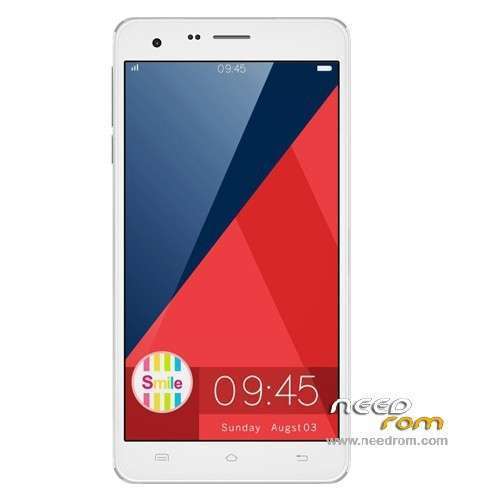
- Title: Cubot S222
- Listed: April, 2014
- Last modified: 06/05/2014 3:05 am
- Version: ROM Android 4.2.2
You must be logged for ROM download.
27713 total views, N/A today
3 Total favorites
 Member Info
DESCRIPTION
ROM Mobile Cubot S222 – ROM Android 4.2.2
ONLY MT6582
Update Official ROM Cubot S222 Version: CUBOT S222_4600F0I2_CQ7_4039C_V012 – 06032014
——————————————————————————————————————————————–
Update Official ROM Cubot S222 Version: CUBOT S222_4600F0I2_CQ7_4039C_V011 – 05202014
——————————————————————————————————————————————–
Update Official ROM Cubot S222 Version: CUBOT S222_4600F0I2_CQ7_4039C_V008 – 05152014
——————————————————————————————————————————————–
Update Official ROM Cubot S222 Version: CUBOT S222_4600F0I2_CQ7_4039C_V005 – 04252014
——————————————————————————————————————————————–
Official ROM Cubot S222 Version: CUBOT S222_4600F0I2_CQ7_4039C_V003 – 04172014
Gapps include – No Rooted
Language support: Multilang
Install ROM:
- Unpack FlashTools, and Click on Flash_tool.exe
- Select a the MT6582_Android_scatter_emmc.txt in ROM
- Wait file to be added into Flash Tool
- choose Option->USB Model,click USB Model
–> Choose Option->DA DownLoad All->Speed->High Speed, click High Speed
- Turn off your phone, remove the battery.
- "Press F9 (hit Download button)" OR " if upgrade ROM Firmware->Upgrade "
- and connect your phone into the computer via USB data cable.
- The process will start and a red progress bar will appear after color purple, yellow.
- And green circles display
- Finish !
- You can now safely disconnect your phone and turn it on.
※Please make a backup of your device before installing or updating ROM
Hello. I am a Spanish user of a CUBOT S222 smartphone, I have problem with DIGITAL COMPASS on my phone.
¿Can you confirm please if with the latest firmware ROM Cubot S222 Version: CUBOT S222_4600F0I2_CQ7_4039C_V012 – 06032014
compass digital works?
you can try with google maps or installing an app from play store COMPASS.
Please tell me. email me. ALFONSOCABALLANOGOMEZ@GMAIL.COM
i am sorry but i think you give crappy instuctions. i couldn 't do anything beside formating my phone… :/
Hi, can some one give me the information how we can size up the RAM of the Cubot S222 from 1Gb to the full 16GB?
regards Dennesshi
you can find solution here: http://forum.xda-developers.co.....d.php?t=2455850
Hi, i've tried all edited ebr for MTK6582 (4g, 6gb, 8gb, 12gb) and nothing works.
It doesnt works… the phone is not recognized.
Any chance to see a 4.4.x based rom for this device ?
Thanks
conpañeros consulta que audino le hace para este equipo he probado con varios pero solo se escucha por un solo lado nose que hacer es 3.5 por favor su apoyo.
saludos
Hello Tabagismo, did you solve for the EBR?
I did it! With the help of many, ghost45, newpancio and the great jefemaestro85.
Here you find all the files you need, and the EBR specific for S222, to flash with the whole v012 rom.
Change the EBR in the rom with these and you have 6 gb for the apps and 7 as storage.
USE FIRMWARE UPGRADE
https://mega.co.nz/#!fJcwQYDT!.....z2lxYLXmcJpuxZo
Hi cf67..
I've tried with the EBR from here http://forum.xda-developers.co.....d.php?t=2455850 and any doesn't work… but after I've tried the EBR from your link and SURPRISE….it's working…… How can be that possible??? because one guy (ghost45) is the same….
It's so weird!!!!!!!!!
can you please reload this file?
link is dead!
thank you!
jefemaestro85 did the EBR….. THANK YOU