
- Title: Cubot S308 ROM 4 gb internal 4.2.2 android
- Listed: November, 2014
- Last modified: 11/11/2014 3:46 pm
- Version: 1.0
You must be logged for ROM download.
28970 total views, 5 today
3 Total favorites
 Member Info
DESCRIPTION
If you want to donate me you can donate to my paypal account by sending payment to : lordluka@gmail.com
Ty very much!
ALWAYS BACK UP THE ROM FIRST, here is the link how:
Description:
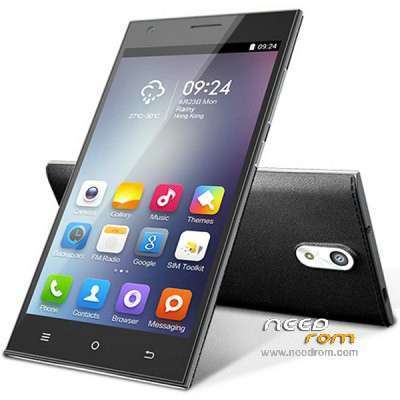
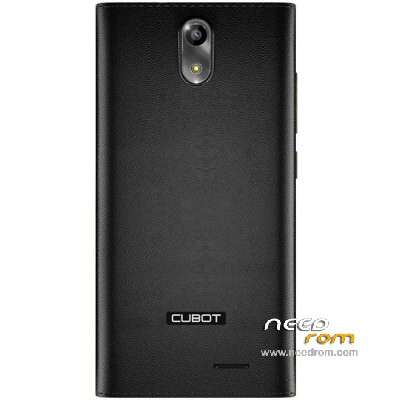
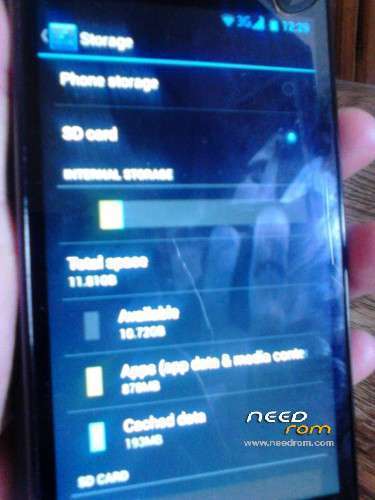
Custom rom for Cubot S308 4.2.2 android mtk6582 2gb RAM, 16gb ROM, Screen Resolution: 1024×720, 5 inch , with 4 gb available internal memory (I can enlarge it to 12.5 gb, for more information inbox me) , ty donate plz
If you need help msg me. I can help you with updateing rom and enlargeing your Internal memory up to normal amount.
Cheers from me, be patient with roms. 
How to install from start for beginers,
First you need to install all USB drivers, adb drivers, just extract rar files with drivers and install all packages, than just connect your phone and see if in device manager phone is recognized.
Than you need vROOT (the setup installs lots of mini apps on computer, so you should after installation go to windows uninstall and uninstall all new apps, except vROOT one). When you have installed it, just run the app vROOT, connect your phone and wait for vROOT to load it and recognize it. Than just click root and wait for phone to reboot. There you have rooted phone with vroot, now you can uninstall vroot apps on mobile phone and you can install super user to use root acces.
For backing up just use this link and follow the steps : http://www.theandroidhow.com/2014/05/how-to-backup-restore-stock-rom-with-sp-flash.html
When you have done all that you can proceed to flashing your mobile phone.
In sp flash tool v5.1408.00, first you load scatter file, than you go options/options/download and you put a mark on DA DL All with chekcsum.
First you go download only, put out your battery and disconect phone, click download and put battery in and reconnect the phone if it wont connect press volume up. Wait for all to finish. Dont bother for all pop ups. Disconect the phone and remove battery.
Next step go choose firmware upgrade, click download put battery back in and reconnect the phone. Wait for all progress till green OK. Start your mobile phone and it should work, if it doesnt try clockwork mode and wipe all data/cache.
If you want even more memory go to : https://www.needrom.com/download/cubot-s308-rom-12gb-internal-4-2-2-android/
Leave comments if the rom works, ty.
※Please make a backup of your device before installing or updating ROM
4.4.2…the phone works but there is the sim network lock
Still didnt get it to work on 4.4.2 version, I am working on it.
sim network lock shouldnt be the problem of the ROM, its a problem of your network operator, if its bought on the specific network and wont recognize other sim cards.
guys i had the same proplem but thanx for god my phone was completey dead but i have revive it back to the life >>>> so u just have to do the same that i have done >>> download all mtk drivers from the link http://www.datafilehost.com/d/.....b7ff7524 and install all of the softwares inside it >> download this stock rom for cubot s308>>> then go back to sp flash tool and scatter the mtk file >>>then connect your phone with your pc >>>>
believe me it will work my phone was bricked cuz the fake kitkat rom for s308 in this site but before just one hour by using this method i got it back >>> for any help contact me on whatsapp +249925699948
So does this ROM work for you? Do you have 4gb internal memory? Can you post picture plz.
yesterday i was brick my celllphone with KK rom link in Cubot s308 which is not working after SP tool download finished my phone wont start now
redbeard211 can you please uplaod your phone rom backup so i can update to KK
please mention from which websit you ordered your cubot which is came with kitkat rom
Hello
My S308 has android 4.2.2, doesn't work with this android?
thanks
it should work if its 4.2.2 android, did you try to install it?
Sorry I'm wrong, my phone has android 4.4.2 (KK). I try to install your ROM, the phone has not turned on and I had to go back to the original ROM.
Are you going to try to edit the rom of android 4.4.2? I have the phone stopped waiting for your ROM jejej ;D
Thanks for all
If I have not explained well, I need a ROM for my phone that allows me to have a 4 gb available internal memory… I don't know is if possible…
I have a new S308 with 4.4.2 android mtk6582 2gb RAM, 16gb ROM, Screen Resolution: 1024×720, 5 inch , with 1 gb available internal memory…
please help!!
Yes I understand, I am uploading new one now, so plz if you can try it when it finishes.
do i have to Download only in sp flash tool or Firmware upgrade …?
whats the procedure exactly? do i need to root with the vroot first?
You need both, first download than firware upgrade. No need for root first.
with firmware upgrade stops at 38% on yelow bar and i got the message ”BROM ERROR:S_FT_DOWNLOAD_FAIL (4008)
previus versions of your roms stoped on 18% and produce the same error.
with Download only i got ''PMT changed for the rom; it must be downloaded''
than its no good ill remove it, what exact rom works for you? from this site?
What a pity
As I said I had the android 4.4.2 and your first rom does not work on my phone. I have not tried the second.
The rom that my work is the https://www.needrom.com/wp-con......9_20140922.rar, it is android 4.4.2.
If this the you could modify would be perfect
thanks again
I uploaded new one, plz try it and let me know I think this one should work.