
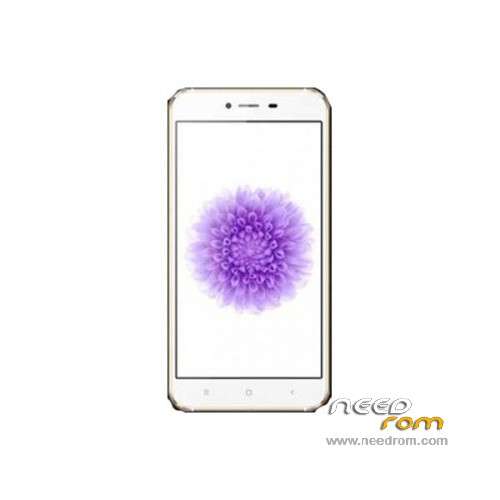
- Title: Cubot X10
- Listed: March, 2015
- Last modified: 12/26/2015 1:03 am
- Version: ROM Android 4.4.2
You must be logged for ROM download.
25974 total views, N/A today
6 Total favorites
 Member Info
DESCRIPTION
ROM Phone Cubot X10 – ROM Android 4.4.2
ONLY MT6592
ROM 2 – Update Official ROM Cubot X10 Version: SPMTKJFF812CUBOTP05V01-20151127 – KOT49H – V1_WCDMA – 11/27/2015
ATTENTION this ROM is not compatible with ROM 1
———————————————————————————————————————————————————
ROM 2 – Update Official ROM Cubot X10 Version: SPMTKJFF812CUBOTP05V01-20150825 – KOT49H – V1_WCDMA – 08/25/2015
ATTENTION this ROM is not compatible with ROM 1
———————————————————————————————————————————————————
ROM 2 – Update Official ROM Cubot X10 Version: SPMTKJFF812CUBOTP05V01 – KOT49H – V1_WCDMA – 08/15/2015
ATTENTION this ROM is not compatible with ROM 1
———————————————————————————————————————————————————
ROM 1 – Update Official ROM Cubot X10 Version: SPMTKJFF811CUBOTP05V02 – KOT49H – V1_WCDMA- 07/17/2015
ATTENTION this ROM is not compatible with ROM 2
———————————————————————————————————————————————————
ROM 2 – Update Official ROM Cubot X10 Version: SPMTKJFF812CUBOTP05V01 – KOT49H – V1_WCDMA – 07/15/2015
ATTENTION this ROM is not compatible with ROM 1
———————————————————————————————————————————————————
ROM 2 – Update Official ROM Cubot X10 Version: SPMTKJFF812CUBOTP05V01 – KOT49H – V1_WCDMA – 06/26/2015
ATTENTION this ROM is not compatible with ROM 1
———————————————————————————————————————————————————
ROM 2 – Official ROM Cubot X10 Version: SPMTKJFF812CUBOTP05V01 – KOT49H – V1_WCDMA
ATTENTION this ROM is not compatible with ROM 1
———————————————————————————————————————————————————
ROM 1 – Update Official ROM Cubot X10 Version: SPMTKJFF811CUBOTP05V02 – KOT49H – V1_WCDMA
———————————————————————————————————————————————————
ROM 1 – Official ROM Cubot X10 Version: SPMTKJFF811CUBOTP05V01 – KOT49H – V1_WCDMA
Gapps include – No Rooted
Language support: Multilang
Install ROM:
- Unpack FlashTools, and Click on Flash_tool.exe
- Select a the MT6592_Android_scatter.txt in ROM
- Wait file to be added into Flash Tool
- choose Option->USB Model,click USB Model
–> Choose Option->DA DownLoad All->Speed->High Speed, click High Speed
- Turn off your phone.
- "Press F9 (hit Download button)" OR " if upgrade ROM Firmware->Upgrade "
- and connect your phone into the computer via USB data cable.
- The process will start and a red progress bar will appear after color purple, yellow.
- And green circles display
- Finish !
- You can now safely disconnect your phone and turn it on.
※Please make a backup of your device before installing or updating ROM
thank you so much. you make my day im so happy my phone is now perfact. before i have a problem cant open phone now its fine. already intalled rom gold one. thanks again who uploaded.
the mobile must be root to make the mission of the new rom?
DO NOT OPEN THE MOBILE and she displays a message (brom error s ft da no response 4001) ask for help
When a Cubot X10 bloqs and don´t turn on if the battery is at 0% . There´s any rom for repair this fail?
MTK6592 doesn't support lolipop… so x10 can't be updated to 5.1.
My IMEI is gone!!
ok
thanks
hi, kann mir jemand in Deutsch helfen? wie gehe ich vor ohne x10 zu beschädigen?
und wie bekomme ich Android 7 auf das cubot x10?
Danke