
- Title: CWM Zopo ZP998 _V1.07
- Listed: January, 2014
- Last modified: 03/06/2014 2:36 pm
- Version: 4.2.2 05.03.2014 BASE
You must be logged for ROM download.
68316 total views, 8 today
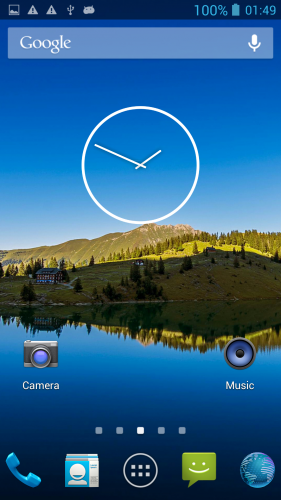
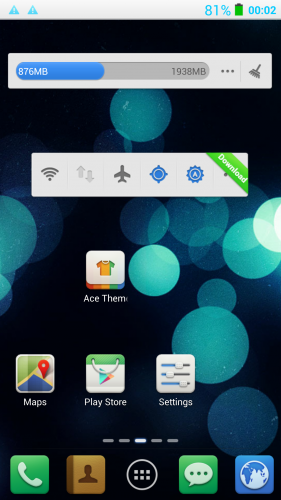
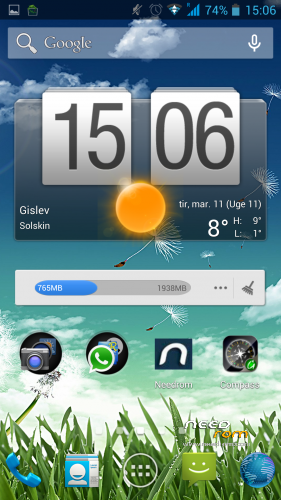

 Member Info
DESCRIPTION
custom rom for ZP998
Â
NEW UPLOAD MADE SO SHUT WORK NOW
Â
REMEMBER TO MAKE BACKUP BEFORE FLASHING THIS ROM
NOW I HAVE REMOVED FORMAT BEFORE FLASHING I WILL WRITE THAT IT DOES BUT IT DONT SO DONT WORRY
 BUT REMEMBER U NEED TO WIPE DALVIK CACHE/CACHE/SYSTEM OTHERWISE U WONT BE ABLE TO GET ROOT PERMISSION
CHANGELOG 10.03.14
NEW ROM IS UNDER THE HOOD
WITH MORE SMOOTH NESS
BETTER WIFI
BETTER GPS
BETTER FLOAT
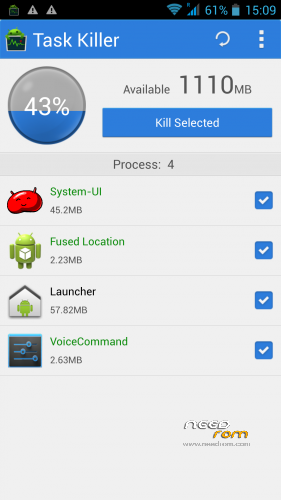
LESS RAM USE
S-VIEW WORKS
Â
u may use my work just remember to ask
an give prober credit
Â
an fore wipe please use twrp recovery there u can wipe cache/dalvikcache/factoryreset/system
Â
based on new base 05032014
new camera
new libs
new moduels
deodexed
zipalig
————————————————
TO ENABLE ADVANCE SETTINGS
GO TO SYSTEM/ABOUT PHONE
NOW DOWN TO VERSION NUMBER
HIT IT 5 OR 6 TIMES
U HAVE NOW ENABLE ADVANCE SETTING
Â
BASED ON LATEST RELEASE FROM ZOPO
THIS IS STOCK WITH SOME SMALL TWEAKS
FOR NOW
STILL WORKING ON BLACK SCREEN OPTIONS
Â
rooted
removed china app
put zip on sdcard
reboot into recovery
wipe cache/ dalvik cache/factor reset/Â an system
flash zip from sdcard
Â
an for last
why do people qoute bad stars insted off stating there problems
so dont give bad stars remember we are only doing this in our sparetime
Â
※Please make a backup of your device before installing or updating ROM
Thanks fluffy for this rom
Anyway, let me highlight your guide.
To those who have bricked their phone, just flash the stock rom using SP Flash Tool and when you are done, follow these guide. And make sure that you have downloaded this rom and transfer the zip file to your phone. And don't forget to backup your files.
1. After done flashing stock rom, flash TWRP recovery[the best recovery from my perspective] using SP Flash Tool. Here's the download link to TWRP recovery http://ge.tt/3D6DeZJ1/v/3
2. Once you are done flashing that recovery, get into TWRP by holding volume up button and power on button. To those who can't reboot into recovery, just turn off your phone and hold volume up button and connect your phone to the computer via USB. Keep holding until TWRP recovery mode popped out.
3. Since TWRP is a touch-screen recovery, first you will have to FACTORY RESET your phone in that recovery mode. Once you are done, find advance wipe option, and you will find a few box. Mark CACHE, DALVIK, SYSTEM and ANDROID SECURE.
4. Now when you are done, you may start flashing your rom. Find the rom that you have copied to the phone storage and just wait the recovery to do it's work and reboot.
Enjoy the rom I'm glad to help fluffy. +1 to this guy, 5 stars bro
Thanks for all the extended tutorials.
Advanced wiping SYSTEM and ANDROID SECURE did the trick.
But as many ppl seem to have problems getting this (and I mean ppl flashing their china phones with beta roms are not total noobs I would highly suggest @fluffy to include that SYSTEM wipe in the updater scirpt.
Would avoid a lot of confusion
Cute boot loop
I do all wipes sys, cache and dalvik
Solo espero que se mejore el gps, porque todavía no he encontrado ninguna
wipe system
Where did you get 05032014 ROM?
9520
Nice rom, like the new camera app….
But if you had problem with GPS signal in the vanilla ROM's, you still have those with this ROM.
My phone find GPS signal only after 90-140 sec, and easily dropped it… literaly useless as a GPS navi.
Dont't work; phone is in a reboot loop.
What I did:
Copied update to "external" SD-card.
Reboot into CWM, wiped cache, Dalvik, factory/user data reset
flash vom sd-car.
wiped cache, Dalvik, factory/user data reset,
reboot.
Now the phone is in a boot loop.
The same problem that smallbit. What can we do? thanks…
please install twrp recovery with that recovery u can also format system an that is what u need to do
https://www.needrom.com/mobile...../recovery-twrp/
Changelog 10.03.14 New rom cant wait to try it out.
Where do you find this new rom?
And where find rom 5.03.2014 base of this one?