
- Title: CM12.1 Stable 11.03.2016
- Listed: January, 2016
- Last modified: 04/02/2016 2:15 pm
- Version: 5.1.1 For X8 11.03.2016
You must be logged for ROM download.
24292 total views, N/A today
13 Total favorites
 Member Info
DESCRIPTION
Ported from 4pda.ru Jiayu G4S Rom By Komandoz
Im sorry paypal users in my country still cant receive money…
if you want DONATE please donate to my
WEB MONEY ID—-698254612846 or
yandex money—410012345203394
THANK YOU …
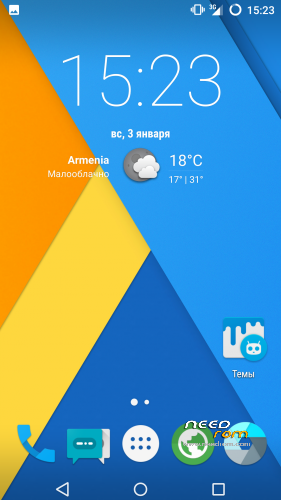
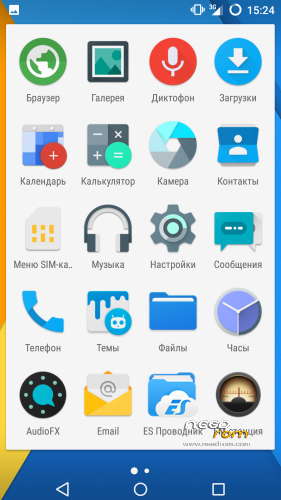
CyanogenMod 12.1 port for iOCEAN X8 BUGLESS UPDATED 12.01.2016
Based CyanogenMod 12.1 for Kingzone K1 Turbo
Installation:
- Download ROM
- Make full wipe in recovery(TWRP)
- Install ROM in recovery(TWRP)
- Reboot device
- Done.
- Download gapps pico or nano
- Install zip in recovery(TWRP)
-
Installation SuperSU:
- Download SuperSU or KinUser
- Install zip in recovery(TWRP)
Features:
Added call recorder
and there is systemUI witk data speed
- —-Dual SIM
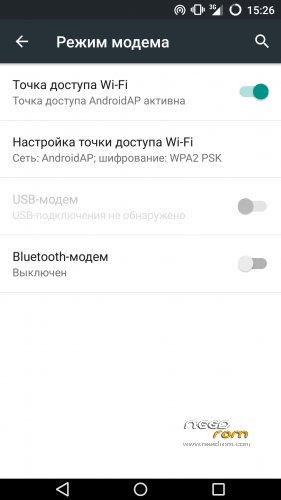
- —-Wifi
- —-Bluetooth
- —-Audio
- —-Sensors
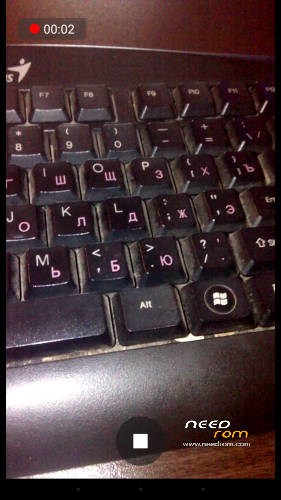
- —-Camera (photo and video recording)
- —-GPS
- —-FMRadio
- —-OTG
- —-Youtube official client playback 720p(use og youtube app for 1080p)
- —-Screen Recording with shou app
- —-Fix animation changer
- —-Fix sd-card work
- —-New apns-conf
- —-Fix bootanimation
- —-Changes in the camera
- —-Changes in microphone
- —-Stereo sound from the speaker (It was only the left channel)
- —-Fixed FMRadio volume control
- —-Fixed game crashes
- —-Fixed usb connection problems
- —-Added headset icon in statusbar
- —-Fix BLE
- —-Fix miracast
• Новые системные приложения
• Утрачена функция “Пробуждение кнопками громкости”
• Пересобрана папка ETC
• Мелкие правки всего
• На этой базе не должны вылетать настройки, да и прошивка стабильнее
CHANGELOG 11.03.2016
• В общем весь список изменений прошивок по поводу APPS можно посмотреть тут
(Помечены они так: android_packages_apps_Название приложения)
• Кроме этого пофикшено зависание YouTube
• Пофикшено заикание BT
• Теперь за графику отвечает только GPU
• ВСЕ приложения от Cyanogen были обновлены в папке priv-app
• Ну и обновлены приложения Google и Build.prop)
• Ну и обновлены Root Explorer и SuperSu
• Пара твиков быстродействия)
• Ну и наше любимое Bootanimation из 6′ки
• New system applications
• Lost feature “Waking the volume buttons”
• rebuild ETC folder • Small changes in all
• On this basis shall not depart settings, and firmware stable CHANGELOG 11.03.2016
• In general, the entire list on the APPS firmware changes can be found here (Marked they: android_packages_apps_Nazvanie applications)
• Besides Fixed a hang YouTube
• Fixed a stutter for the BT • Now the schedule meets only the GPU
• All applications from Cyanogen have been updated in the priv-app folder
• well updated Google and Build.prop applications)
• well and updated Root Explorer and SuperSu
• A couple of tweaks speed)
• Well, our favorite Bootanimation of 6′
※Please make a backup of your device before installing or updating ROM
no engineering menu with *#*#3643366#*#* is gone please fix, i need it for my imei
ps love the rom good work
Just grab the engineer mode APKs from stock ROM, drop them in your /system/app and it should work. Or at least you'll be able to access 'em via mobile uncle tools
thanks
do you now how to fix camera? i'm willing to test :p
cyanogenmod is not created for mtk devices.its ported from another chipset..and there isn’t engineer mod..do not try instal engineer aps or add…its imposible
None of the new camera fixes worked for me, camera app crashes on start. But at least the logcat is more specficic now (note the line in bold):
D/MtkCam/devicemgr( 5233): [getDeviceInfo] deviceId:1 device_version:100 facing:1 orientation:270D/MtkCam/Utils/Property( 5233): [set] pid/tid=5233/5250 (client.appmode)=()
D/MtkCam/devicemgr( 5233): [openDeviceLocked] + mOpenMap.size:0 mEnumMap.size:3
E/MtkCam/devicemgr( 5233): [getPlatform] dlopen: /system/lib/libcam_platform.so error=dlopen failed: cannot locate symbol "_Z16getAEActiveCycleiii" referenced by "libfeatureio.so"... (getPlatform){#96:mediatek/hardware/mtkcam/devicemgr/CamDeviceManagerBase.platform.cpp}
D/MtkCam/devicemgr( 5233): [getPlatform] getHandleToPlatform():0x0 return 0x0 in /system/lib/libcam_platform.so
E/MtkCam/devicemgr( 5233): [openDeviceLocked] No Platform (openDeviceLocked){#282:mediatek/hardware/mtkcam/devicemgr/CamDeviceManagerBase.openDevice.cpp}
E/CameraClient( 5233): Could not open camera 1: -19
E/CameraClient( 5233): initialize: Camera 1: unable to initialize device: No such device (-19)
I/CameraClient( 5233): Destroying camera 1
E/CameraService( 5233): connectFinishUnsafe: Could not initialize client from HAL module.
W/CameraManager( 6300): Error querying camera device 1 for listing.
D/CAM_CameraActivity( 6300): Creating camera manager failed.
D/CAM_CameraActivity( 6300): com.android.camera.one.OneCameraException: Camera 2 API supported but no devices available.
D/CAM_CameraActivity( 6300): at com.android.camera.one.OneCameraManager.isCamera2Supported(OneCameraManager.java:125)
D/CAM_CameraActivity( 6300): at com.android.camera.one.OneCameraManager.create(OneCameraManager.java:95)
D/CAM_CameraActivity( 6300): at com.android.camera.one.OneCameraManager.get(OneCameraManager.java:74)
D/CAM_CameraActivity( 6300): at com.android.camera.CameraActivity.onCreateTasks(CameraActivity.java:1415)
D/CAM_CameraActivity( 6300): at com.android.camera.util.QuickActivity.onCreate(QuickActivity.java:101)
D/CAM_CameraActivity( 6300): at android.app.Activity.performCreate(Activity.java:5990)
D/CAM_CameraActivity( 6300): at android.app.Instrumentation.callActivityOnCreate(Instrumentation.java:1106)
D/CAM_CameraActivity( 6300): at android.app.ActivityThread.performLaunchActivity(ActivityThread.java:2311)
D/CAM_CameraActivity( 6300): at android.app.ActivityThread.handleLaunchActivity(ActivityThread.java:2420)
D/CAM_CameraActivity( 6300): at android.app.ActivityThread.access$900(ActivityThread.java:154)
D/CAM_CameraActivity( 6300): at android.app.ActivityThread$H.handleMessage(ActivityThread.java:1321)
D/CAM_CameraActivity( 6300): at android.os.Handler.dispatchMessage(Handler.java:102)
D/CAM_CameraActivity( 6300): at android.os.Looper.loop(Looper.java:135)
D/CAM_CameraActivity( 6300): at android.app.ActivityThread.main(ActivityThread.java:5294)
D/CAM_CameraActivity( 6300): at java.lang.reflect.Method.invoke(Native Method)
D/CAM_CameraActivity( 6300): at java.lang.reflect.Method.invoke(Method.java:372)
D/CAM_CameraActivity( 6300): at com.android.internal.os.ZygoteInit$MethodAndArgsCaller.run(ZygoteInit.java:904)
D/CAM_CameraActivity( 6300): at com.android.internal.os.ZygoteInit.main(ZygoteInit.java:699)
E/CAM_Util( 6300): Show fatal error dialog
D/OpenGLRenderer( 6300): Use EGL_SWAP_BEHAVIOR_PRESERVED: true
D/Atlas ( 6300): Validating map...
V/WindowManager( 656): Adding window Window{d0c72e4 u0 com.android.camera2/com.android.camera.CameraLauncher} at 3 of 7 (before Window{2f96db23 u0 Starting com.android.camera2})
V/CAM_QuickActivity( 6300): END onCreate: Activity = com.android.camera.CameraActivity@23c0cfb
V/CAM_QuickActivity( 6300): START onStart: Activity = com.android.camera.CameraActivity@23c0cfb
D/AndroidRuntime( 6300): Shutting down VM
E/AndroidRuntime( 6300): FATAL EXCEPTION: main
E/AndroidRuntime( 6300): Process: com.android.camera2, PID: 6300
E/AndroidRuntime( 6300): java.lang.RuntimeException: Unable to start activity ComponentInfo{com.android.camera2/com.android.camera.CameraActivity}: java.lang.NullPointerException: Attempt to invoke virtual method 'void com.android.camera.util.PhotoSphereHelper$PanoramaViewHelper.onStart()' on a null object reference
E/AndroidRuntime( 6300): at android.app.ActivityThread.performLaunchActivity(ActivityThread.java:2358)
E/AndroidRuntime( 6300): at android.app.ActivityThread.handleLaunchActivity(ActivityThread.java:2420)
E/AndroidRuntime( 6300): at android.app.ActivityThread.access$900(ActivityThread.java:154)
E/AndroidRuntime( 6300): at android.app.ActivityThread$H.handleMessage(ActivityThread.java:1321)
E/AndroidRuntime( 6300): at android.os.Handler.dispatchMessage(Handler.java:102)
E/AndroidRuntime( 6300): at android.os.Looper.loop(Looper.java:135)
E/AndroidRuntime( 6300): at android.app.ActivityThread.main(ActivityThread.java:5294)
E/AndroidRuntime( 6300): at java.lang.reflect.Method.invoke(Native Method)
E/AndroidRuntime( 6300): at java.lang.reflect.Method.invoke(Method.java:372)
E/AndroidRuntime( 6300): at com.android.internal.os.ZygoteInit$MethodAndArgsCaller.run(ZygoteInit.java:904)
E/AndroidRuntime( 6300): at com.android.internal.os.ZygoteInit.main(ZygoteInit.java:699)
E/AndroidRuntime( 6300): Caused by: java.lang.NullPointerException: Attempt to invoke virtual method 'void com.android.camera.util.PhotoSphereHelper$PanoramaViewHelper.onStart()' on a null object reference
E/AndroidRuntime( 6300): at com.android.camera.CameraActivity.onStartTasks(CameraActivity.java:1918)
E/AndroidRuntime( 6300): at com.android.camera.util.QuickActivity.onStart(QuickActivity.java:111)
E/AndroidRuntime( 6300): at android.app.Instrumentation.callActivityOnStart(Instrumentation.java:1236)
E/AndroidRuntime( 6300): at android.app.Activity.performStart(Activity.java:6006)
E/AndroidRuntime( 6300): at android.app.ActivityThread.performLaunchActivity(ActivityThread.java:2321)
E/AndroidRuntime( 6300): ... 10 more
W/ActivityManager( 656): Force finishing activity 1 com.android.camera2/com.android.camera.CameraLauncher
I/OpenGLRenderer( 656): Initialized EGL, version 1.4
E/ ( 656): appName=system_server, acAppName=/system/bin/surfaceflinger
E/ ( 656): 0
I/MaliEGL ( 656): [Mali]window_type=1, is_framebuffer=0, errnum = 0
I/MaliEGL ( 656): [Mali]surface->num_buffers=4, surface->num_frames=3, win_min_undequeued=1
I/MaliEGL ( 656): [Mali]max_allowed_dequeued_buffers=3
W/ActivityManager( 656): Activity pause timeout for ActivityRecord{2d0e6a25 u0 com.android.camera2/com.android.camera.CameraLauncher t12 f}
V/WindowManager( 656): rotationForOrientationLw(orient=5, last=0); user=0
Try port yourself.no device on my hand..
Change from stock this files
- \system\lib\hw\camera.default.so
- \system\lib\libcamera_client.so
- \system\lib\libcameracustom.so
- \system\lib\libcameraprofile.so
- \system\lib\libcameraservice.so
- \system\lib\libmhal.so
- \system\lib\libmhalcontent.so
- \system\lib\libmhaldrv.so
- \system\lib\libmhalmdp.so
- \system\lib\libmhalpipe.so
- \system\lib\libmhalscenario.so
- \system\lib\libmhalutility.so
- \system\etc\permission\android.hardware.camera.front.xml
- \system\etc\permission\android.hardware.camera.xml
Test ..if ther is peoblem change lib/libclib.camparam.so
And system/lib/camparam.so
Try and write me…i’m waiting
Replacing libfeatureio.so by the one from stock fw gives me the same green screen, still playing with files, will post if I fix it.
//Пока играюсь, LD_PRELOAD с заглушкой вместо
_Z16getAEActiveCycleiiiдал тот же зеленый экран, как и замена libfeatureio.so на версию из стока. Напишу если будет прогресс, но не факт что сегодня успеюIf screen is green chage libdpframework.so
libdpframework.so doesn't help much. Copying all libcam* stuff from stock only gives green color instead of camera image and the system won't boot (stuck on bootanimation) next time you restart the phone. I didn't find any libmhal* binaries in my stock fw.
Do you have the sources of the kernel and the .config that you used for this firmware? That would help a lot.
http://www.mtkroms.com/p/tutor.....ials.html