
- Title: Cyanogenmod 12.1 – v3.0
- Listed: March, 2016
- Last modified: 03/06/2016 4:03 am
- Version: 5.1.1
You must be logged for ROM download.
18512 total views, 5 today
6 Total favorites


 Member Info
DESCRIPTION
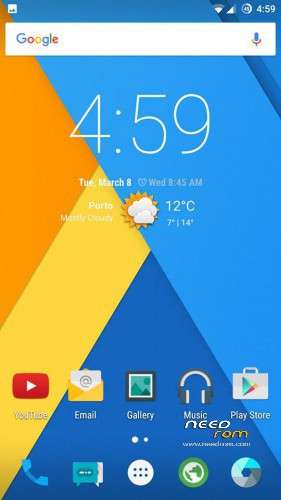
-Everything seems to be fixed finally. I ported this rom from mtkroms site and fixed its bugs and issues. I hope you can finally get the cyanogenmod experience that you always wanted.
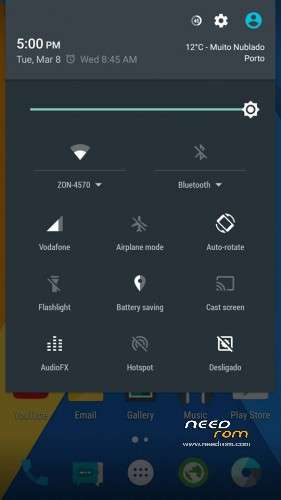
-Camera works now, flashlight works, nfc, wifi, you name it!
Changelog (v3.0):
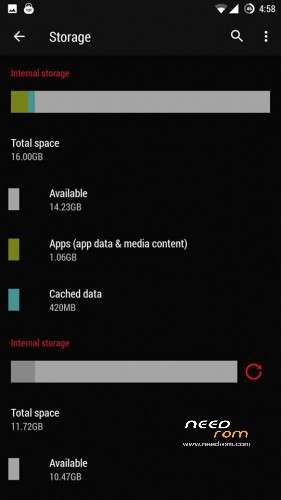
- Storage fixed finally (16gb internal memory + 12gb internal sd)
————————————————————————————————
-> As for the battery please feel free to try the performance and memory leak fixes that MAY or MAY NOT improve battery life and reduce temperatures (install performance tweak first; if you see no difference install memory leak fix).
UPDATE ON BATTERY LIFE: Using the performance and memory tweaks greatly improves battery life but sometimes the phone may not be as smooth and fast as before. However, if your facing lag you can fix it by flashing "performace_booster_by_Ajit_mtkroms-com.zip. If not, do not flash. After you flashed it download terminal emulator from google play, open a new window and type "su" and then "unlockfps". Turn your screen off and then on again and you will see a performance difference, but this effect may waste more energy and will dissapear when you reboot your phone. If you want to set it permanently move the "unlockfps" file located in /system/xbin folder to /system/etc/init.d folder and then reboot.
PLEASE READ CAREFULLY: (STORAGE FIX INCLUDED!!!!!) – Changes are highlighted
- Before flashing the actual rom wipe all your partitions and flash "partition.zip" file, change the emmc partition format to EXT4 if it is not yet, and after that do a full wipe. (ATTENTION: AFTER FLASHING THIS FILE YOUR PHONE'S MEMORY WILL BE PARTITIONED AS 16GB FOR INTERNAL MEMORY (APPS) AND 12GB FOR INTERNAL SD (MEDIA), SO IF YOU WANT TO SET IT BACK TO DEFAULT OR CHANGE THE PARTITIONS TO YOUR WANTED VALUES YOU WILL HAVE TO EDIT EBR1 AND EBR2 FILES INSIDE THE PARTITION.ZIP FILE. IF YOU WANT TO HAVE 6GB FOR APPS AND THE REST AS INTERNAL SD SKIP THIS STEP ONLY)
- Flash rom ONLY with TWRP by SevenMaxs 2.7.1.1 that you can download from this site
- Flash "NonEmulated_MT6592_Ajit_mtkroms-com.zip"
- Boot into the rom and then turn off your phone.
- Boot into recovery and flash the "pa_gapps-modular-pico-…-signed.zip" file (gapps) and the two zip files that are inside "Dolby+SuperSU_Ajit_mtkroms.com.rar" file (you have to extract .rar file first)
- If you want to change the display density you can go to the build.prop file and were it says "ro.sf.lcd_density" replace the default value with the value 440. Then reboot go to settings and change the display density to 440. (you can edit the build.prop file by downloading "build prop editor" from google play)
- Done. Enjoy the Rom 
※Please make a backup of your device before installing or updating ROM
pd. i have already did what do you suggest in the performance boost. but nothing seems happen.
great version !! brought many solutions no bugs until now. how can i install xposed , i tried with the same way from v2 but it gives me boot loop
Did someone found a solution for the video codec lagging?
To disable the sim cards, you can put it in Airplane mode. Unless it worked for me
Please help. Miracast not working – when connected to TV I have sound but picture is green. What could be the problem?