
- Title: Cyanogenmod 12 Android v5.1
- Listed: January, 2015
- Last modified: 04/15/2015 1:49 pm
- Version: CM 12 (14/4/2015)
You must be logged for ROM download.
48316 total views, 7 today
6 Total favorites


 Member Info
DESCRIPTION
Cyanogenmod 12 Android v5.1 Lollipop For Nubia Z7 Max.

Is Root And Multilanguage Rom.
Special Note:
This ROM is available for Z7Max after merging partitions.
Dual SIM support.
- – - – - – - – - – - – - – - – - – - – - – - – - – - – - – - – - – - – - – - – - – - – - – - – - – - – - – - – - – - – - – -
Rom Name : cm-12.1-20150414-yirom-nx505j
Release: 14/4/2015
Install:
1)First install the Stock Rom Android 5 v2.13.(With new official partition setup.)
2)Install this recovery TWRP v2.8.6.0 ( https://www.needrom.com/download/twrp-v2-8-6-0/ )
3)Enter to recovery,make full wipes.
4)Install CM12 Rom from recovery.
5)Install Google APPS from recovery.
6)Reboot.(The first boot take long time,please be patient!).
Update log:
1. Adapt the official format to the new partition setup (Stock v2.13).
2. Repair CM12 in the new panorama mode the camera automatically and FC.
3. Repair call recording playback silent.
4. Add a single card and dual card switch freely.
5. Synchronous latest CM12.

This ROM works only with new official partition setup.(Android 5 Rom v2.13 and new releases.)
Do not flash this ROM to the old official partitions.(Android v4.4.2 Rom v1.64 and lower versions.)
- – - – - – - – - – - – - – - – - – - – - – - – - – - – - – - – - – - – - – - – - – - – - – - – - – - – - – - – - – - – - – -
How to Root CM12:
- – - – - – - – - – - – - – - – - – - – - – - – - – - – - – - – - – - – - – - – - – - – - – - – - – - – - – - – - – - – - – -
This post will updated with new CM12 rom versions.
Last update 14/4/2015
※Please make a backup of your device before installing or updating ROM
Must install official version 2.13 first.
THIS ROM IS FOR THE NEW PARTITION v2.13!!!!!
Yes!!! Got it working…
-From ZTE Z7 Max BB72 custom ROM 1.64
-Installed Z7 Max 2.13 Android 5 Beta_Eng_Chi (I followed the steps of SIMONAS the 5th post on 2nd page)
-then installed TWRP v2.8.6.0
-then Cyanogenmod 12 Android v5.0.2
-Confirmed 25.89gb Internal Storage.
Thank you!!!!!
@Ariz12 since I am also running BB72 1.64 can you give a review of the differences? Thanks!
VERY GOOD ROM GPS SOUND WORKING GOOD BATTERY LIFE HAD SOME WIFI PROBLEMS BUT MUST VERIFY AT HOME
L
I installed official rom 2.13, and I unlocked bootloader via Z7max_2.13_Android _5.0_CWM recovery (option 2), then I installed TWRP 2.8.6.0 I made wipes, and when I want to Install CM12 status bar is standing in the same place since 30 minutes Any suggestions ?? Please see below screenshot.
1)Download again the Rom zip file.
2)Restart the phone make all wipes.
3)Install the Rom.
VERY GOOD RELEASE.
I CHECKED WIFI IT IS RUNNING GOOD. GPS IS ALSO VERY FAST AN ROM IS FAST WITH GOOD BATTERY LIFE (THIS ROM IS PERFORMING GOOD EVEN IN BATTERY SAFE MODE!!).
I WILL KEEP IT AND AFTER A WEEK WORKING WITH IT I WOULD LIKE TO DONATE TO THE CREATOR, HOW TO DO IT?
REGARDS
My phone when receiving a missed call it crashes. Who know fix it? Help me. Thanks.. I installed CM12 20150410
I’m experiencing these issues
-Unfortunately, Email has stopped (from time to time)
-WiFi connected but very slow. Restart phone fix issue.
Apart from that, everything looks ok. I’ll do feedback in few more days.
I’m not sure if this solves the issue with email has stopped.
-Clear the cache of the app
For start thank you tigress for every answer. I unbrick my phone and now I installed last release CM12 but now ZTE can't find phone signal. I suppose phone is not broken, because (as you can see on the screen shot) when I plug in one sim card then it shows new application , when I plug off the app disappeared. And (I'm not sure) but I didn't see information about baseband in settings (please see attached screen ).
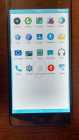
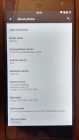
In sim settings I can't change preferred network type (nothing change when I choose another option).
Could you please tell me how can I fix it ?