
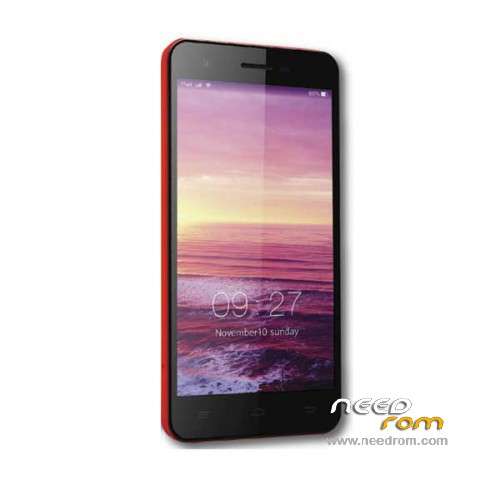
- Title: DingDing Heat 7
- Listed: January, 2016
- Last modified: 06/13/2017 9:46 pm
- Version: ROM Android 5.1
You must be logged for ROM download.
12774 total views, 2 today
2 Total favorites
 Member Info
DESCRIPTION
ROM Phone DingDing Heat 7 – ROM Android 5.1
ONLY MT6735M
Update Official ROM DingDing Heat 7 Version: QZ-Heat7-1.11_20170515-123145 – full_hct6735m_35gu_l1-user 5.1 LMY47D – t925ab-qz-f168-33fpgu-hd-128g16g-fdd-3m
——————————————————————————————————————————————————————————-
Official ROM DingDing Heat 7 Version: QZ-Heat7-1.11_20160725-163412 – full_hct6735m_35gu_l1-user 5.1 LMY47D – t925ab-qz-f168-33fpgu-hd-128g16g-fdd-3m
Gapps include – No Rooted
Language support : Multilang
Install ROM :
Install with SP MDT:
1). Turn off the smartphone. Cable is not connected to the computer.
2). Remove the battery and insert it again
3). Connect your phone to a computer cable. The operating system detects a new device
4). Disconnect the cable from the computer.
5). Run SPMultiPortFlashDownloadProject.exe
6). Choose File> Open File Agent download and specify the file MTK_AllInOneDA.bin (it is in the folder SP_MDT).
7). Click Scatter File and select the MT6735M_Android_scatter.txt file (it's in the folder with the rom).
8). Click "Start all".
9). Connect your phone to a computer cable. The program should see and blink. If the phone is not detected, then unplug it from the computer,
remove and insert the battery (if the battery is removable) and reconnect it to the computer.
10). After (OK) click Stop and disable any phone.
11). Completed.
※Please make a backup of your device before installing or updating ROM
hi i would like to ask if what is the purpose of the calibration folder on the rom files? also i would like to report that after updating the heat 7 the touch screen is not working properly. any advice how to fix it?
I think you reformat all partition….try download all or upgrade with stock rom,i mean first version rom.use sp flashtool
my heat 7 got bootlooop.can i use this way method to restore my heat 7?
Yes….if you want to restore back,you need to reflash with first version rom 1.10. don't tick preloader,can cause imei number gone,use donwload all to start flashing.hope this can set you free from bootloop.Mine is now use version DingDing Heat 7 Version: QZ-Heat7-1.11_20170515-123145 – full_hct6735m_35gu_l1-user 5.1 LMY47D – t925ab-qz-f168-33fpgu-hd-128g16g-fdd-3m.
i already try this and it not solving my bootloop problem.cause it say COMPORT IS REPETITIVE? any way to solve this please help
Hello….try using SP Flashtool version 5.1348.00 to flashing rom,if update rom not working,try original first rom to reflash,i hope this solve your problem.