
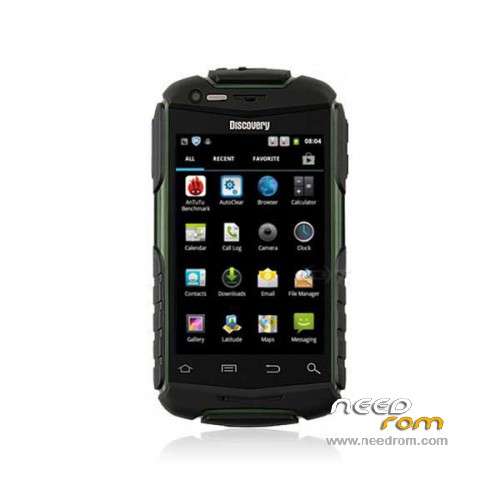
- Title: Discovery V5+
- Listed: January, 2015
- Last modified: 01/07/2015 2:38 am
- Version: ROM Android 4.2.2
You must be logged for ROM download.
16677 total views, 1 today
2 Total favorites
 Member Info
DESCRIPTION
ROM Phone Discovery V5+ – ROM Android 4.2.2
ONLY MT6572
Official ROM Discovery V5+ version: V5+_3G_V0.1_EMMC_V14_20141216
Gapps include – No Rooted
Language support: en_US,ar_IL,nl_NL,fr_FR,de_DE,it_IT,pt_BR,pt_PT,es_ES,bn_IN,cs_CZ,el_GR,iw_IL,hi_IN,hu_HU,in_ID,ko_KR,
ms_MY,fa_IR,ro_RO,ru_RU,th_TH,tr_TR,ur_PK,vi_VN,tl_PH,my_MM,km_KH,zu_ZA,sw_TZ,be_BY,am_ET,rm_CH,
af_ZA,he_IL,it_CH,de_CH,de_AT,de_LI,fr_CH,fr_CA,fr_BE,en_GB,en_ZA,en_SG,en_NZ,en_IE,en_IN,en_CA,en_AU,
nl_BE,ar_EG,hr_HR,lv_LV,lt_LT,nb_NO,pl_PL,es_US,da_DK,ja_JP,sr_RS,sv_SE,sk_SK,sl_SI,bg_BG,uk_UA,fi_FI,et_EE,kk_KZ
ROM Install :
Install with SP MDT:
1). Turn off the smartphone. Cable is not connected to the computer.
2). Remove the battery and insert it again
3). Connect your phone to a computer cable. The operating system detects a new device
4). Disconnect the cable from the computer.
5). Run SPMultiPortFlashDownloadProject.exe
6). Choose Database Factory menu> Configuration File data source and specify the file MTK_DATABASE.mdb (it is in the folder SP_MDT).
7). Choose File> Open File Agent download and specify the file MTK_AllInOneDA.bin (it is in the folder SP_MDT).
8). Click File and select the MT6572_Android_scatter.txt file (it's in the folder with the rom).
9). Click "Start all".
10). Connect your phone to a computer cable. The program should see and blink. If the phone is not detected, then unplug it from the computer, remove and insert the battery and reconnect it to the computer.
11). After (OK) click Stop and disable any phone.
12). Completed.
※Please make a backup of your device before installing or updating ROM
Эта прошивка получше той, что была в телефоне. Но акселерометр так и не работает правильно, сбивается при повороте и не возвращается в горизонталь. И подсветка сама отключается через 4 секунды, похоже болезнь программисты не хотят.
This firmware is better than the one that was in the phone. But the accelerometer and is not working properly when you turn astray and did not return to the horizontal . And light itself off after 4 seconds , it seems the disease programmers do not want .
I have update this rom but one problem is screen timeout. I set the screen timeout to 2 minutes, but when i get a phone call finish talking the screen timeout goes back defult to 15 seconds every single time when i get a phone call. I have to reboot set the screen timeout back to 2 minutes.Please can you fix that. Thank in advance.
where is database factory men
DEAD PHONE AFTER FLASH
Same here!
error 4032
and where is "Database Factory menu" ???
need help, can anyone read back the firmware and post it again … in advance thanks
password
как скачать?