
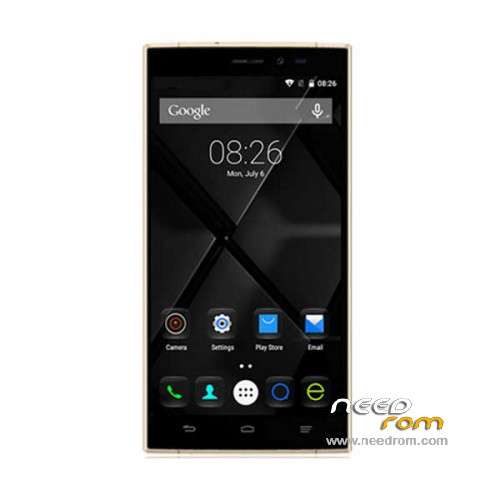
- Title: Doogee F5
- Listed: December, 2015
- Last modified: 07/08/2016 12:42 am
- Version: ROM Android 5.1
You must be logged for ROM download.
32827 total views, 4 today
26 Total favorites
 Member Info
DESCRIPTION
ROM Mobile Doogee F5 – ROM Android 5.1
ONLY MT6753
Update Official ROM Doogee F5 version: DOOGEE-F5-Android5.1-20160701 – X5607_DG_A32_PUBLIC_V1.8.8_S0701 – x5607_dg_a32-user 5.1 LMY47D
——————————————————————————————————————————————————————————–
Update Official ROM Doogee F5 version: DOOGEE-F5-Android5.1-20160303 – X5607_DG_A32_PUBLIC_V1.8.1_S0126 – x5607_dg_a32-user 5.1 LMY47D
——————————————————————————————————————————————————————————–
Update Official ROM Doogee F5 version: DOOGEE-F5-Android5.1-20160125 – X5607_DG_A32_PUBLIC_V1.7.1_S0125 – x5607_dg_a32-user 5.1 LMY47D
——————————————————————————————————————————————————————————–
Official ROM Doogee F5 version: DOOGEE-F5-Android5.1-20151214 – X5607_DG_A32_PUBLIC_V1.5.1_S1214 – x5607_dg_a32-user 5.1 LMY47D
Gapps include – No Rooted
Language support: Multilang
Install ROM:
- Unpack FlashTools, and Click on Flash_tool.exe
- Select "scatter-Loading" and search MT6753_Android_scatter.txt in ROM
- Wait file to be added into Flash Tool
- Select "Download Only" or if upgrade "Firmware upgrade"
- Turn off your phone, remove the battery (if the battery is removable) and replace it after some seconds (and don't turn on the phone).
- Press “Download” button to start
- and connect your phone into the computer via USB data cable.
- The process will start and a red progress bar will appear after color purple, yellow.
- And green circles display
- Finish !
- You can now safely disconnect your phone and turn it on.
※Please make a backup of your device before installing or updating ROM
The Doogee F5 is a good smartphone with budget price, but I love my Bluboo xtouch better. Here I found a comparison video for Bluboo xtouch and Doogee F5, hope it is useful for you. https://www.youtube.com/watch?.....v=BDtA1MoIYGw
I installed rom from here and have 2 porbelms
gps some time stop for 30 minutes
camera works but some blur and never focus as usual
please help!
PROBLEM – Flashed DOOGEE-F5-Android5.1-20160701 this morning. All works except Developer options. The usual list of options has vanished. The only option available – only one?! – is USB debugging. Have played around tring to get the others back but no luck.
Can anyone help?
SoCr@Te
DOH!!…
…The PROBLEM was me being knackered whilst flashing the rom. Forgot to tap 'about phone' several times to enable Developer options. Stupid mistake and should know better.
The Rom works as expected…NO probs found. 10/10
Hope Doogee hurry up with their release of Android 6 for the F5. They did say on facebook July. But not being on social media not sure how things are going. Fingers crossed
Cheers SoCr@Te
Let the Rom alone, let's talk about the phone. The device is good with 5.5 inch FHD display, 3GB RAM and 13MP camera, but the battery is only with 2660mAh and it runs old Android 5.1 OS. so I think the 6.0-inch vkworld T1 Plus smartphone (Android 6.0, 4300mAh battery) can be a better option, maybe.
Doogee is not recommended anymore. fake premise,no customer service, No kernel source release so that we can't get update our android. Doogee also come with Defects. Vkworld is not good brand. I recommend you to go with a Xiaomi,Elephone,Vernee,cherry mobile, or Zte(they are all good budget)
The ROM of Update 07/01/2016 is not safetyNet. Why?
For test use https://play.google.com/store/.....afetynet.sample
It's ok, it was the IMEI. I have changed it and it's good for safetyNet.
I have bug with the wifi Can't connect
ME PUEDEN AYUDAR PORFAVOR. Instale la rom que eta arriba y no me funciona el 3g