
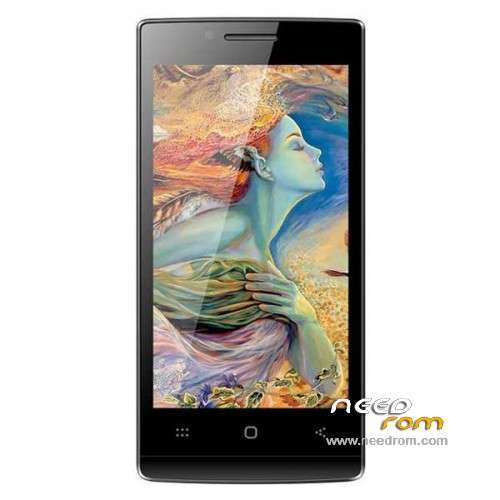
- Title: DOOGEE LATTE DG450
- Listed: December, 2014
- Last modified: 12/08/2014 3:33 pm
- Version: ROM Android 4.2.9
You must be logged for ROM download.
19468 total views, 2 today
5 Total favorites
 Member Info
DESCRIPTION
ROM Phone DOOGEE LATTE DG450 - ROM Android 4.2.9
ONLY MT6582
Official ROM DOOGEE LATTE DG450 Version : DOOGEE-LATTE-DG450-Android4.2.9-2014/07/07 – ratech82_wet_rlk_jb5
Gapps include – No Rooted
Language support: Multilang
Install ROM:
- Unpack FlashTools, and Click on Flash_tool.exe
- Select a the MT6582_Android_scatter.txt in ROM
- Wait file to be added into Flash Tool
- choose Option->USB Model,click USB Model
–> Choose Option->DA DownLoad All->Speed->High Speed, click High Speed
- Turn off your phone, remove the battery.
- "Press F9 (hit Download button)" OR " if upgrade ROM Firmware->Upgrade "
- and connect your phone into the computer via USB data cable.
- The process will start and a red progress bar will appear after color purple, yellow.
- And green circles display
- Finish !
- You can now safely disconnect your phone and turn it on.
※Please make a backup of your device before installing or updating ROM
thanks Socr@te .. root very easy with framaroot 1.9.3.
I hope a new kitkat rom during 2015.
Hello , I own a Dg450, got bricked without any reason, completely dead. Followed all the intructions on internet, all versions of SP flashtool, MTK Flashtool without success. Always install as "MTK USB", not preloader or DA.Tried keys combinations before cable connect, no luck. Please anyone help!
Try to flash by BirdA Flashtoool, with battery. I was have similar problem, and flash sucessfully.
I have problem when i am calling someone the screen goes off and i can't turn it on again!!! Only if i remove the battery.Strange.Is there any solution?I tried also other dialers but nothing…
Proximity Sensor works bad
Does anyone find any Custom Rom ?
I Search the internet but i cant find any other ROM
gracias me funciono para revivir mi telefono que estaba colgado en logo