
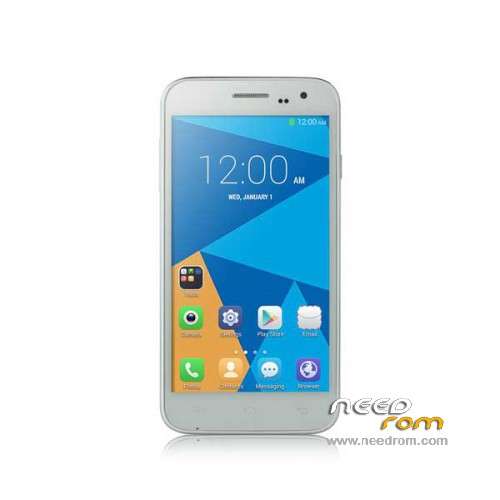
- Title: Doogee Voyage2 DG310
- Listed: December, 2015
- Last modified: 07/31/2016 2:10 am
- Version: ROM Android 5.0
You must be logged for ROM download.
36709 total views, 3 today
30 Total favorites
 Member Info
DESCRIPTION
ROM Phone Doogee Voyage2 DG310 – ROM Android 5.0
ONLY MT6582
Official ROM Doogee Voyage2 DG310 version: DOOGEE-VOYAGER2_DG310-AH-HD-Android5.0-20160726 – SM619B_DG_A26_AH_HD_V0.1.2_S160726 – 5.0 LRX21M
Country : Algeria
——————————————————————————————————————————————————————————
Official ROM Doogee Voyage2 DG310 version: DOOGEE-VOYAGER2_DG310-Android5.0-V40-20151223 – SM619B_W_DG_A26_L_V40_S1223 – 5.0 LRX21M
Gapps include – No Rooted
Language support: Multilang
Install ROM:
- Unpack FlashTools, and Click on Flash_tool.exe
- Select "scatter-Loading" and search MT6582_Android_scatter.txt in ROM
- Wait file to be added into Flash Tool
- Select "Download Only" or if upgrade "Firmware upgrade"
- Turn off your phone, remove the battery (if the battery is removable) and replace it after some seconds (and don't turn on the phone).
- Press “Download” button to start
- and connect your phone into the computer via USB data cable.
- The process will start and a red progress bar will appear after color purple, yellow.
- And green circles display
- Finish !
- You can now safely disconnect your phone and turn it on.
※Please make a backup of your device before installing or updating ROM
There is no recent version (20151223) on "http://www.doogeemobile.com/do.....nload".
The version 20151223 from "http://www.doogee.cc/download......Id=44" had a corrupt "system.img".
Firmware upgrade worked in following way.
On phone, use "Settings", "About phone" and tap "Build Number" 7 times to get in debug mode. Power off phone and remove battery.
On computer, download/extract firmware and tool files from this site. Install driver, run flashtool, select scatter loading file "MT6582_Android_scatter" from firmware, select "Format All + Download" and click download.
Connect phone with USB cable to computer and wait till done (few minutes).
When done, disconnect phone, put battery back and power on. Wait about 5 minutes.
http://www.doogeemobile.com/do.....wnload
http://www.doogee.cc/download......php?ProId=44
File corupt
saludos quien del grupo que tenga lollipop que me diga como hacer root, y cual recovery instalar twrp o philz este donde lo descargo para dg310 lollipop gracias
Have someone try the last ROM?
thank you for the help you save my a**…
tank you for give us the properly rom and help me to save my phone
allah bless my friend me too i was downloading from oficial site but no luck file was corrupted now my device has revived and get back to work smoothly because of u thank you so much salut
Thanks for rom
good
buenas tardes tengo cinco dias tratando descargar esta rom pero me la descarga con errores como hago y de verdad la necesito. si alguien puede de verdada ayudarme se lo agradeseria