
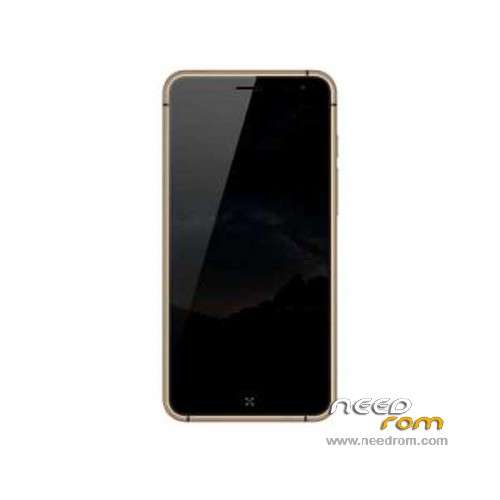
- Title: ECOO E05
- Listed: August, 2015
- Last modified: 11/10/2015 2:25 am
- Version: ROM Android 5.1
You must be logged for ROM download.
18474 total views, N/A today
4 Total favorites
 Member Info
DESCRIPTION
ROM Phone ECOO E05 – ROM Android 5.1
ONLY MT6753
Update Official ROM ECOO E05 version: ECOO_E05_151109 – full_bd6753_65u_a_l1-user 5.1 LMY47D
—————————————————————————————————————————————————————–
Official ROM ECOO E05 version: ECOO_E05_151103 – full_bd6753_65u_a_l1-user 5.1 LMY47D
Gapps include – No Rooted
Language support: Multilang
ROM Install :
- Unpack FlashTools, and Click on Flash_tool.exe
- Select "scatter-Loading" and search MT6753_Android_scatter.txt in ROM
- Wait file to be added into Flash Tool
- Select "Download Only" or if upgrade "Firmware upgrade"
- Turn off your phone, remove the battery (if the battery is removable) and replace it after some seconds (and don't turn on the phone).
- Press “Download” button to start
- and connect your phone into the computer via USB data cable.
- The process will start and a red progress bar will appear after color purple, yellow.
- And green circles display
- Finish !
- You can now safely disconnect your phone and turn it on.
※Please make a backup of your device before installing or updating ROM
Good day, any one have the ECOO_E05_151113 18-11-2015?
Can it be ported (or would it work already) to Ecoo E04 "Lite" with MT6753?
Thanks.
1. Yes… It's ROM support to Bluboo X9 (i have Bluboo X9, use this ROM)
2. NO, don't install this ROM to ECOO E04 (another remap, another kernel, another divice drivers). Another way – dead device (or bootloop)
how to install this ROM for Bluboo X9? Because when I power off the phone and replace battery ect. and connect the PC then te upgrade not working.
I try the volume + button push connecting, then no driver and appear the red progress bar and off the procedure. not good.
how can I upgrade?
1. Istall driver
2. Run Flash too (choose download agent and scatter)
3. Unplug "Preloader"
4. Put "Download"
5. Turn off "smartphone"
6. Press on smartphone Volume "-"
7. During pressing plug into USB
when i click on scatter it always says "the load scatter file is incorrect" in flash tool, or "incorrect scatter file" in SP MDT. What to do?
Lovely, thanks a lot. I bought mine bluboo x9 and i've got a virus in Loader. After deleting it, phone doesn't want to run anymore. But now after instaling this room it's work perfectly.
Guys that have problem with "incorrect scatter file" you must open that file and delete first line (document must starting with this # not line with i think name of guy/group that made it) and it gonna work.
Again, many thanks.
it doesn´t work. when i pres download it doesn´t do anything
This Rom is great. It works on Bluboo X9. flash it then update using OTA.
I find it to fix the bug of missed alarm that was in the firmware that came with Bluboo x9. Only difference is ECOO logo and phone being identified as Ecoo.
Thumbs up