
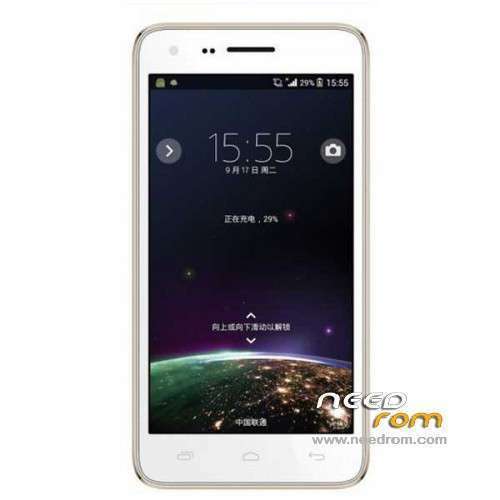
- Title: Elephone P7 Mini
- Listed: January, 2014
- Last modified: 11/21/2014 6:28 pm
- Version: ROM Android 4.2.2
You must be logged for ROM download.
38521 total views, 5 today
3 Total favorites
 Member Info
DESCRIPTION
ROM Mobile Elephone P7 Mini - ROM Android 4.2.2
Update Official ROM Elephone P7 version: 0502K084A_20140811_20140829 – Elephone20140829 – htt82_wet_jb5 – ALPS.JB5.MP.V1.5
——————————————————————————————————————————————
Official ROM Elephone P7 version: Elephone20140107
MT6582 + 1G Ram + 4G Rom + 960×540 + Dual sim
Gapps include – No Rooted
Language support: Multilang
Install ROM:
- Unpack FlashTools, and Click on Flash_tool.exe
- Select a the MT6582_Android_scatter_emmc.txt in ROM
- Wait file to be added into Flash Tool
- choose Option->USB Model,click USB Model
–> Choose Option->DA DownLoad All->Speed->High Speed, click High Speed
- Turn off your phone, remove the battery.
- "Press F9 (hit Download button)" OR " if upgrade ROM Firmware->Upgrade "
- and connect your phone into the computer via USB data cable.
- The process will start and a red progress bar will appear after color purple, yellow.
- And green circles display
- Finish !
- You can now safely disconnect your phone and turn it on.
※Please make a backup of your device before installing or updating ROM
No wifi and bluetooth. Can someone help? On other roms I don't have network. I tried everything. Thanks.
Please multilang in the Slovak lang (Slovak language)
answer anyone has a ROM of the Slovak language
wifi no function
Pls Wifi and Bluetooth not working now. How to fix ??!!
I have another problem: when I load a ROM MT6582_Android_scatter.txt by Scatter-loading with Flash Tool it crash and appear [XML Exception] Syntax error error (file.\XMLDocumentImpl.cpp, line 99).
Help, please
archive 257 Mb??????
Hello Mr. SoCr@Te, something is wrong with the newest Rom (Elephone P7 mini Update 08/29/2014). After flashing the phone dont want to work. Perhaps the Rom is for P7 Blade???
Omuur
Mi telefono ahora esta brickeado! no enciende ni nada! no lo reconoce mi PC ni el flashtool :l alguna AYUDA?
My phone is now bricked! no lights or anything! My PC does not recognize nor flashtool: l some help?
i had same problem: Turn off phone, battery out,no usb-cable connected to pc, than start spft connect usb cable to phone (not to PC) load scatter for your phone with necassary files, in spft "download", start flashing in programm than connect usb to PC and put battery in. (worked for me!)
Gero
Do the following steps and your phone will be fine
1.Download one of the following roms:
goophone n9700 - kuphone c1 - mlais mx28 - sesonn n9700 - mhp 9700
2. Download and run sp flash tool
3, load scatter file
4. check firmware update
5. check download
6. put out the battery, sim card and sd card from your phone
7. connect your phone with pc
8. press volume + volume – and power on continusly for at least 30 seconds (hard reset)
9. when you hear your pc that recognize your phone stop pressing buttons and leave it to finish.
10. do not unplug your phone during the proccess and everything will be fine
I have made a cwm recovery for my mlais mx28+. Just look for it on needrom and you shall have it.
Elephone P7 Mini hard bricked…SOLVED
Hello guys, for those that were stuck in a hard brick, phone not booting after power on vibration and PC not recognizing your device, i succesfully used the instructions given by Pentakalos.
——————————————————————————-
pentakalos on 06/11/2015 @ 11:42 am
Do the following steps and your phone will be fine
1.Download one of the following roms:
goophone n9700 - kuphone c1 - mlais mx28 - sesonn n9700 - mhp 9700 (Dont worry to use this ROMs, use the one i have given below)
2. Download and run sp flash tool
3, load scatter file
4. check firmware update
5. check download
6. put out the battery, sim card and sd card from your phone
7. connect your phone with pc
8. press volume + volume – and power on continusly for at least 30 seconds (hard reset)
9. when you hear your pc that recognize your phone stop pressing buttons and leave it to finish. (Means, you should keep butons pressed until you hear the PC sound that mans your device has been recognised, than imediately put the phone way from you hands and let the tool do its job)
10. do not unplug your phone during the proccess and everything will be fine
——————————————————————————-
I used a ROM version i found on the following address:
https://s03.solidfilesusercont.....ni_stock_FW.zip
It's not the very first original ROM but anyway it starded the phone and it works perfectly.
But beside this, any idea why the latest ROM 0502K084A_20140811_2014082 did not work and caused the phone to Hard Brick?
I must say that when i used SP Flash i left SIM card and SD Card inside the phone. Is this a possible cause for this fail?
I think, this root cause analisis, would be helpful even to other Elephone P7 Mini owners that have faced similar problem, or to avoid facing this problem.
Good Luck guys!